The drill press is supplied pre-wired with a 110V 3-pin plug. It is recommended that it be
connected to a 15-amp (min.) dedicated circuit.
Laguna Tools does not recommend connection to GFI/GFCI outlets or circuits. Local codes
often require GFI protected outlets in many areas but also often provide exceptions for certain
types of applications including connections to industrial machinery or when the outlet is not
easily accessible along with other exceptions. Check your local codes for details.
While GFCI outlets offer increased protection, they may not be suitable for all equipment or
appliances. Some devices can cause false or nuisance tripping due to their normal operation,
while others may experience issues with shared neutrals. In such cases, a non-GFCI outlet or
alternative protection method may be more appropriate.
The type of motor and motor electronic controls used in the DP20 machine for speed control,
reverse, and auto reverse functions can result in nuisance tripping from the frequency
variations. These fluctuations can be misinterpreted by the GFCI device as a dangerous fault,
causing it to trip needlessly. GFCIs will often nuisance trip with certain types of loads. For
example, many motors will trip the GFCI even though there is no electrical leakage to ground.
This is why there are exceptions for certain types of equipment and even circuits like a
refrigerator outlet. It is a good idea to have these on a circuit of their own with no GFCI.
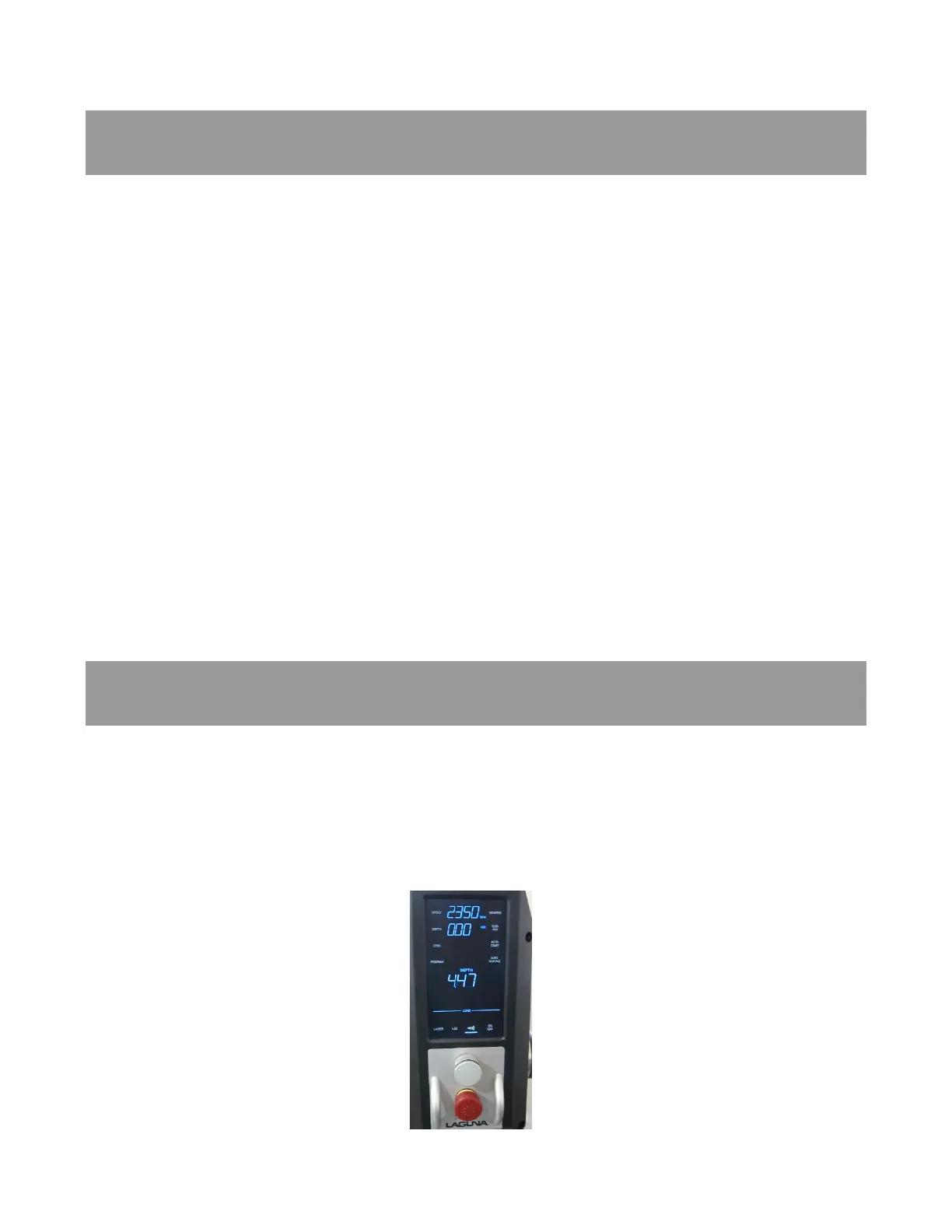
The Control Panel contains the switches for basic functions and can be programmed for
specific applications.
Basic Controls (see next figures):
The Control Panel contains the basic switches for the “LED” light, Laser locator, RPM, Rotation
direction (Forward/Reverse) & Chuck ON/OFF.
Figure 35: Control Panel



 To Next Page