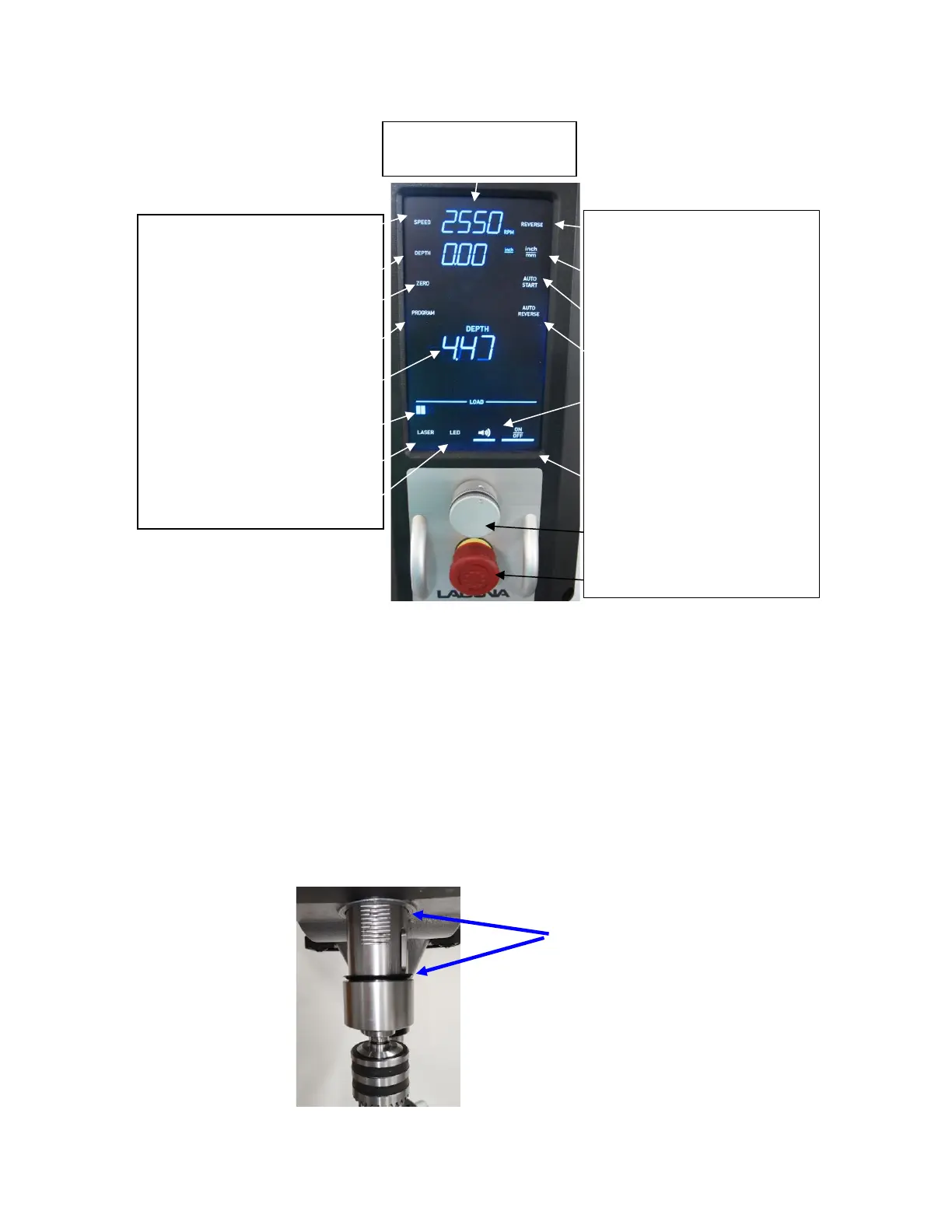
CONTROL PANEL:
Figure 36: Control Panel
Quill Zero Setting:
When first setting up your DP20 Drill Press, the Live Depth display should read 0.00 when the
quill is at the top of the stroke. If the Live Depth display is reading some other number, follow
these steps to return the reading to zero. This is a one-time step during initial setup that isn’t
required for normal use once set.
1. Check that there is no debris above or below the rubber washer on the quill, between the
head casting and the flange on the quill. If there is any debris in this area, lower the quill
using the handle, and clean the debris away with a cloth. Return the quill to the top of the
stroke, against the head casting and check the Live Depth display. If it reads 0.00, you are
finished. If it reads some other number, proceed to step 2. See figure below.
Clean debris from these areas.
Speed, RPM control button
Depth button
Zero button
Program selection button
Live Depth (actual) readout
Load, motor load readout
Laser ON/OFF button
LED light ON/OFF button



 To Next Page