43
PROCEDURE
1. Switch off the game that is being updated
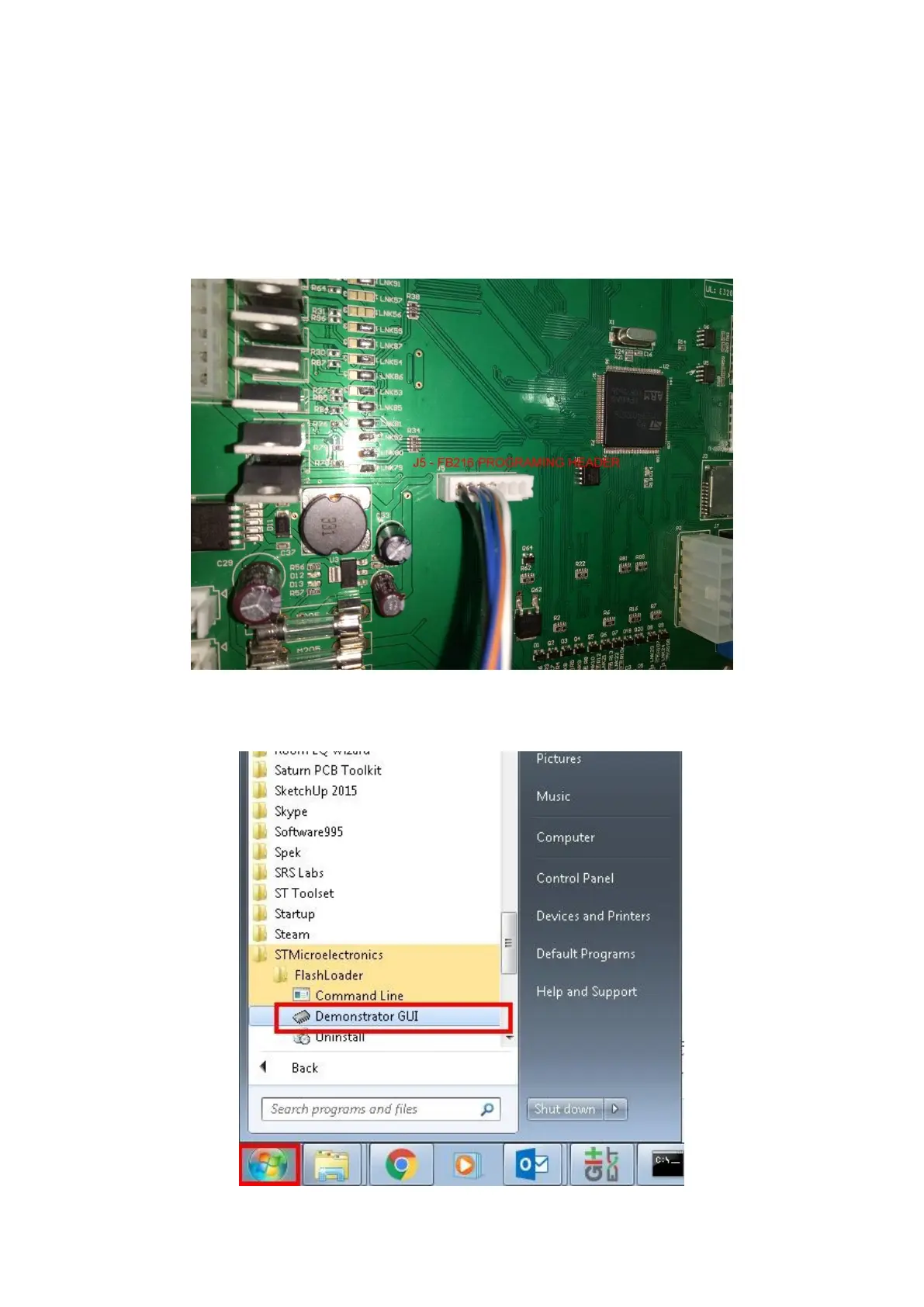
2. Access the required service area and locate the PCB (refer to Locating and Accessing parts –
Cabinet Inner for assistance in locating FB216)
3. Place the PC near the PCB, and connect them using the USB – TTL serial adapter cable, from
the USB port on the PCB, to the J5 programming port on the PCB
4. Power on the game
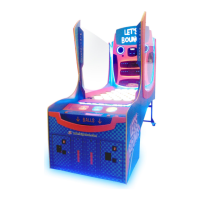
5. In the start menu, navigate to STMicroelectronics > FlashLoader, and run the Demonstrator
GUI application







 To Next Page