47
TROUBLESHOOTING
NO COM PORT SELECTABLE FROM DROP DOWN
If you’re up to step 6, and there are no options to select a port from the drop-down menu, the PC is
not able to communicate with the PCB
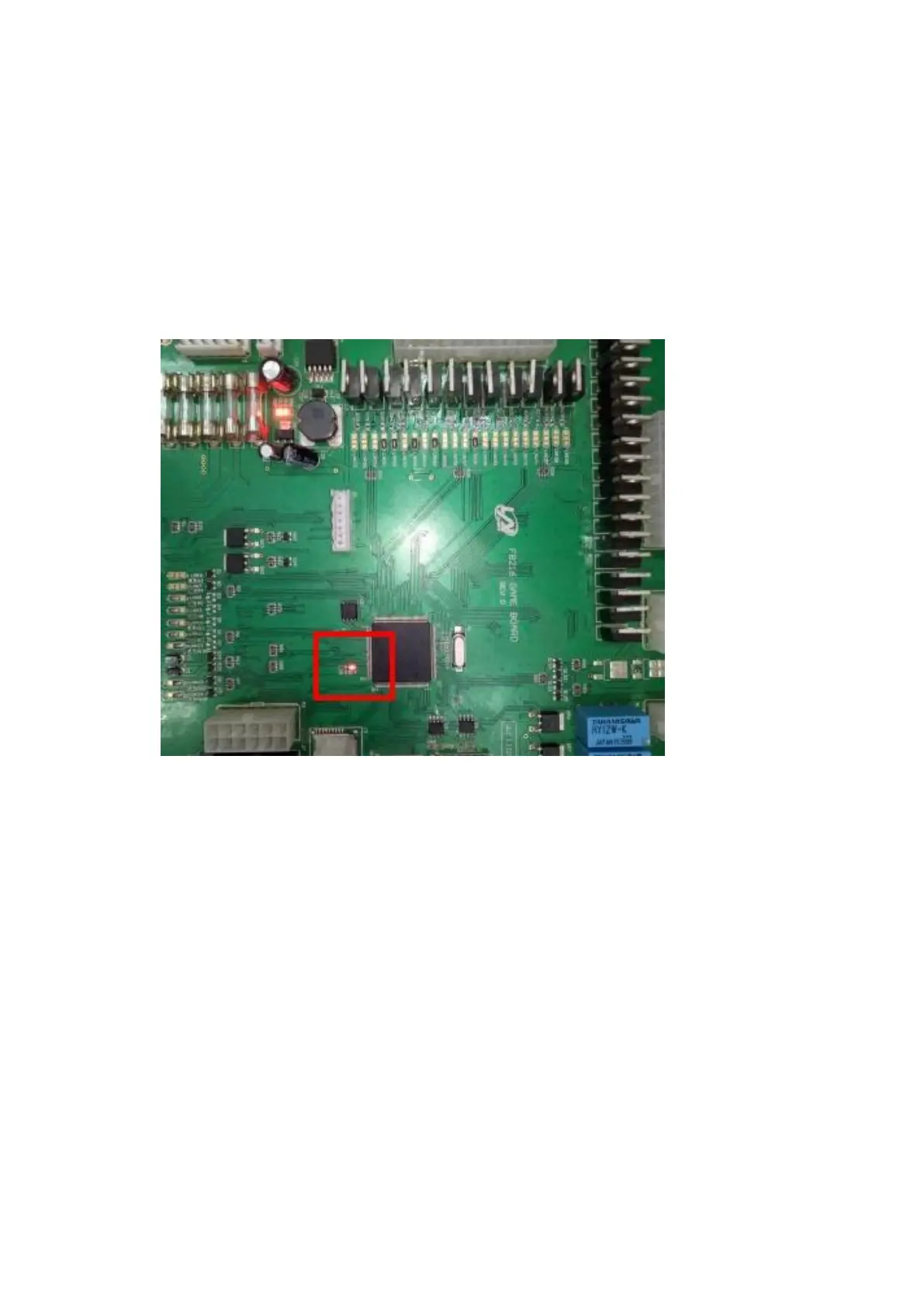
1. Ensure the game is powered on, and the PCB has power – verify that the heartbeat LED
(shown below) is flashing to ensure that the PCB has power
2. Check that the cable is securely inserted into the USB port on the PC and the J5 port on the
PCB
3. Restart the game while the cable is connected and the Demonstrator App is running
4. Restart the Demonstrator App while the cable is connected and the game is switched on
5. If none of these steps solve the issue, the cable may be faulty





 To Next Page