46
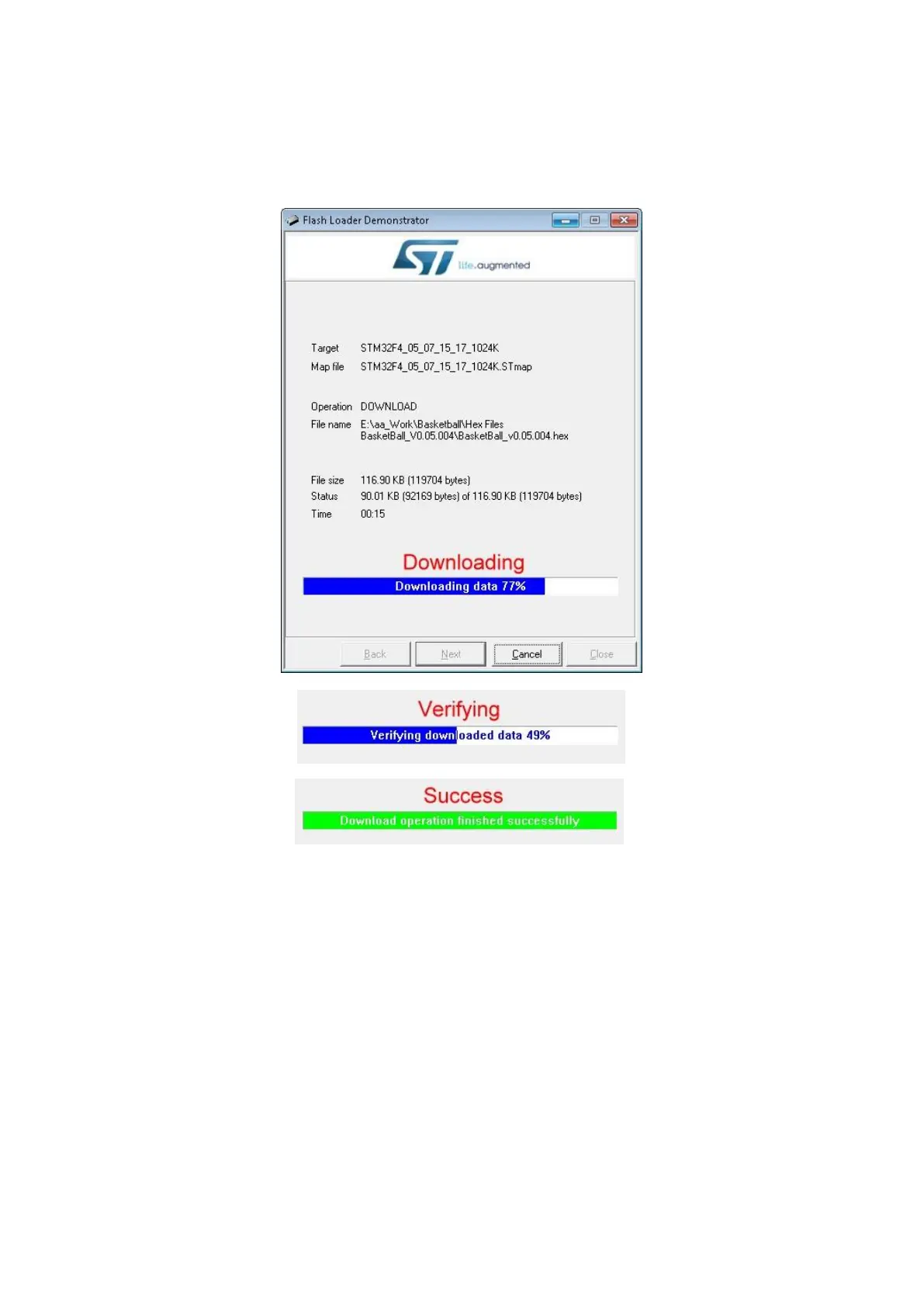
16. Press Next
17. Above the progress bar, the text will progress from “Downloading,” to “Verifying,” to
“Success”
18. Once the progress bar is green and states “Download operation completed successfully,”
press Close to finish
19. Turn off the game
20. Remove the USB – TTL adapter cable from the PCB
21. Turn on the game
22. Enter the operator menu
23. There may be an error present after the update - clear the error in the operator menu
24. Check the firmware version to verify that the update was completed successfully




 To Next Page