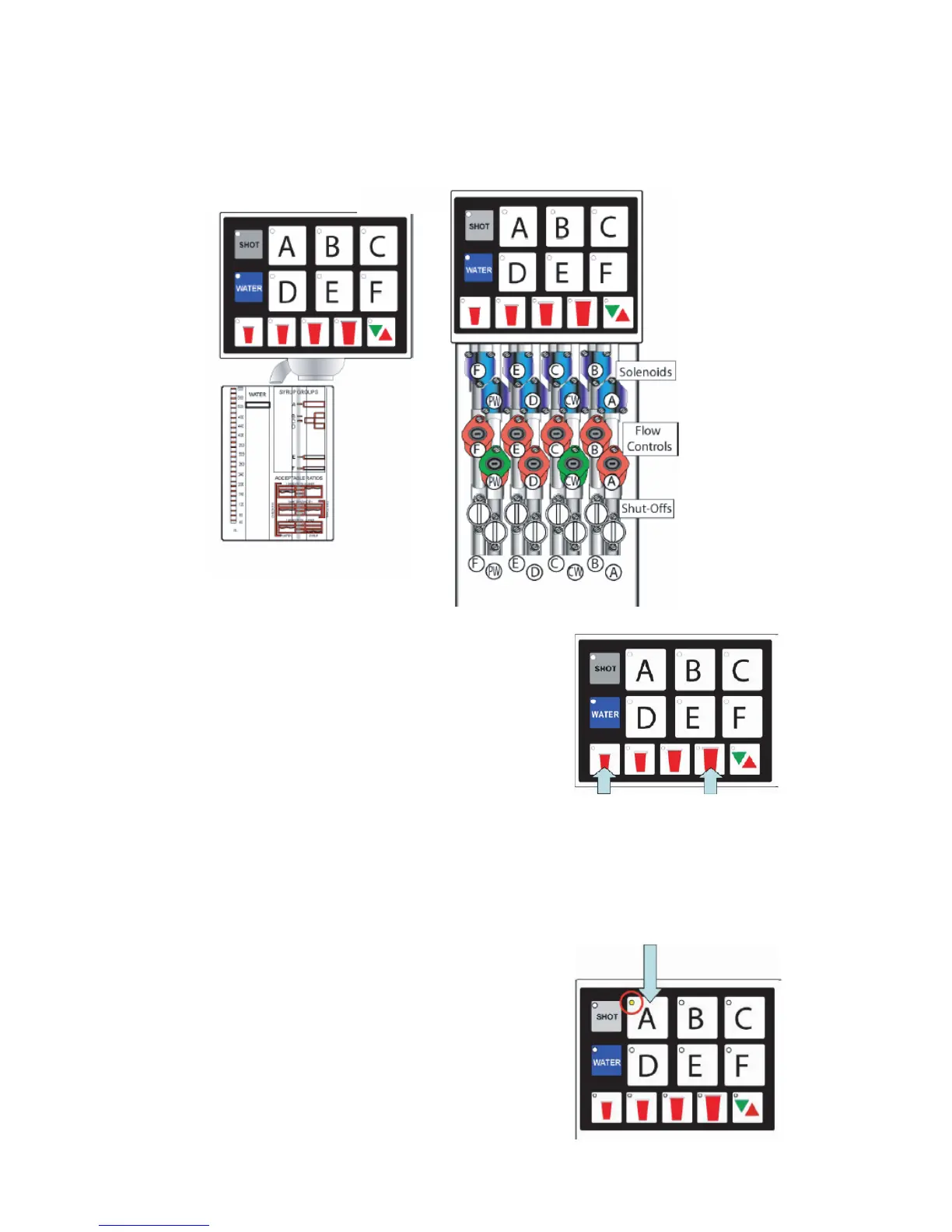
2.4 RATIO PROCESS
A. Remove outer nozzle and insert MVU separator if not done on previous step.
B. Prime separator by running the valve.
C. Press and ll the ratio cup to the appropriate levels.
D. Check/adjust ratio on each brand.
1. Use ow controls to adjust syrup.
2.5 PORTION CONTROL PROGRAMMING (MVU)
(NO TOP-OFF)
A. Press the S and XL at the same time for ve
seconds to enter the portion setting mode.
1. The Pour/Cancel light will illuminate and the
shot light will blink two times.
B. Press the Brand button.
1. The selected brand’s LED will illuminate.
2. Multiple brands can be programmed at the same time to pour the same amounts for each
size during this step.
Do this by selecting several brand buttons; however, the rst button selected will illuminate
and only its beverage will pour. The other brands selected will ash slowly.
3. If multi-brand programming, do not set carbonated drinks and non-carbonated drinks at the
same time because carbonated drinks will foam.
NOTE: The LED will blink twice and turn off if the
brand has been programmed as a avor shot
instead of a drink. You will need to reprogram the
brand as a drink prior to setting the portion.
14




 To Next Page