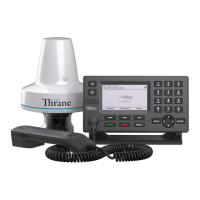
LT-3100 User & Installation Manual Rev. 1.06 Introduction
Lars Thrane A/S www.thrane.eu vii
Table of Contents
Introduction ...................................................................................................................................................... 1
Application and Limitations.............................................................................................................................. 2
Unpacking (in-the-box) ..................................................................................................................................... 3
Inspection ...................................................................................................................................................... 3
Accessories ........................................................................................................................................................ 4
Mounts .......................................................................................................................................................... 4
Cable and connectors ................................................................................................................................... 4
System Overview .............................................................................................................................................. 5
Installation and Mounting ................................................................................................................................ 6
LT-3110 Control Unit ..................................................................................................................................... 6
LT-3120 Handset ........................................................................................................................................... 9
LT-3121 Cradle............................................................................................................................................. 10
LT-3130 Antenna Unit ................................................................................................................................. 11
Bracket Mount (1.5” to 2.5” pipe), Antenna Unit ...................................................................................... 19
Pole Mount (1.5” pipe, 38.8 mm), Antenna Unit ....................................................................................... 23
Pole Mount (2.0” pipe, 53.0 mm), Antenna Unit ....................................................................................... 25
Interfaces......................................................................................................................................................... 27
LT-3110 Control Unit ................................................................................................................................... 27
LT-3130 Antenna Unit ................................................................................................................................. 36
Power Consumption ....................................................................................................................................... 38
Maximum .................................................................................................................................................... 38
DC Isolation Resistance and Chassis Ground ................................................................................................. 39
Galvanic Isolated Power Supply ..................................................................................................................... 41
AC/DC Galvanic Isolated Power Supply ..................................................................................................... 41
DC/DC Galvanic Isolated Power Supply ..................................................................................................... 41
User Interface (UI)........................................................................................................................................... 42
Display ......................................................................................................................................................... 43
Menu System .............................................................................................................................................. 47
Activating the System ..................................................................................................................................... 49
Acquire a SIM Card...................................................................................................................................... 50
Who’s My Service Provider ........................................................................................................................ 51
Change of Hardware and Software ................................................................................................................ 52
Change of Hardware ................................................................................................................................... 52


 To Next Page