Laser Technology Inc. - TruPoint
™
300
8
ENOperations
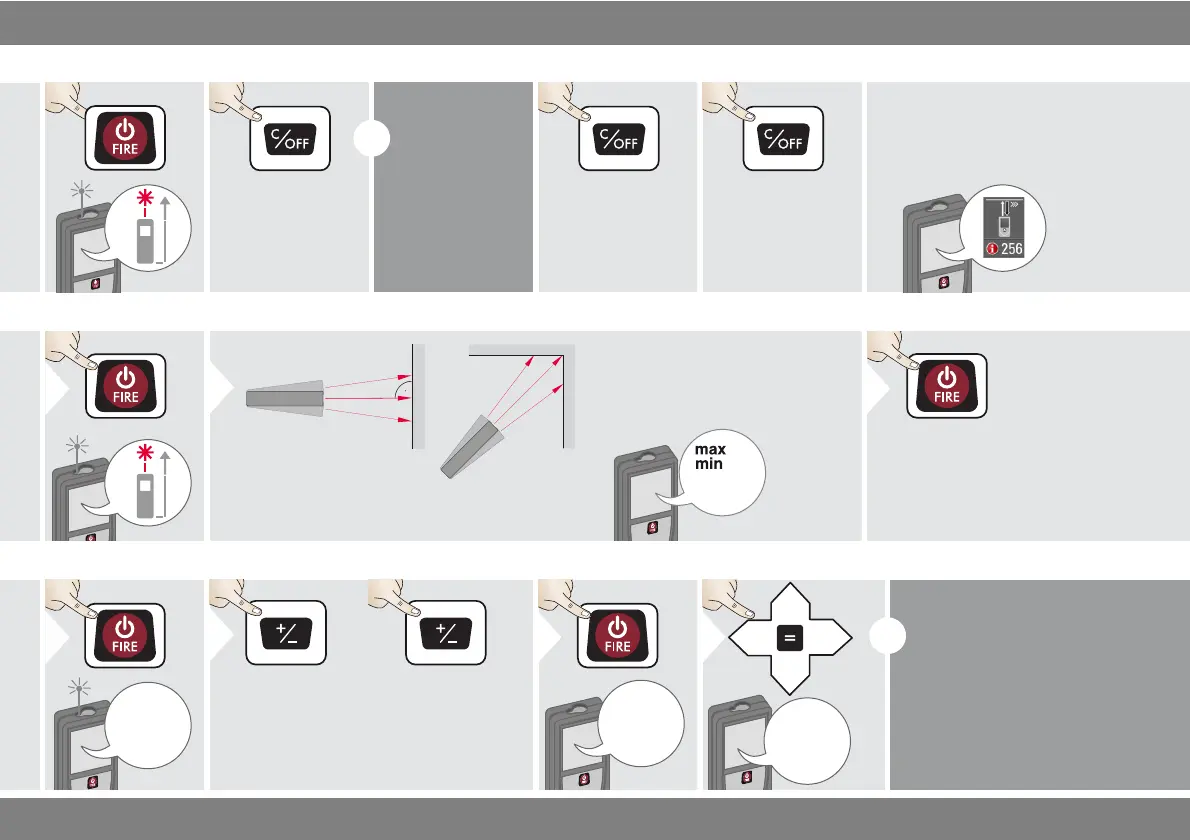
Switching ON/OFF Clear Message Codes
OFF
2 sec
Device is turned
OFF.
i
If no key is
pressed for 180
sec, the device
switches off au-
tomatically.
2x
Leave actual func-
tion, go to default
operation mode.
If the info icon appears with a
number, observe the instructions in
section "Message Codes".
Example:
Permanent / Minimum-Maximum measuring
8.532 m
Used to measure room diagonals (maximum val-
ues) or horizontal distance (minimum values)
The minimum and maximum dis-
tance measured is displayed (min,
max.). The last value measured is
displayed in the main line.
min.
max.
2
Stops permanent / minimum-
maximum measuring.
3
Add / Subtract
The next meas-
urement is added
to the previous
one.
2
The next meas-
urement is sub-
tracted from the
previous one.
2x
i
This process can be repeated as
required. The same process can
be used for adding or subtracting
areas or volumes.












 To Next Page