BLU-BD1000 USER MANUAL
14
CONNECTING THE PLAYER
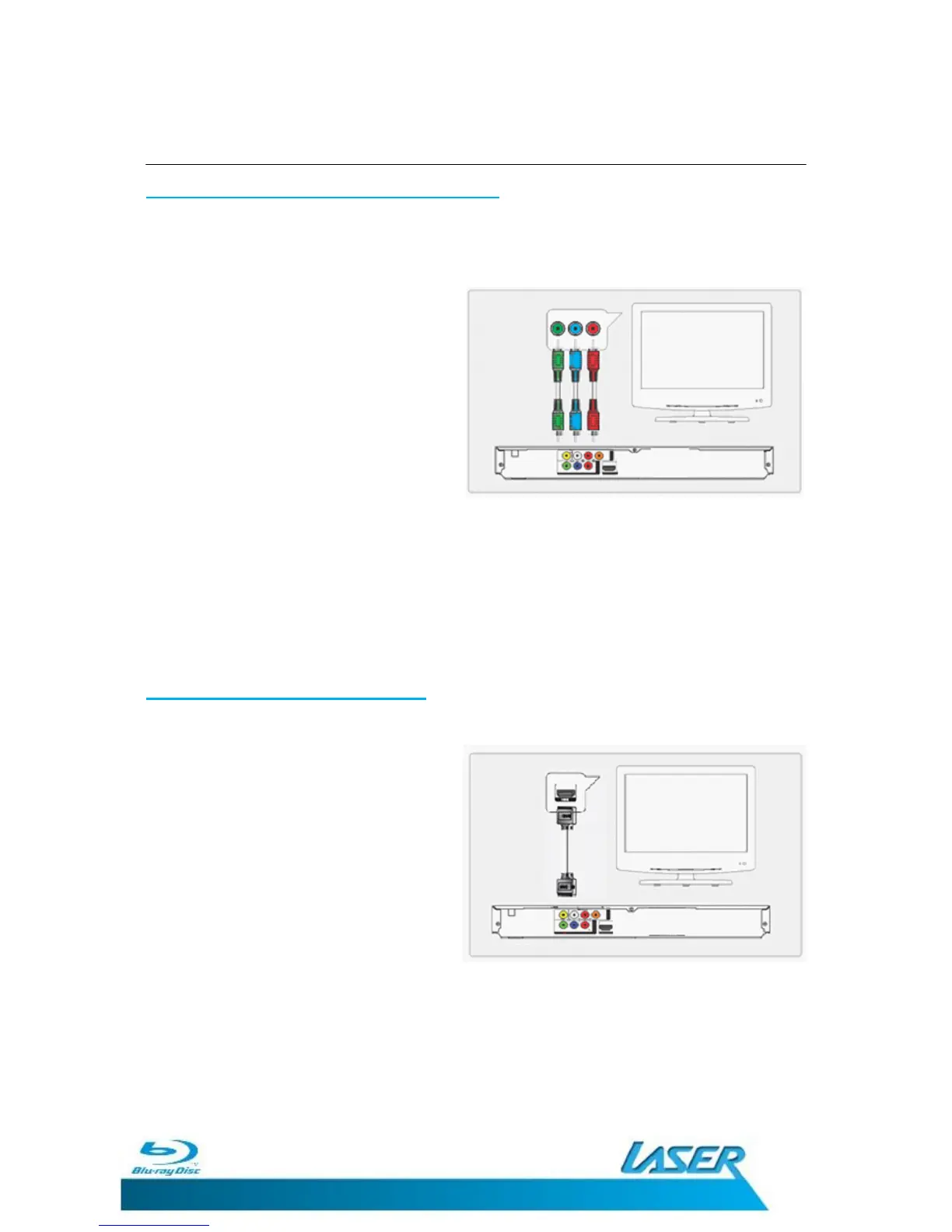
BETTER: Connecting By Component Video
R
equires
an
RCA
component video
cable (not
included).
The
standard colours
for
c
omponent
video ports are GREEN,
BLUE
,
and
R
ED
.
1. Plug the 3 RCA video cables into
the
COMPONENT VIDEO OUTPUT
on
the
player and a COMPONENT
VIDEO
INPUT on the
t
elevision. Typically
these are colour coded and marked as
PbPrY.
2. Select the AV Channel on the TV
which corresponds to the video input.
E.g. COMPONENT.
3. This will allow video from the player to show on the connected television.
Please see AUDIO CONNECTION for the best audio connection.
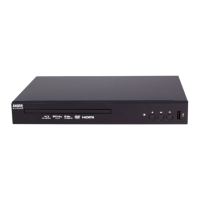
BEST: Connection By HDMI Cable
Requires a HDMI cable (not included).
1. Plug the HDMI cable into
the
HDMI
OUTPUT
on
the player and into the
HDMI input on the
t
elevision.
2. Select the AV Channel on the TV
which corresponds to the video input.
E.g. HDMI 1, HDMI 2 etc.
3. This will allow video and audio from
the player to play on the connected
television.


 To Next Page