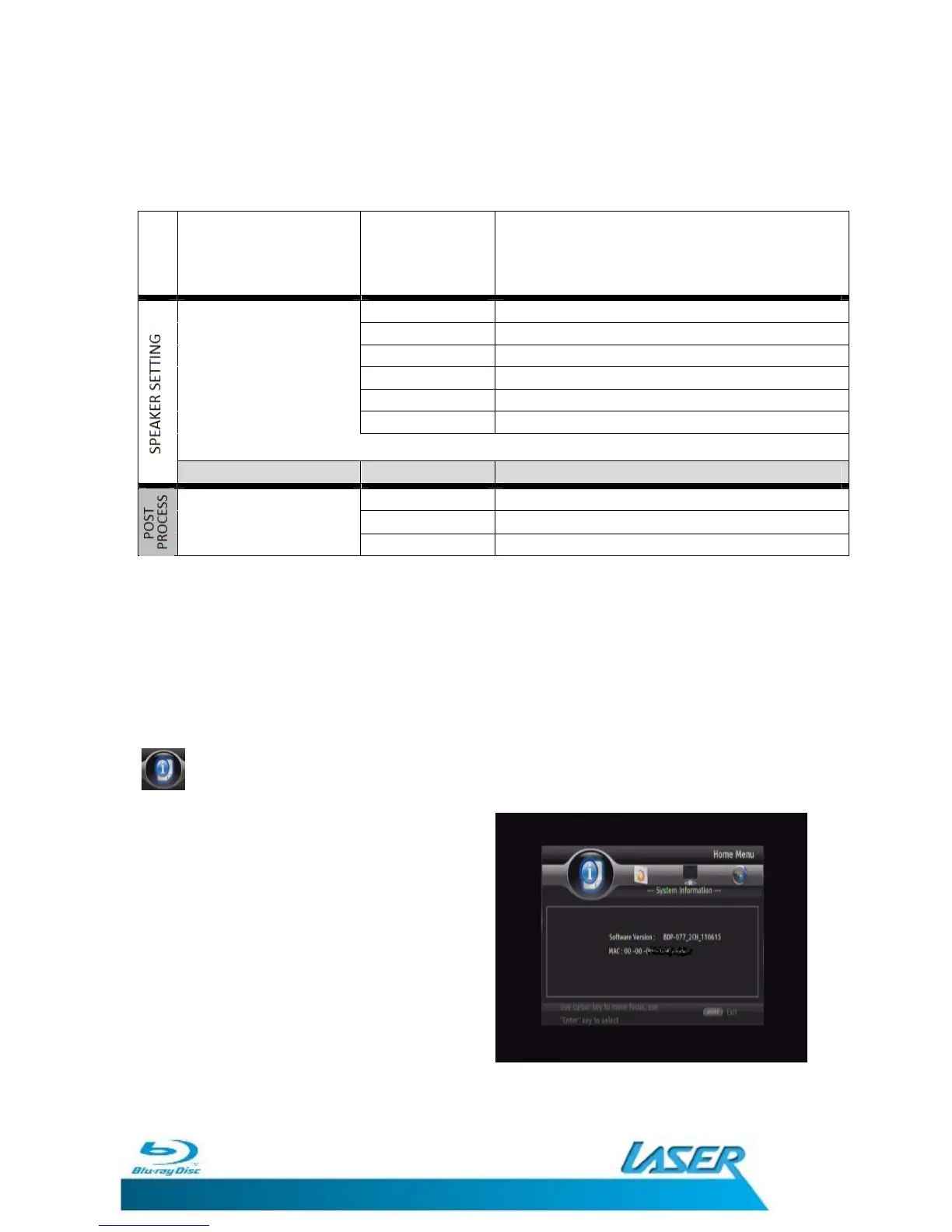
2.X Adjust the Audio for 2.X Speaker setup
3.X Adjust the Audio for 3.X Speaker setup
Configuration 4.X Adjust the Audio for 4.X Speaker setup
5.X Adjust the Audio for 5.X Speaker setup
6.X Adjust the Audio for 6.X Speaker setup (HDMI only)
7.X Adjust the Audio for 7.X Speaker setup (HDMI only)
Follow the on screen
instructions to adjust the audio for your speaker set up.
Test tone More Sends a Test tone to the current speaker setup
OFF Turns the Audio Post Processing OFF
UpMix PL2
Set the Audio Post Processing to PL2
NE06 Set the Audio Post Processing to NE06
Note: Please note that some of the Audio Settings require a compatible
television, monitor and Home Theatre system and connection method that
supports those features. Please see the rear of this manual for more detailed
information on some of the features and settings that are available.
SYSTEM INFORMATION
The System Information screen shows the
current software version as well as the player
MAC (Media Access Control) address.
Press the SETUP/HOME button to exit the
SetUp menu and return the normal playback
screen.


 To Next Page