EasyManua.ls Logo

Laser BLU-BD1000 - User Manual

Laser BLU-BD1000
45 pages
Print Icon
To Next Page IconTo Next Page
Loading...
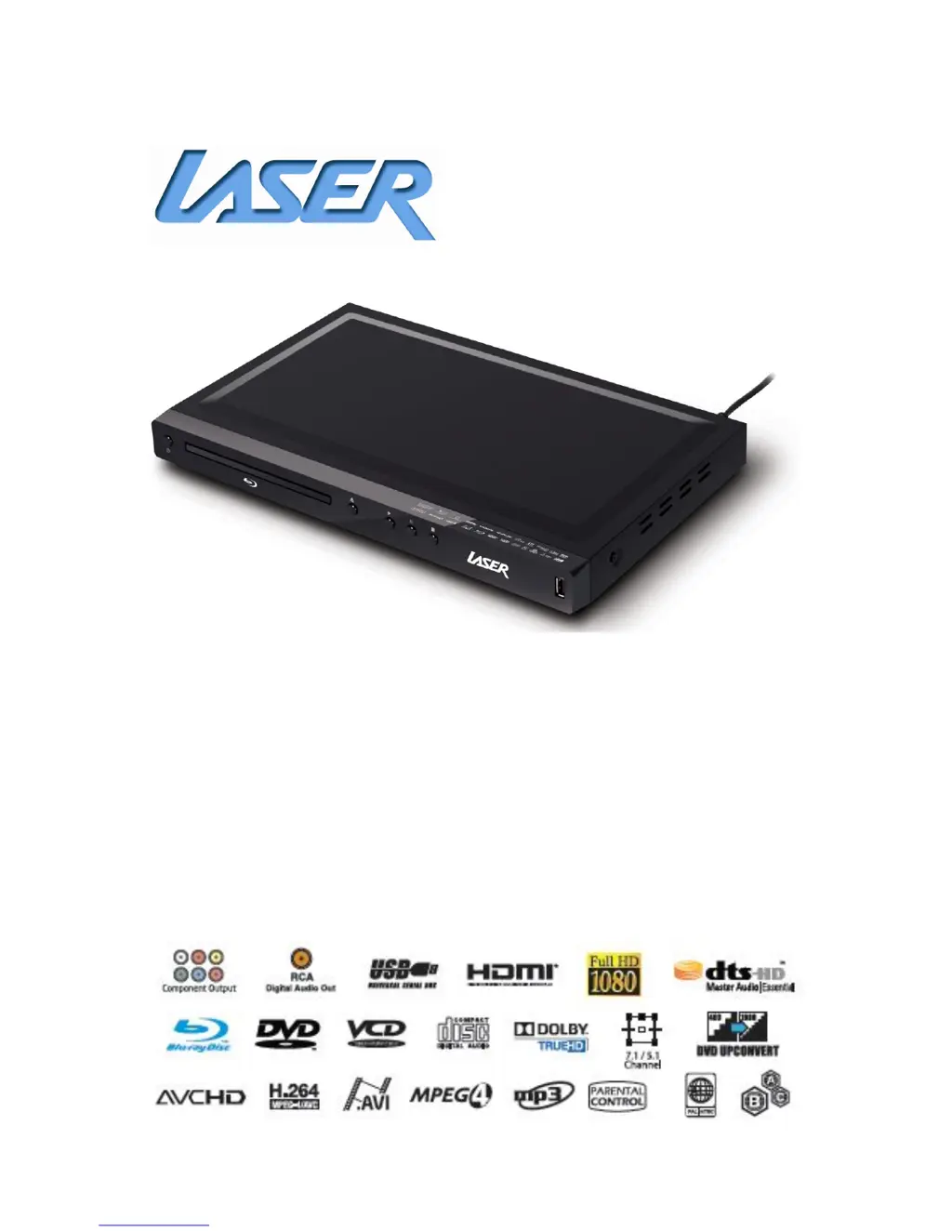
BLU-BD1000 Blu-ray Disc Player
User Manual

Table of Contents

Questions and Answers

  • N
    Norma CooperAug 13, 2025
    What to do if my Laser Blu-ray Player has no picture?
    • C
      Christopher LoweAug 13, 2025
      There are several reasons why your Blu-ray player may not be displaying a picture: * The video cable might not be properly connected. Check the connection and reconnect if necessary. * The TV input might not be correctly selected. Make sure your TV is set to the input to which the player is connected. * The video output format might not be supported by your TV. Select a supported output resolution. * The video system might not be supported by your TV. Set the correct TV System in the Setup Menu.
  • K
    Kyle DavisAug 17, 2025
    What to do if my Laser BLU-BD1000 Blu-ray Player remote control failure?
    • K
      kurt90Aug 17, 2025
      The remote control might not be working because it is out of range. Try using the remote control within the effective range, pointing it at the IR receiver on the front panel. Alternatively, the batteries may be low. Replace them with new ones.
  • C
    Chad RichardsonAug 21, 2025
    Why is there no sound from my Laser BLU-BD1000?
    • A
      Amy YatesAug 21, 2025
      Several factors could be the cause: 1. The audio cable may not be properly connected. Check the audio cable and reconnect it if needed. 2. Mute might be activated. Press the MUTE button to cancel it. 3. The volume could be too low. Increase the volume by pressing the VOL + button. 4. If you are playing an SACD and using a coaxial audio connection, this is not supported due to copyright restrictions. Use the analogue or HDMI audio output instead. 5. Similarly, if you're playing a DVD-Audio and using a coaxial audio connection, this is also unsupported. Use the analogue or HDMI audio output, or switch to DVD-Video playback mode.
  • M
    marvingonzalezAug 25, 2025
    What to do if my Laser BLU-BD1000 Blu-ray Player says “No Disc” or “Unknown Disc” Error?
    • D
      dcampbellAug 25, 2025
      This error can occur for several reasons: * There may be no disc loaded, or the disc is incompatible. Eject the disc and check. Insert a known working disc to verify if the player functions correctly. * The disc recording surface may be dirty. Eject the disc and clean any dirt or fingerprints. * The disc may not be properly loaded. Eject the disc and ensure the label side is facing up and the record side is facing down. * There may be condensation on the Laser pick-up head. Turn on the player, eject the disc, and leave the player on for about an hour.
  • H
    Hector JeffersonAug 28, 2025
    Why does my Laser Blu-ray Player have no colour?
    • E
      emooreAug 28, 2025
      Several factors can cause a lack of color: * The video system may not be supported by the TV. Set the correct TV System in the Setup Menu. * The saturation may be set too low on your TV. Check the saturation setting on your TV. * If using component video cables, they may be loose or damaged. Ensure all three cables are properly plugged in, not damaged, and that the colors of the plugs match the jacks on both ends. * If using composite video output, the cable may be incorrectly plugged into a component video jack. Ensure it is correctly connected.
  • T
    Tara WhitneySep 1, 2025
    What to do if my Laser BLU-BD1000 Blu-ray Player picture rolling or split picture?
    • B
      Beverly FischerSep 1, 2025
      If the picture is rolling or split, the video system may not be supported by the TV. To resolve this, set the correct TV System in the Setup Menu.
  • G
    gregoryscottSep 4, 2025
    Why are some Setup Menu items greyed out on my Laser Blu-ray Player?
    • A
      Adriana CopelandSep 4, 2025
      Some setup options cannot be changed while a disc is playing, or they may be mutually exclusive with other setup options. To resolve this, fully stop playback by pressing the stop button twice, eject the disc, and then try the Setup Menu again.
  • G
    Grace CollinsSep 8, 2025
    Why is there temporary function failure on my Laser Blu-ray Player?
    • G
      Gary JonesSep 8, 2025
      Temporary function failure can happen because of several reasons: * A scratched or damaged disc is used. Replace the disc. * Some functions are not available during playback. Stop playback completely, then try again. * Interference from other devices. Identify interference by turning off other devices, and then relocate or replace the offending device.

Summary

Important Safety Instructions and Precautions

Trademarks

Media Compatibility

Blu-ray

Details compatibility and limitations for Blu-ray discs.

DVD

Lists compatible DVD types and playback limitations.

CD

Details CD compatibility and limitations for playback.

USB

Specifies USB drive compatibility and formatting requirements.

Setup Menu

General Setting

Adjusts system-wide settings like screen saver and language.

Display Settings

Fine-tunes video output to the television or monitor.

Audio Settings

Configures audio output for television or home theatre system.

System Information

Playing a Disc

OSD (On Screen Control)

Provides on-screen controls for disc playback options.

DVD Playback

Creating and Using Bookmarks

Allows users to bookmark points in Blu-ray and DVD discs.

Programming a Disc

Enables users to create custom playback sequences for discs.

Cancelling a Program

Details how to clear a programmed playback sequence.

Media Centre

Playing a File

Guides on how to play individual media files from connected devices.

Creating a Playlist

Explains how to create playlists from media files.

Playing a Playlist

Getting the Best from the Player

PAL;NTSC

Explains differences between PAL and NTSC formats for disc playback.

DVD Up-Scaling

Details DVD up-scaling capabilities and restrictions.

DVD Region Encoding

Information on the player being region free for DVDs.

Blu-Ray Region Encoding

Explains region restrictions for Blu-ray discs.

Changing the Region Code

Steps to change BD and DVD region codes using the remote.

Aspect Ratios

HDMI Deep Colour

HDMI 1080 P 24 Hz

Audio Setup

Technical Specifications

Contact Information

For Other Accessories and Products

Information on where to find accessories and other products.

Warranty Against Defects

How to Make a Product Warranty Claim

Step-by-step guide on how to process a warranty claim.

Laser BLU-BD1000 Specifications

General IconGeneral
BrandLaser
ModelBLU-BD1000
CategoryBlu-ray Player
LanguageEnglish

Related product manuals