BLU-BD1000 USER MANUAL
27
SETUP MENU
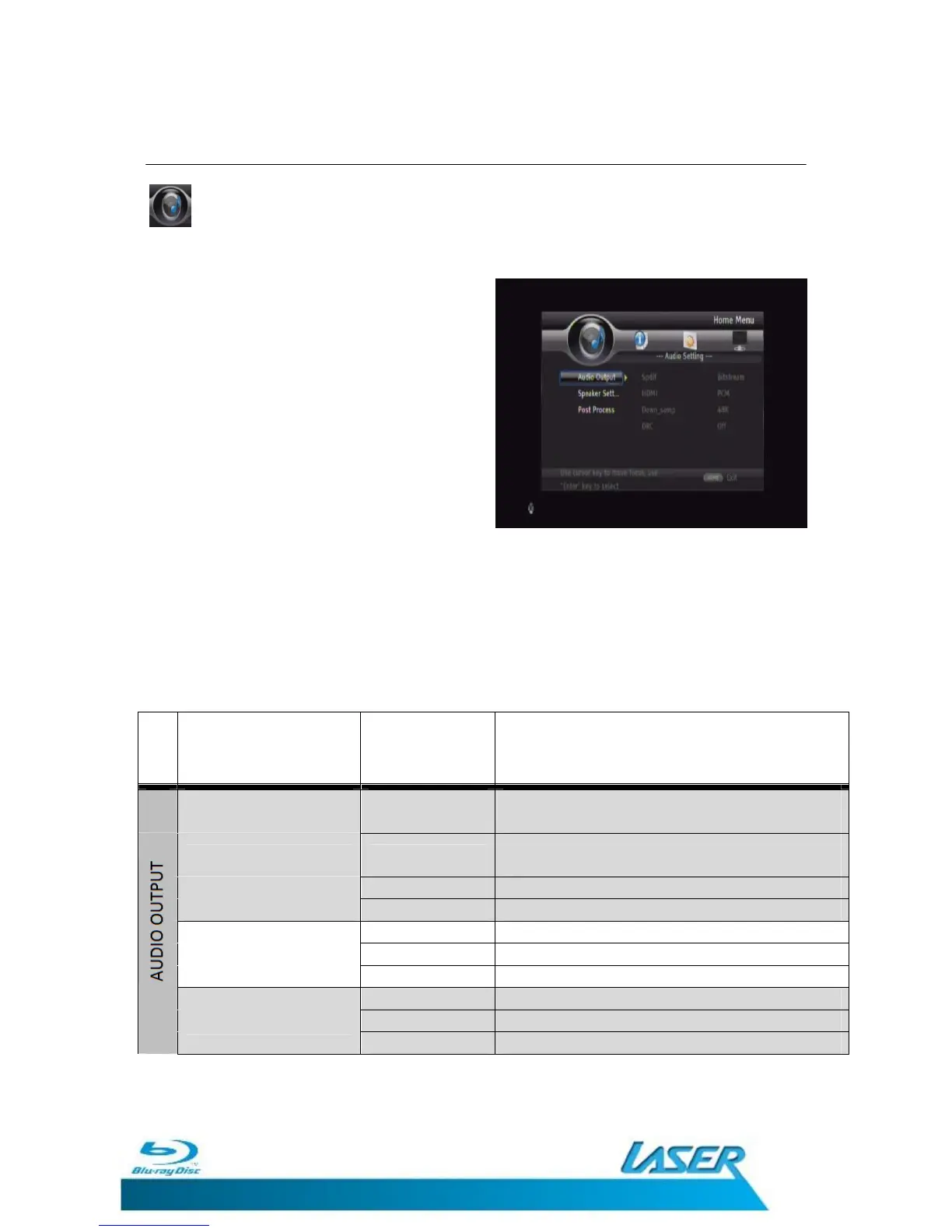
AUDIO SETTINGS
The AUDIO Settings menu allows you to fine
tune the way the BLU-BD1000 decodes the
audio and presents the signal to your
Television or Home Theatre system
Use the UP and Down navigation button on
the remote control to select the sub setting to
change.
Use the Right navigation button to access the
option.
The Current set option is marked.
Press the Left navigation button on the remote control to go back a level or the
SETUP/HOME button to exit the Setup Menu entirely.
Menu
Feature Option Description
Bitstream
Digital Audio Output via HDMI will be in
Bitstream format
HDMI PCM
Digital Audio Output via HDMI will be multi-
channel Linear PCM format.
Re-encode Recode PCM to DTS bitstream format
OFF Turns HDMI Audio output off
48K Sets the PCM down sample rate to 48Khz
Down Sample 96K Sets the PCM down sample rate to 96khz
192K Sets the PCM down sample rate to 192Khz
Off Turns DRC features OFF
DRC On Turns DRC features ON
(Dynamic Range Compression)
Auto Allows DRC to be set automatically


 To Next Page