MP4-T10 USER MANUAL
10
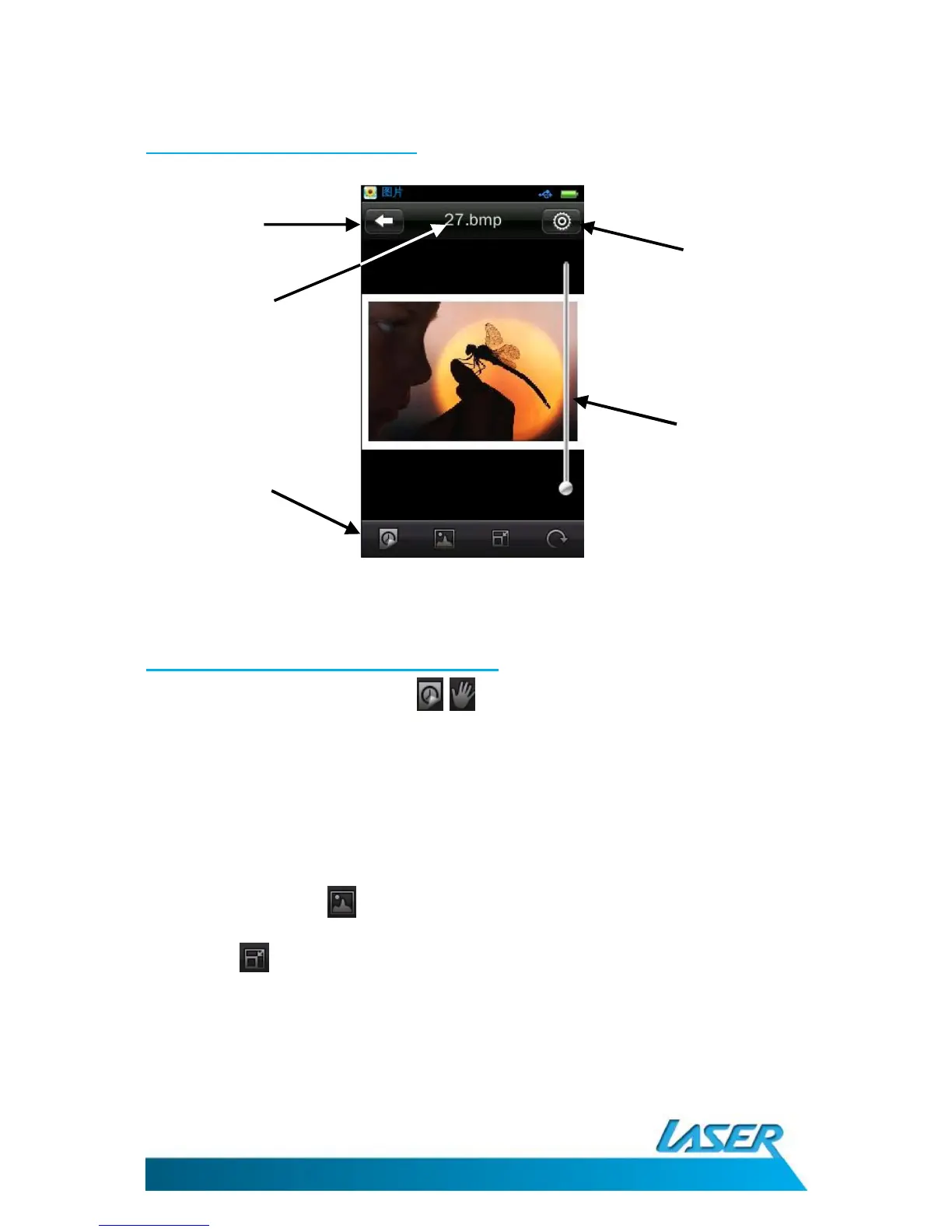
The picture playback screen
Picture playback options - on-screen
1. Slide show / Manual viewing: / toggle between automatic slide show and manual
viewing
1.1. Slide show interval: While in slide show operation, a new clock icon appears at the
bottom of the screen. This icon can be used to set the interval times between each
picture in the slide show. Choose between 1, 5, 10, 15 and 20 seconds
Note: While using manual viewing option, swipe the screen left to right, or right to left, to view the
next or previous images
2. Save to desk top: Save the current picture as your desktop wallpaper and as the
Standby screen wallpaper.
3. Scale (and magnification): This button returns you back to the pictures original
magnification (fit to screen size) once you have used the magnification slide bar option.
Note 1: Once the magnification slide bar has changed the picture size, you can also then drag the
image up and down, left to right
Magnification
(Slide up and down)



 To Next Page