MP4-T10 USER MANUAL
16
6. Record Gain: Choose between levels 1 to 5. Then confirm your choice.
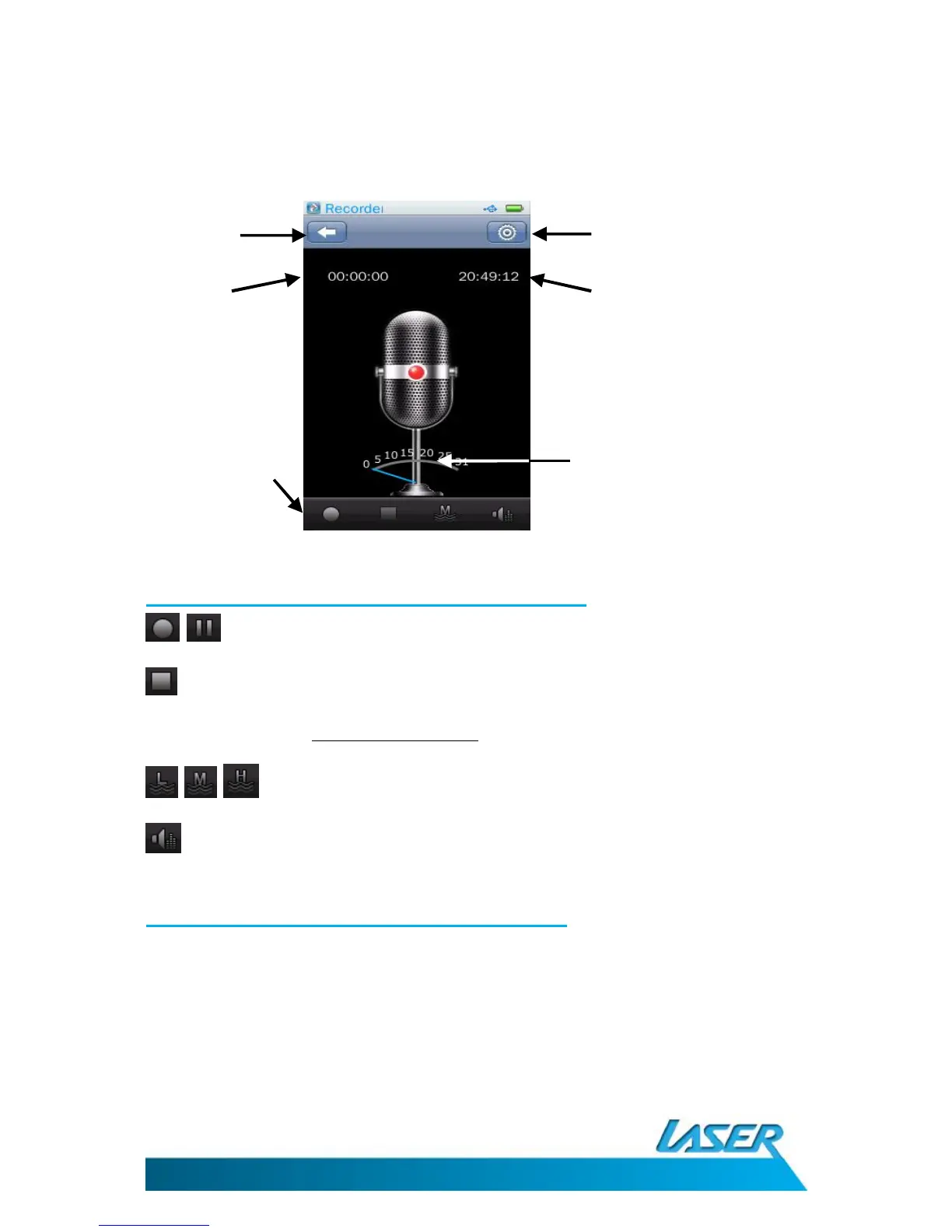
VOICE RECORDER OPERATIONS MENU – THE MAIN SCREEN
Select the recorder icon from the main menu screen
Voice recorder operation – on-screen options
Start and pause buttons
Stop button: To stop a recording use the button. A confirmation window will then
appear asking you to confirm your selection. All recordings are saved to the file
location Music-Record File-MIC.
/ / Record Quality: Choose between Low, Mid, High
Record Gain: Choose between levels 1 to 5 to adjust the recording volume.
Voice recorder operation - the settings icon
Click the settings icon from the main menu screen. Options include record format and save path.
Note. Use the BACK button at the bottom of each list to return back to the previous menu.
1. Record Format: Choose between WAV, MP3 and WMA formats
2. Save Path: Choose between saving to the Internal Memory or to the Micro SD card. By default
files are saved to the internal memory.



 To Next Page