MP4-T10 USER MANUAL
17
FM RADIO OPERATIONS MENU – THE MAIN SCREEN
Select the recorder icon from the main menu screen
Note: Ear buds needs to be plugged into the unit for this feature to function correctly.
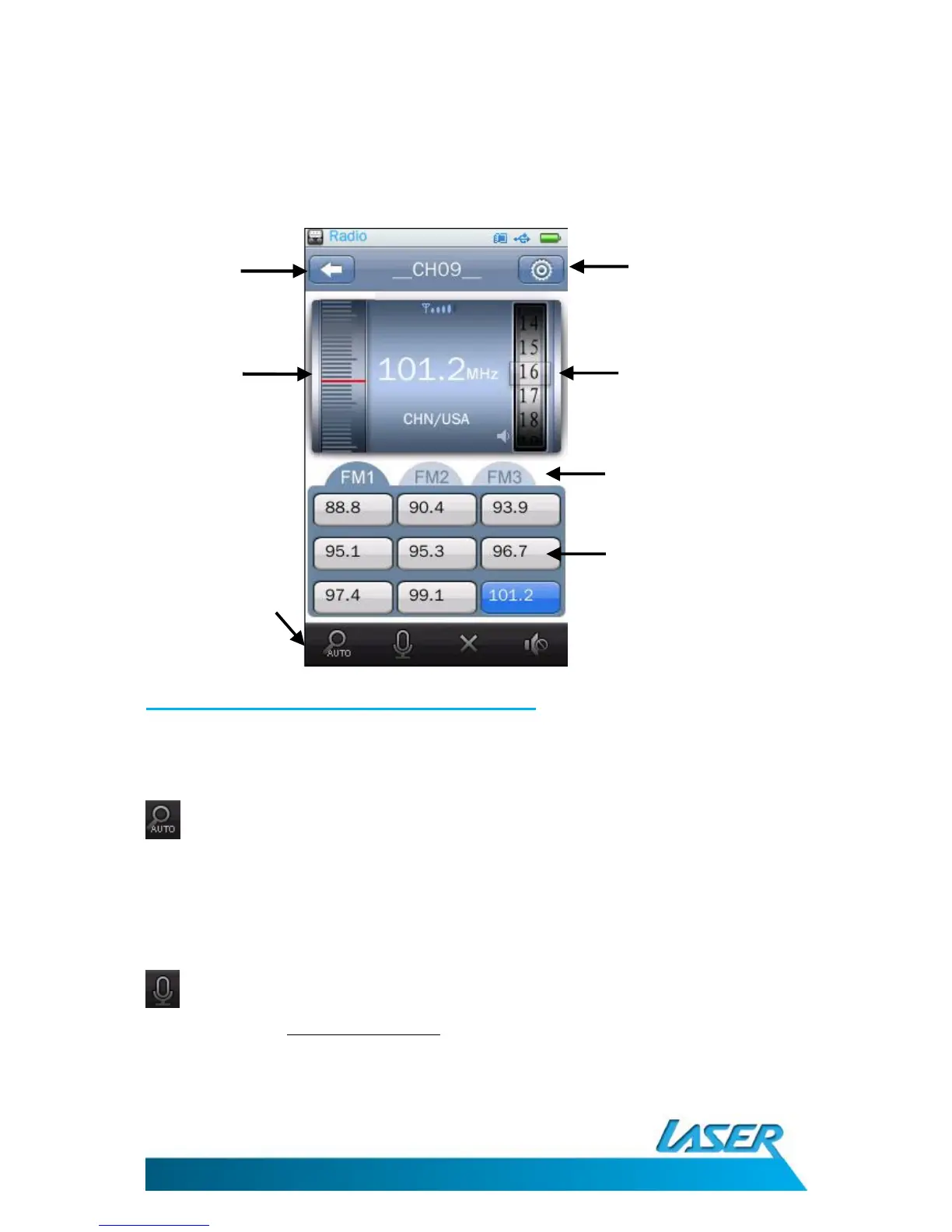
FM Radio operation – on-screen options
Note: Please ensure you region code is set to USA/China. This setting covers continents
including Australia and New Zealand.
Auto Search: Click to begin the auto search and save function. Channels will then be
saved sequentially to each on-screen list (FM1, FM2, FM3).
Note 1: Previously saved channels will be deleted and replaced.
Note 2: If you are in a bad reception area, no channels will appear and be saved
FM Record: Use this feature to record live FM radio. Files will be automatically saved
to this file location: Browser-RECORD-FM
Previous



 To Next Page