MP4-T10 USER MANUAL
9
9.2. SRS User Mode: Manually adjust the playback characteristics of music tracks.
Adjust each of the following parameters between 0 and 10: SRS 3D, Tru Bass, Focus,
Center, Definition, Speaker (choose between 60Hz, 100Hz and 150Hz), Limiter
(ON/OFF)
10. Advanced Setting
10.1. Replay Times: Choose to replay the music track once or continuously.
10.2. Replay Intervals: Adjust the time for each replay between 1 to 7 seconds.
10.3. Fade In/Out: On or off
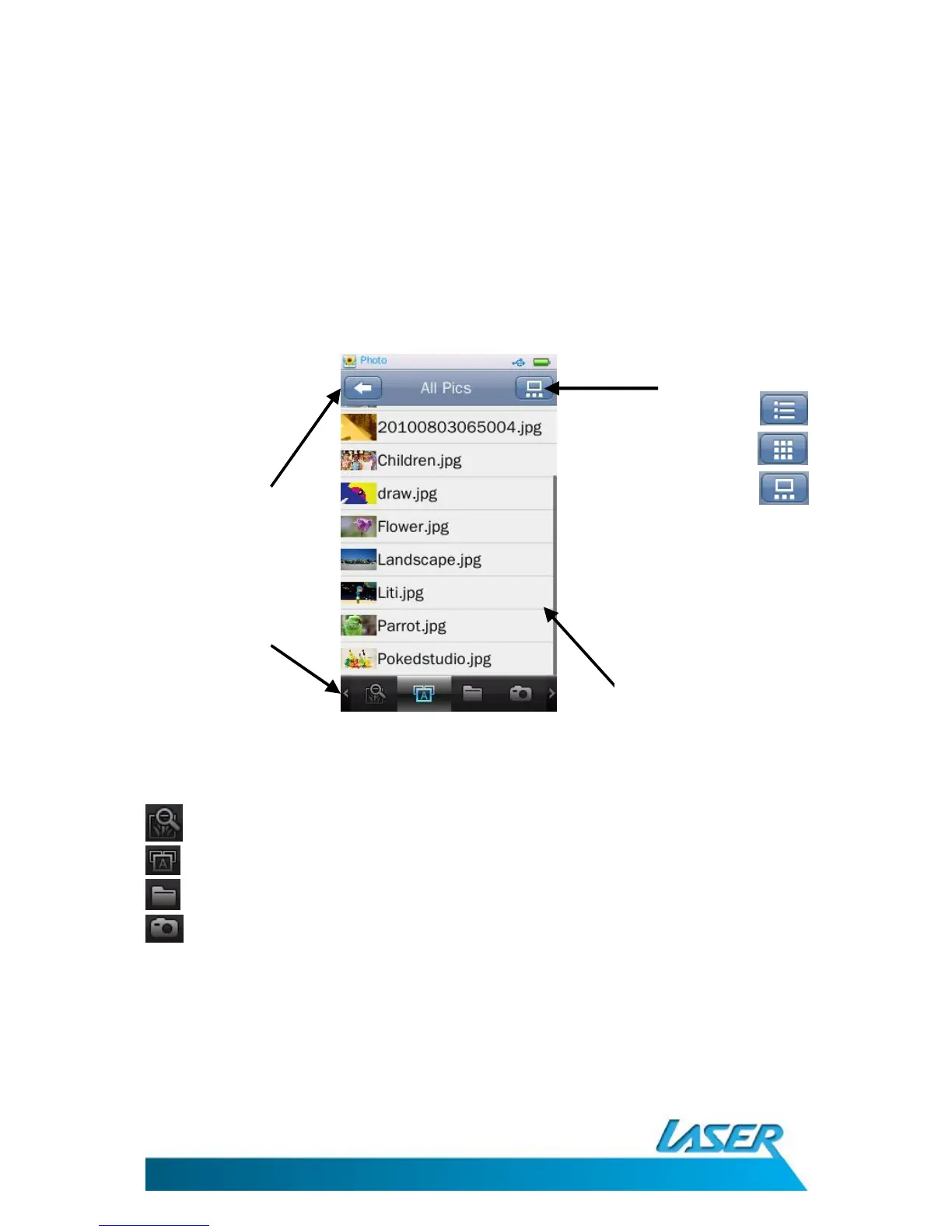
PICTURE MENU OPTIONS – MAIN SCREEN
Click the pictures icon from the main menu screen.
Now Viewing – Shows all recently accessed pictures
All Pictures – Shows all picture files
Directory Browse – Manually browse through folders
Camera pictures – Browse pictures taken by your T10 camera
Switch views between:
List
Thumbnail
Slide
Main screen shown
as “List view”
Return to
previous screen
Main screen options



 To Next Page