April 8, 2011 HN FAQ Memo, Version 3.0 Page 15 of 108
3 Best Practices / How do I.
3.1 Sample Intake
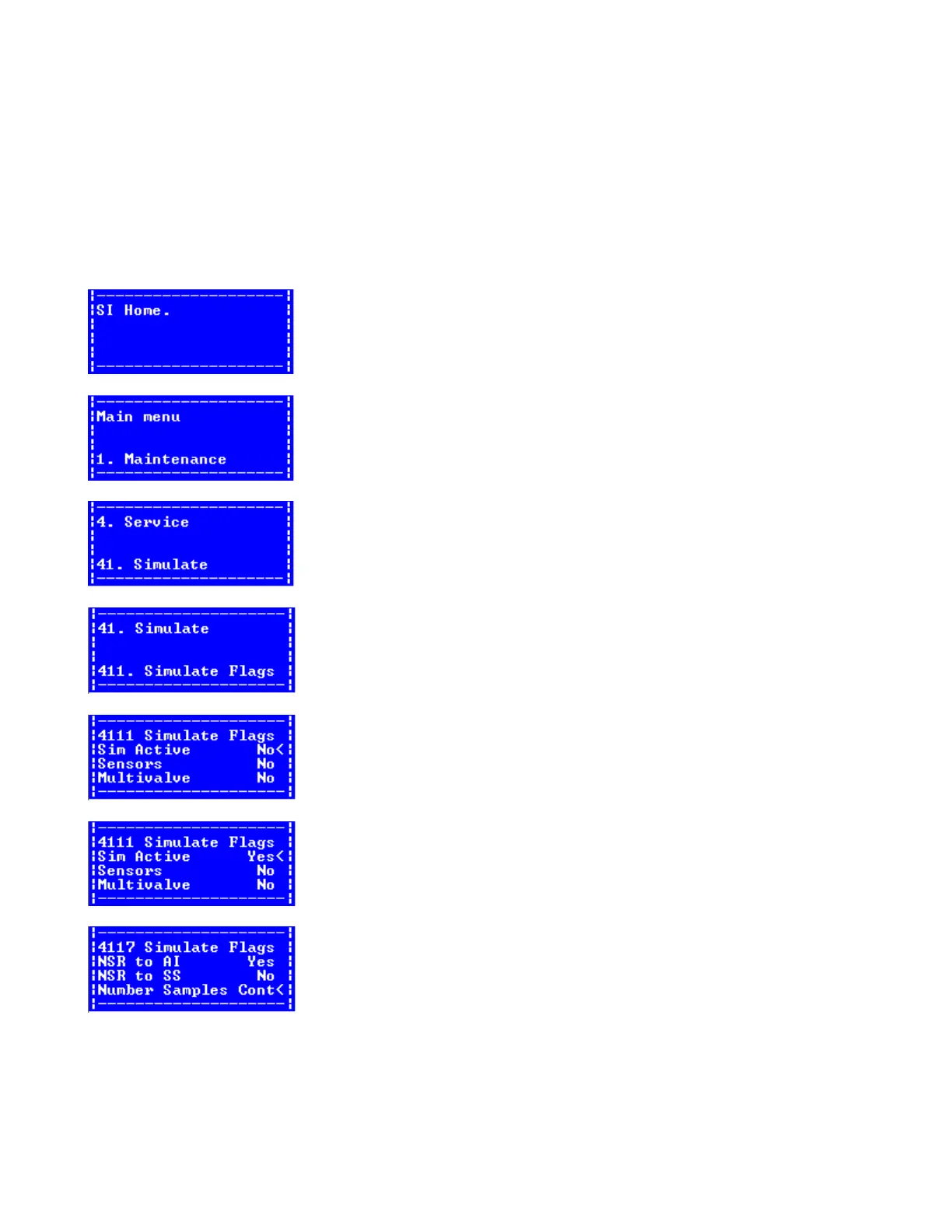
3.1.1 Activate Sample simulation in SI. (Parlour only and needs Vacuum).
First get acces to the menu in SI… this can be trough AC via Ethernet, or direct whit RS-232 cable to the
circuit board (baud rate 38400).
If not in the menu, press M
Then pres 4, for service menu.
Then pres 1, for simulate.
Then press 1, for Simulate Flags.
Activate Sim Active.
Activate NSR to AI (New Sample Ready), and chose Cont on Number Samples.(continuous samples)
If complete test, then Sim AI = No, else chose Yes, for simulating AI (f.eks. if the AI is disconnected, or
need to separate the test from the AI).



 To Next Page