April 8, 2011 HN FAQ Memo, Version 2.0 Page 83 of 108
5.2 Updating firmware in HN Units
5.2.1 Tools Needed :
1. RS-232 Cable (Not a Null modem cable) or USB->RS232 converter cable.
2. HexLoad http://www.segger.com/cms/downloads.html?pid=30 (This guide use version
3.00h but newer will do).
5.2.2 Preparation and Connection to the Unit
Generally the three main units in the Herd Navigator system, AC, AI and SI are programmed
with the same tools and in the same way. The only differences between the three are the
connection of the serial cable and the location of the DIP switches on the boards.
1. Turn off power to the Unit.
2. Connect the RS232 cable from PC to Unit.
3. Check that all DIP switches on the Unit is in position OFF
4. Turn on power to the Unit.
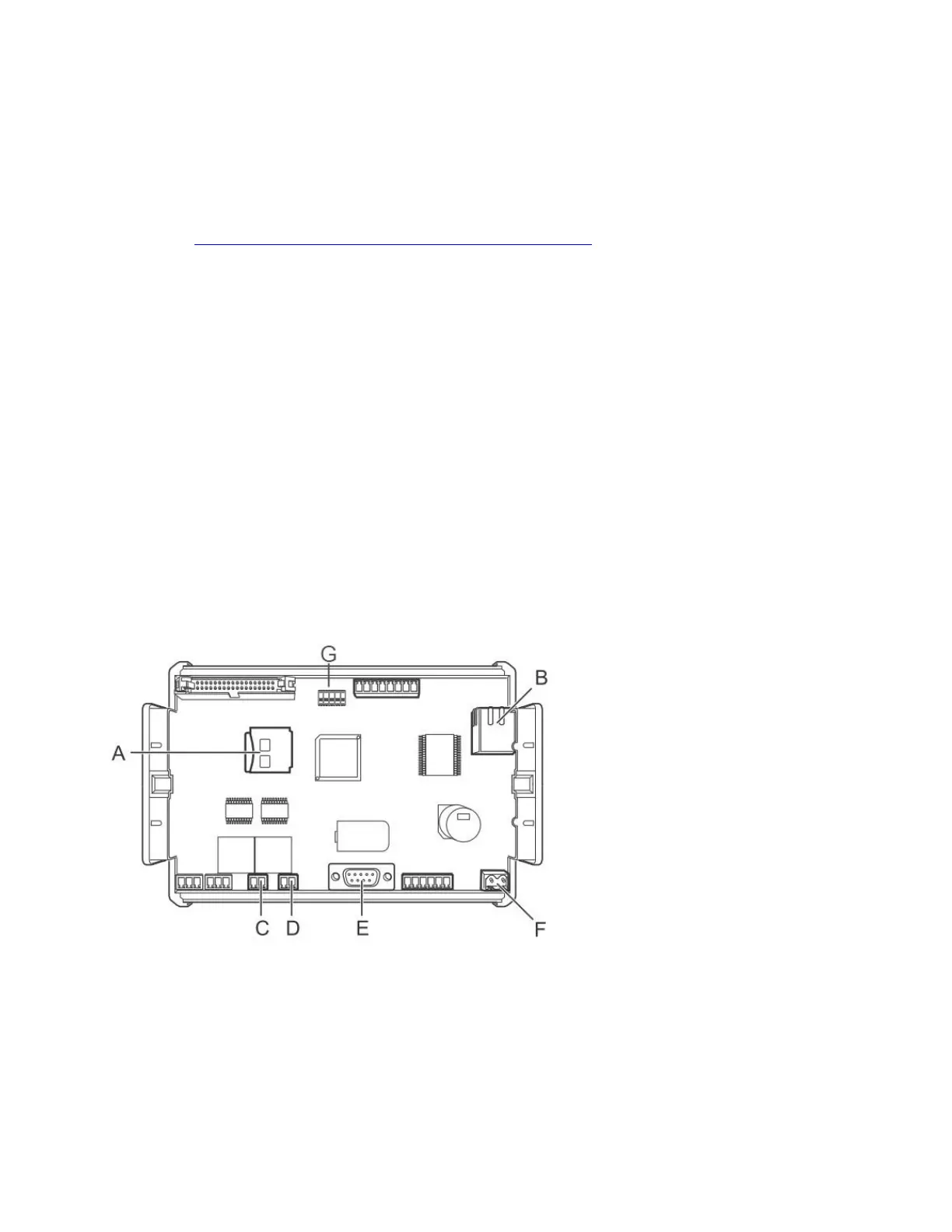
5.2.2.1 AC connections
The serial RS232 connector is located at E.
The DIP switch block is located at G.



 To Next Page