April 8, 2011 HN FAQ Memo, Version 2.0 Page 80 of 108
When finish, use H for home, 3 times, and you return to the AC.
5.1.2 AC basis settings IP address (Reset / New instalation) (VMS /
Parlour)
Use the terminal whit the RS-232 cable to setup the IP:
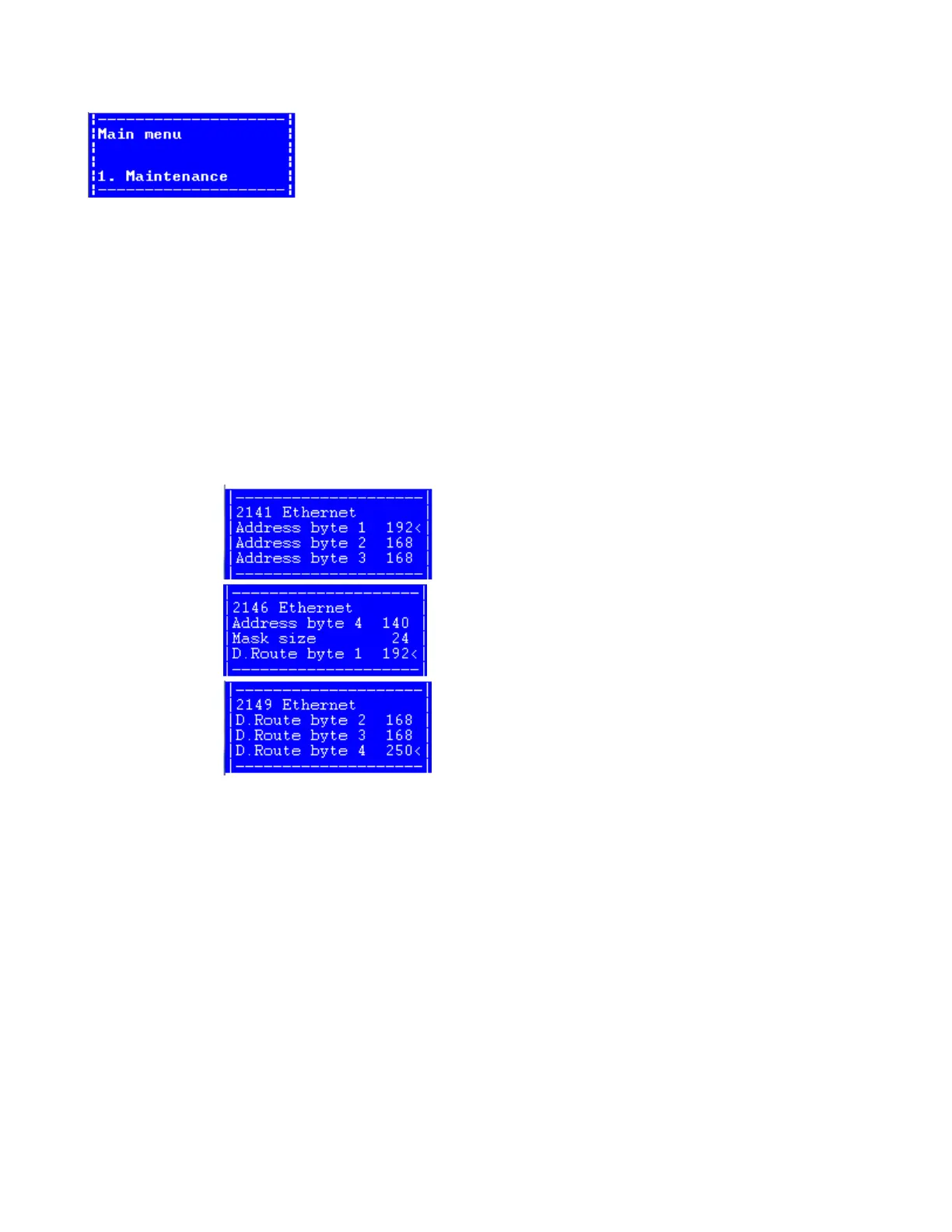
To set the IP in the AC, you need the RS-232 cable, and use following menu
2-1-4 (System Config -> AC -> Ethernet) :
Address byte 1 to 4 is the IP address, in this example 192.168.168.140 on a VMS farms.
Mask size is the subnet :
16 = 255.255.0.0
24 = 255.255.255.0
28 = 255.255.255.240
D.route byte 1 to 4 is the IP nr. For the router / gateway, in this example 192.168.168.250
When IP-adresses of the AC and IP-adress of the Default Route is set, turn off the power, and
remove the RS-232 cable.
After power up all other settings is done whit the browser on the PC.



 To Next Page