April 8, 2011 HN FAQ Memo, Version 2.0 Page 64 of 108
3.4 Sampler.
3.4.1 Recalibration of sampler transfer time.
Each sampler has an individually calibrated value for the “sampler transfer time”. The value
corresponds to the time for the sample to travel from the sampler to the BD3 detector in the
sample intake. The value is automatically calibrated during the first samples taken from the
samplers.
After a complete service or upgrade of samplers, the value has to be recalibrated. The value is
automatically calibrated if the value is reset to 0.
The value can be reset in the SI menu. The value can be reset for each sampler individually or
for all samplers. If work has been done on only some of the samplers, these should be reset
individually.
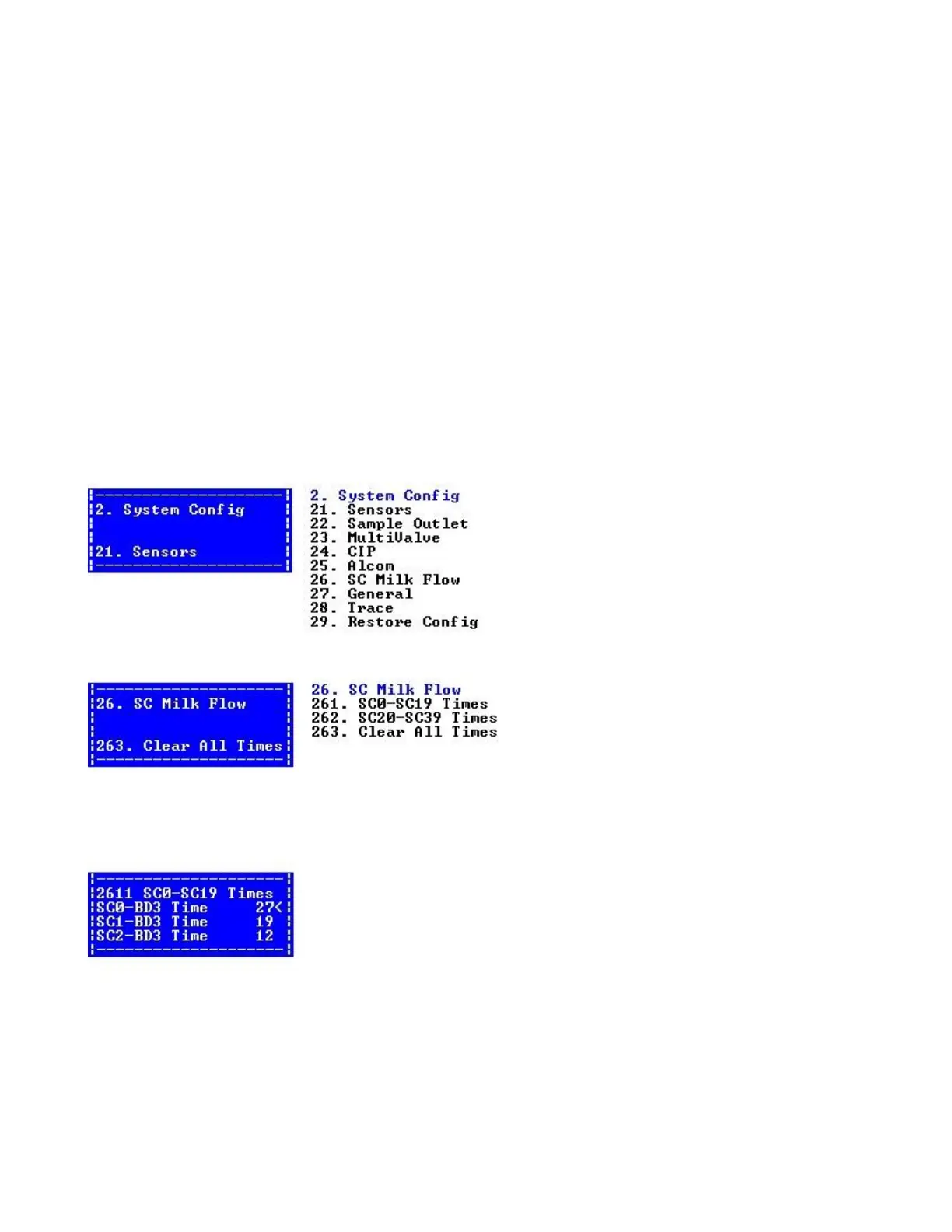
Select menu 2.6 SC milk flow.
Select menu 2.6.3. to reset the value for all samplers on the installation.
Select menu 2.6.1. or menu 2.6.2 to reset the value for individually samplers.
Hints:
If a sampler calibrates OK, but has problem taking samples afterwards, the problem might be
related to the speed valve, as this valve isn‟t used during the calibration.



 To Next Page