April 8, 2011 HN FAQ Memo, Version 2.0 Page 89 of 108
5.3 Updating the AC, AI, or SI boards with new version of the
bootloader.
(If the M16C Flasher program isn‟t installed, refer to the installation guide at the end of this
chapter)
This procedure is identical for the AC, AI and SI units, however the Code-file itself is different
for the units. Be sure always to use the latest released file.
Step 1: Turn the power to the unit off.
Step 2: Connect the PC to the unit with a RS232 serial cable
Step 3: Open the M16C flasher program.
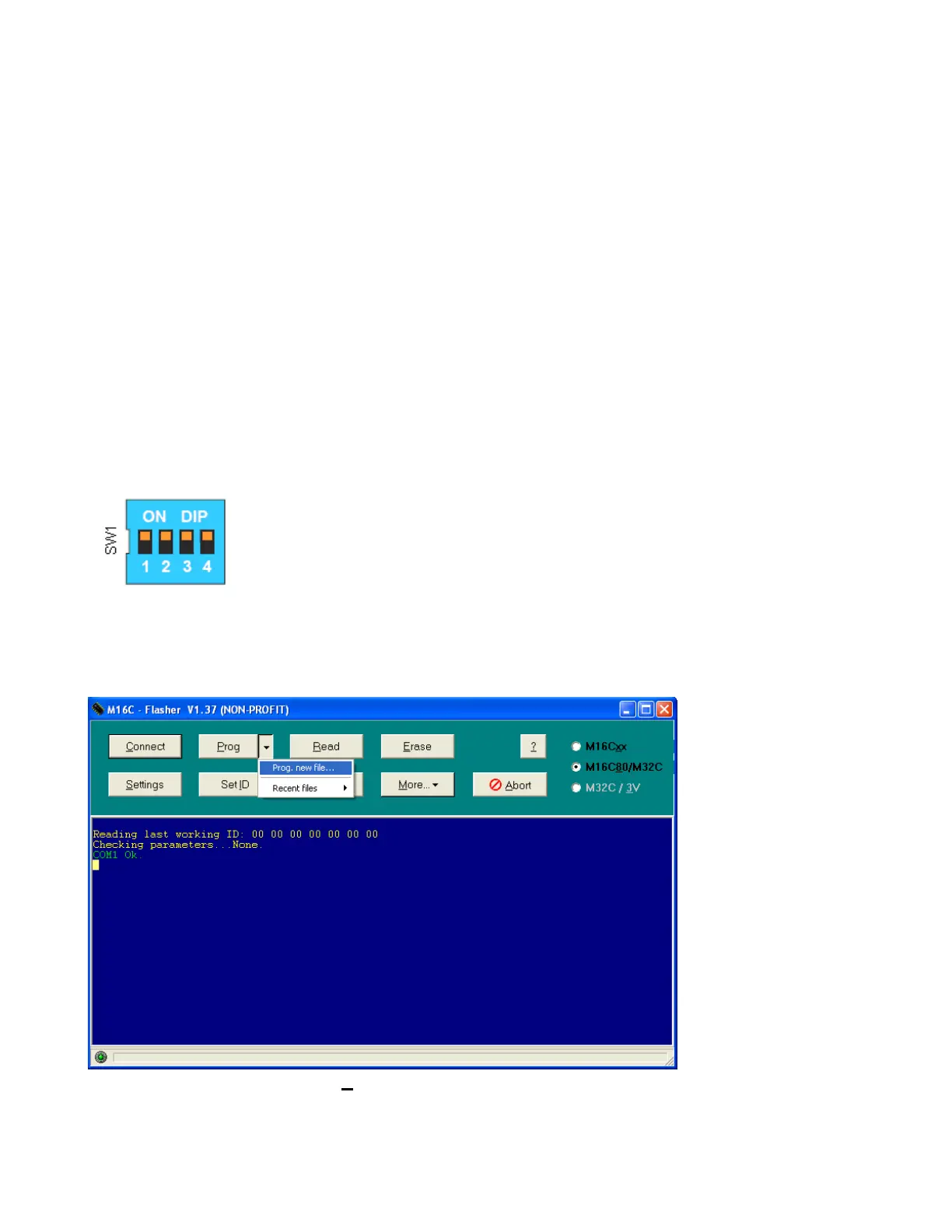
Step 4 : Set the DIP switch on the board with all switches set to ON. (as shown on the
figure).
Step 5: Turn the power to the unit ON.
Step 6: Click the arrow on the ”Prog” button and select ”prog. new file.”



 To Next Page