Proline Low-temperature Thermostats
56 Starting up YACE0072 / 21.08.07
Command
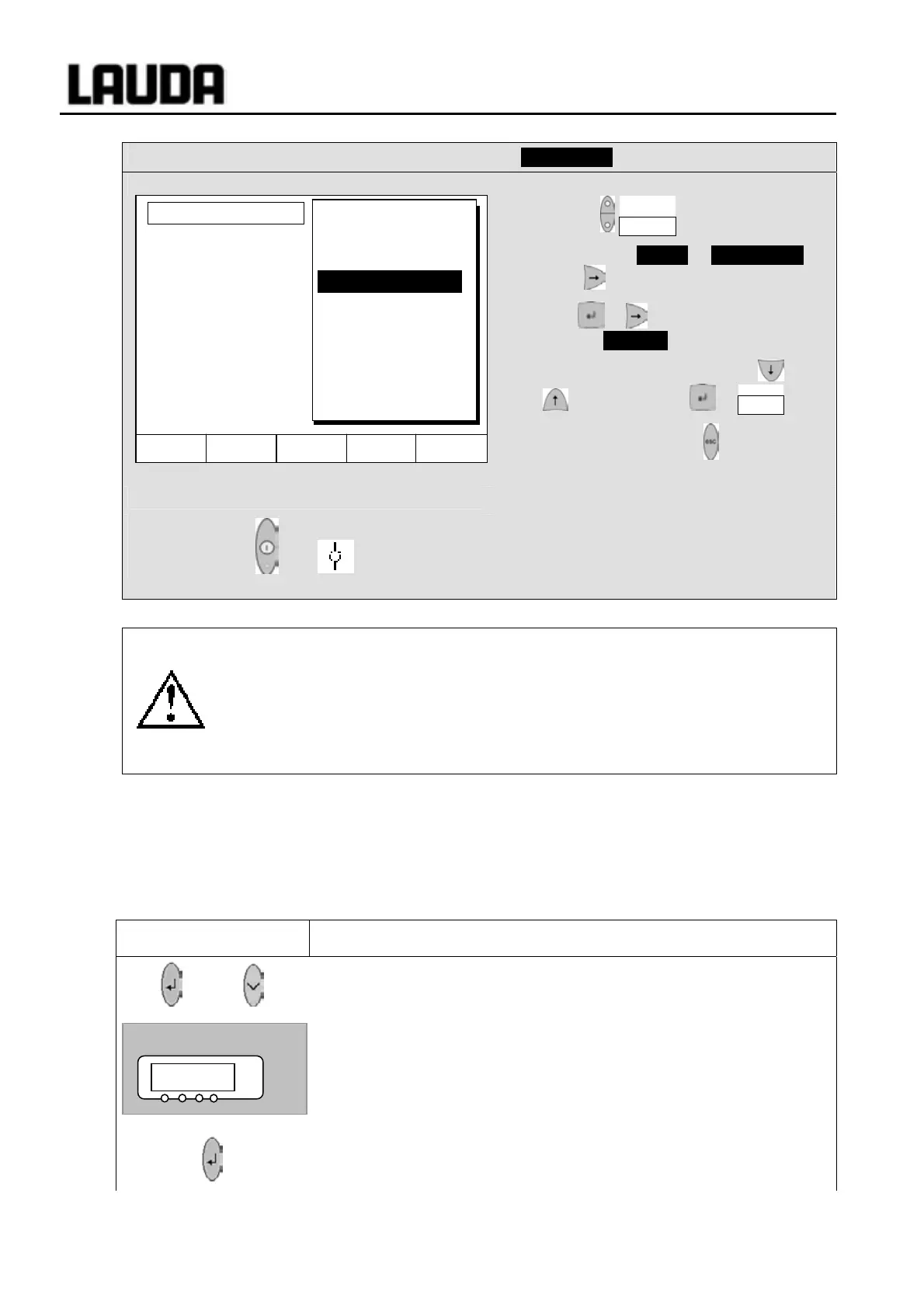
Pump Level
− Open the device parameter menu via the
soft key Menu .
− Change from Pump Æ Pump Level
using .
− With or you enter the illustrated
window. Level 5 is active.
− Select another pump level with or
and confirm with or End ,
− or quit the window with without making
any changes.
Standby activation
+
− Standby activation
(Pump, heater and refrigerating machine
are deactivated when the green LED in
the lower part of the key is lit).
Please exercise caution when thermostat is in standby mode 7.12.
The following settings/ actions may
start the thermostat unintentionally from the standby
mode:
− A previously activated timer mode (Ì 7.11), because a started time continues
to run.
−
"Start" command via interfaces
(Ì 8).
7.7.4 Activating external control
An external temperature probe can be connected to the Proline Thermostats. How this is done is
explained in Section 7.7.2. If the bath temperature is to be controlled using this sensor instead of the
internal
sensor, the setting can be made here.
Furthermore, control can also occur based on the signal from the analog or serial module Ì 4.8.
Master
Bml
and 2 x
Call the source selection for the control
Bml .
− The momentary setting for the source is displayed,
− here
0 for internal, because control takes place using the
temperature signal from the internal temperature probe.
− The source display flashes.
Pump Level
Hel
Menu End T
set
T
fix
Level 8
Level 7
Level 6
Level 5
Level 4
Level 3
Level 2
Level 1
Bml 0
°C



 To Next Page