Proline Low-temperature Thermostats
YACE0072 / 21.08.07 Starting up 67
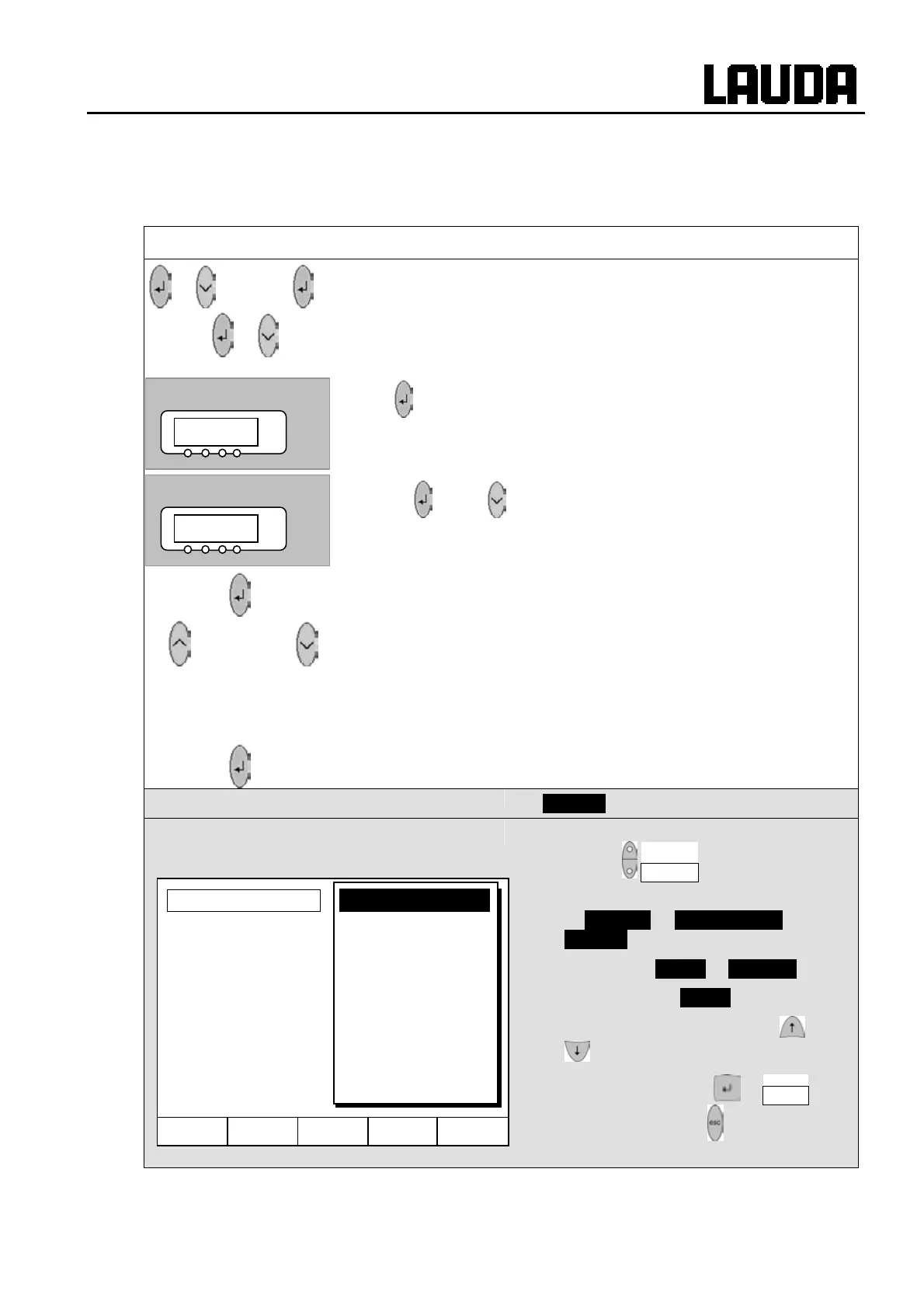
7.8.6 Setting the volume of the acoustic signals
The LAUDA Proline Thermostats signal alarms as a dual-tone acoustic signal and warnings as a
continuous tone.
Master
@schm
3x to LMDls
to
O@p@ 7x to
@schm
− Call the volume setting
@schm (Ì 7.6.4).
−
takes you to the alarm volume,
the currently set volume, here
2, is displayed or …
− …
and 1x takes you to the warning tone volume.
− The currently set volume, here
1, is displayed.
− The volume display flashes.
or
− Select volume:
/ = off to 2 = loud.
− You hear the alarm or warning tones at the selected volume.
Wait 4 seconds or
− Display flashes 4 s Æ new value is automatically accepted, or
− Value is immediately accepted with the Enter key.
Command
Sounds
− Open the device parameter menu via the
soft key Menu .
− With the cursor keys continue to
Æ Settings Æ Basic Settings Æ
Sounds .
− Select either Alarm or Warning .
− Example on left: Alarm is set to loud.
− Select the desired volume with or
.
− Accept selection with or End or
quit the window with without making
changes.
VW 1
°C
@K 2
°C
Hel
Menu End T
set
T
fix
loud
medium
low
off
Alarm



 To Next Page