Proline Low-temperature Thermostats
YACE0072 / 21.08.07 Starting up 59
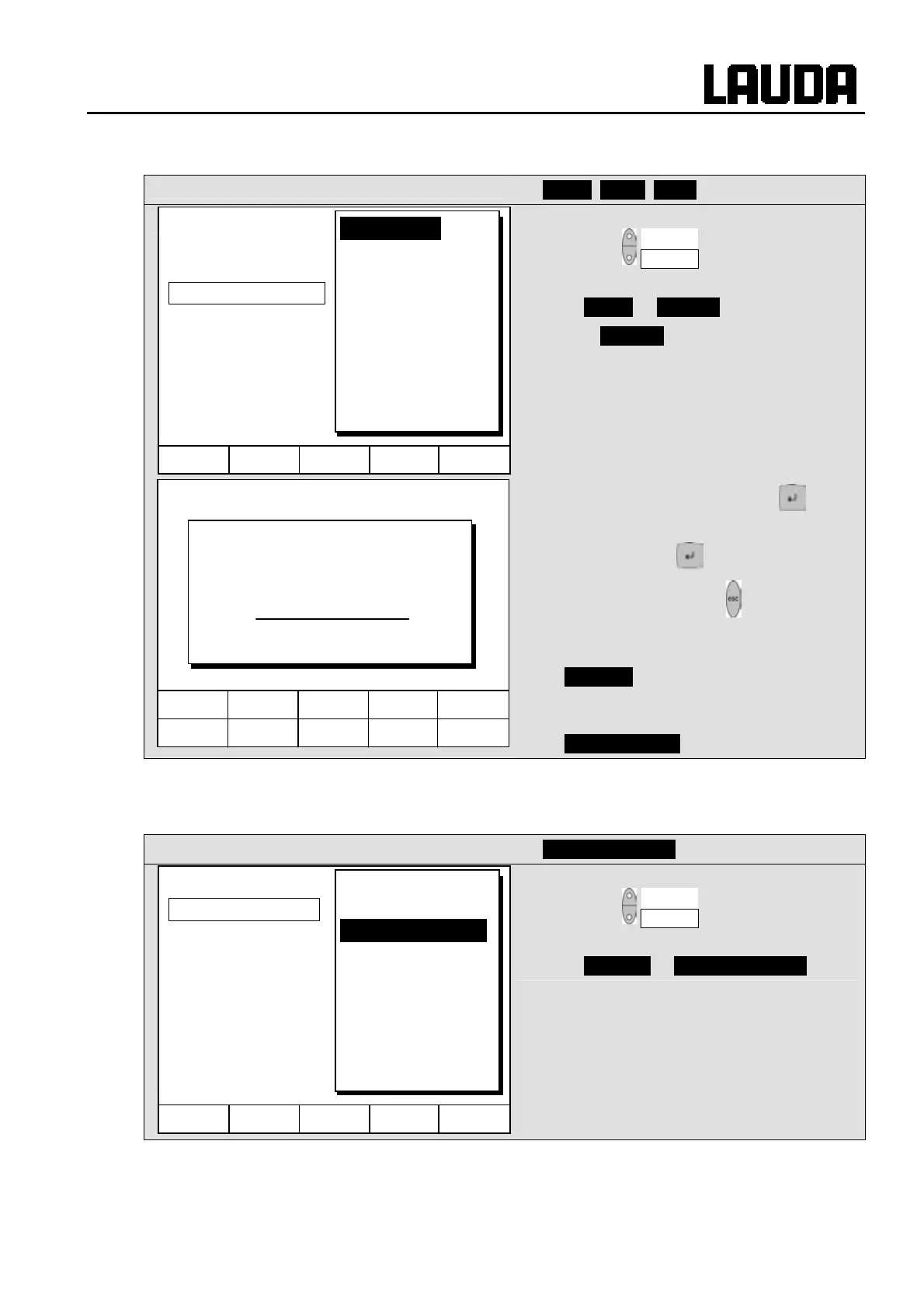
7.7.6 Setting the date and time (Command)
Command
Clock Time Date
− Open the device parameter menu via the
soft key Menu .
− With the cursor keys continue to:
Æ Clock Æ Set time,
− or to Set date.
− Open the settings window with .
− Change the time with cursor or soft keys
and accept with ,
− or quit the window with without making
changes.
− The date is set just the same with
Set date .
− The date format (Day Month Year or
Month Day Year) can be set under
Format of date .
7.7.7 Display resolution setting (Command)
The Command version allows for different resolutions of the displayed temperature.
Command
Display resolution
− Open the device parameter menu via the
soft key Menu .
− With the cursor keys continue to
Æ Settings Æ Display resolution .
Hel
Menu Screen T
set
T
fix
6 7 8 9 0
1 2 3 4 5
Enter time:
15:38:12
Hel
Menu End T
set
T
fix
Set time
Set date
Timer 1
Timer 2
Format of date
Pump
Settings
Graph
Clock
Programmer
Interfaces
Control
Limits
Hel
Menu End T
set
T
fix
Calibration
Works settings
Resolution
Device status
Display data
Basic settings
Overlevel handling
Pump
Settings
Graph
Clock
Programmer
Interfaces
Control
Limits



 To Next Page