Proline Low-temperature Thermostats
64 Starting up YACE0072 / 21.08.07
Command
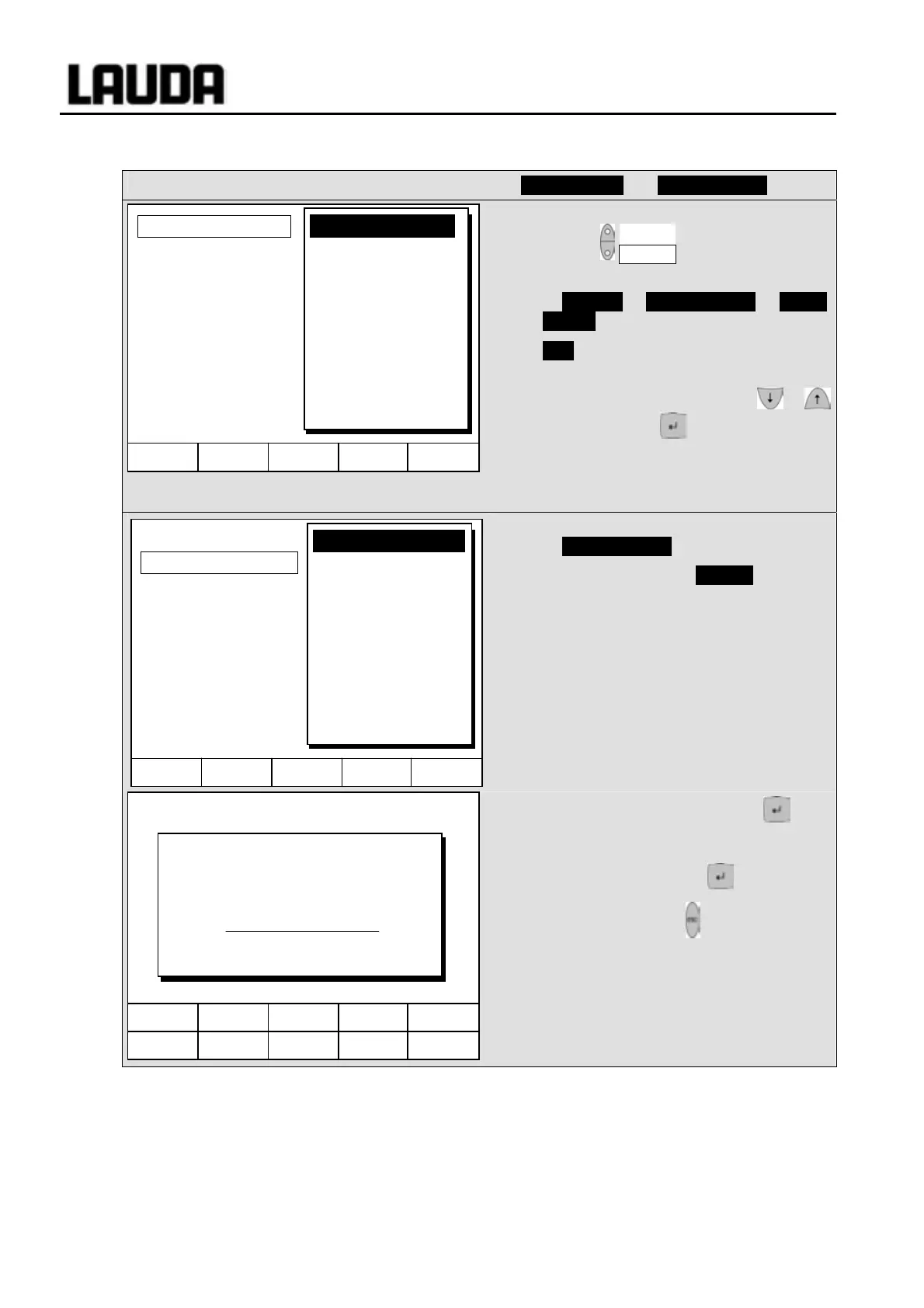
Offset source and Setpoint offset
− Open the device parameter menu via the
soft key Menu .
− With the cursor keys continue to
Æ Control Æ Setpoint offset Æ Offset
source .
− Off indicates that the setpoint offset is
currently deactivated.
− Select the setpoint source with or
and confirm with .
− Interfaces (e.g. RS232) are only
displayed if a valid setpoint has already
been transmitted.
− With the cursor keys continue to
Æ Setpoint offset .
− The standard value is 0.00°C .
− Open the left-hand window with .
− Enter the desired temperature.
− Accept the change with ,
− quit the window with without making
changes.
Hel
Menu End T
set
T
fix
Off
extern Pt100
RS232
Offset source
Setpoint offset
Hel
Menu Screen T
set
T
fix
6 7 8 9 0
1 2 3 4 5
Input Setpoint offset:
0.00
Min: -500.00°C Max: 500.00°C
Hel
Menu End T
set
T
fix
0.00 °C
Offset source
Setpoint offset



 To Next Page