(c) SELECTION INDICATOR
When the audio source has been selected, a blue band selection within the source button will
appear.
(d) DEROUTE AUDIO SOURCE
To clear the current assignment of an audio source to a zone / zones, select the source
marked as an "X". A new routing is done automatically if you assign a new source to a zone
that previously had an audio source routed.
Once you have done the source selection, if you want to cancel, press the " BACK" button. To
confirm the selection, press the " OK" button, you will access to the zone selection menu
where you can assign the zones to be assigned sound source (see 2.2.7).
NOTE: When the ACSI bus is being used (see 4.2), the audio source number 5 will change
into a microphone icon. This source will also be shown as unavailable.
NOTE: When the zone selection is for one of the pre-recorded message playersor the EMIC,
the selection will be cleared when performing a new selection. When the selection if for any of
the other audio sources, the selection will be cumulative, meaning the zones not affected by
the selection will keep its audio routing.
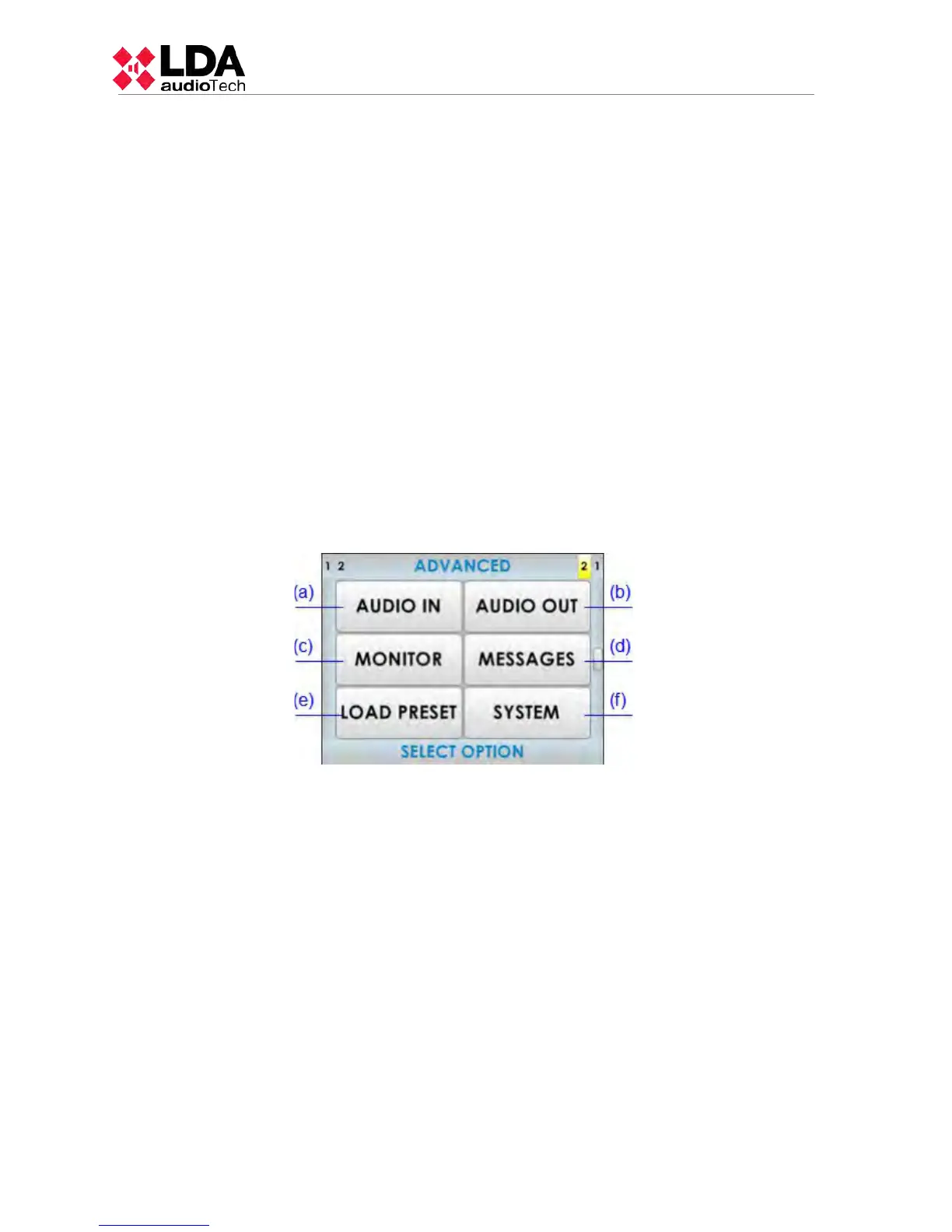
3.5.3 AVANCED OPTIONS
The equipment/system has advanced adjustment options. To access these options,
from the PA menu, click on the "ADVANCED" button, an user control access level 3 (see 2.3).
will be displayed. To return, press the "BACK" button. Overcome the access control, the level
of access authorization, will change to "Level 3" and access the menu, which contains the
options:
(a) AUDIO INPUT
Access window settings for the audio inputs. For more detail see 3.5.4
(b) AUDIO OUTPUT
Access settings window for audio outputs. For more detail see 3.5.5
(c) MONITOR
The equipment/system, has an integrated speaker that lets you hear the audio sources that
are available, and the audio input routed to each zone. For more detail see 3.5.6
(d) MESSAGES
Access to the pre-recorded messages menu.
(e) LOAD PRESET
Access to the selection window of saved memory with a certain system operation (preset). To
configure and save the preset you must use the configuration software.
(f) SYSTEM
Access to the system's information window and identification configuration.
24
www.lda-audiotech.com



 To Next Page