(p) EMIC: “EMERGENCY MICROPHONE”
Active (on) when the microphone is available to perform an emergency evacuation in
the selected zones. If the indicator is off, wait for it to be turned on, a warning sound signal
might be played. Amber colour.
2.2 CONTROLS
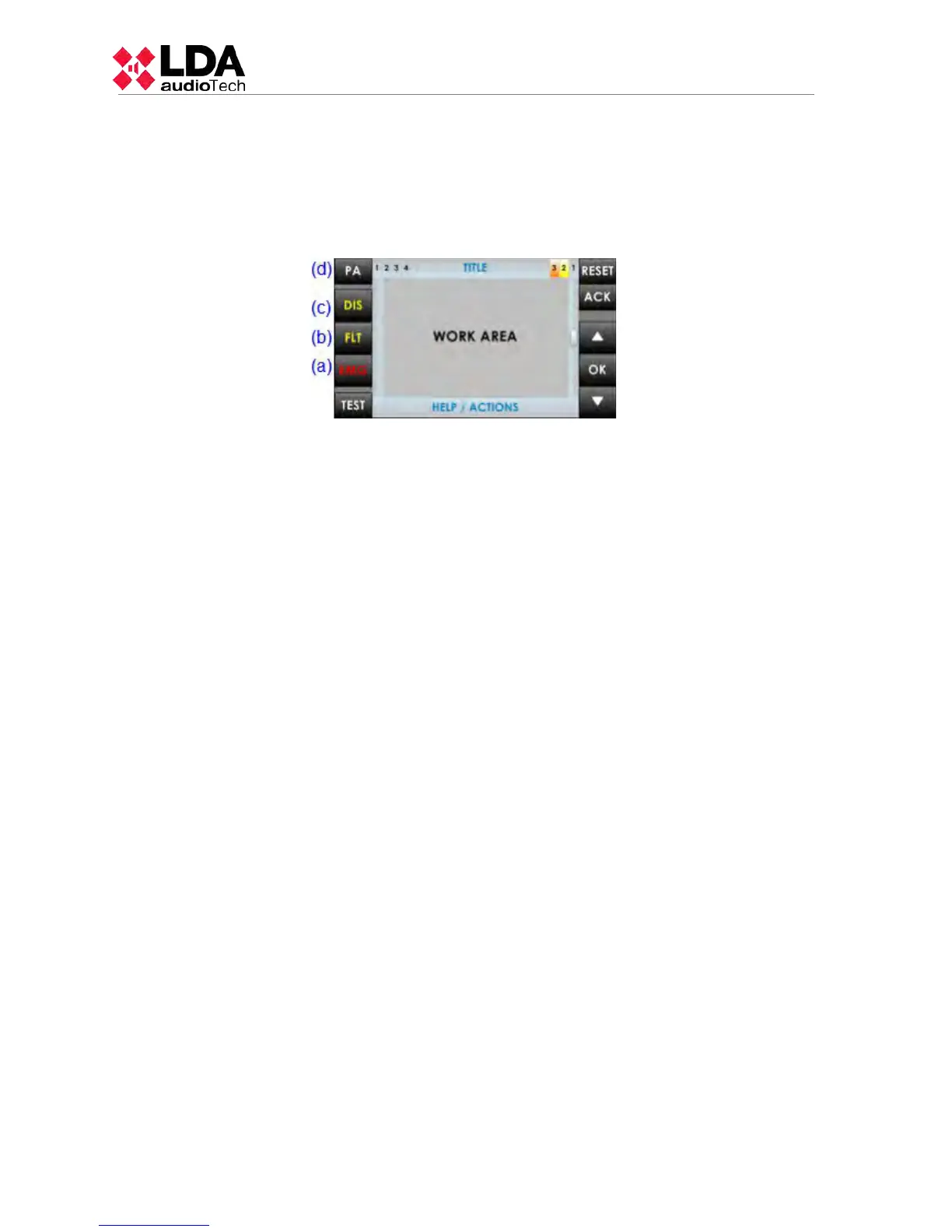
2.2.1 DIRECT ACCESS CONTROLS
These controls are located on the left side of the screen. They allow direct access to
the notification windows of the active states. They show extended information about operating
status and available options.
a) EMG: “EMERGENCY”
It allows access to emergency status menu. When the equipment or system is in this
state, you will enter directly to the window with extended information about the state of
emergency. To continue operating the equipment, press the " BACK" button.
b) FLT: “FAULT”
It allows access to the window of extended information about the fault state. Faults are
displayed while the fault is not restarted, and up to 5 minutes after a reboot had occurred.
c) DIS: “DISARMED”
Accesses the disarmed menu . If there is a disabled zone, it will go directly to the
window with extended information about the disable state.
d) PA / BACK: “PA/BACK”
It allows access to the PA menu when the equipment is not in a state of emergency, or
failure.
It also allows the go-back function for navigation through the menus . The button " PA " will
change to "BACK" button when the option is available again.
2.2.2 SCROLL BUTTONS
The scroll buttons are situated to the right side of the screen. They allow a scroll up /
down within the windows displayed on the screen. It includes the "OK " button for operations
that require confirmation.
2.2.3 TEST
The "TEST" button is located under the direct access controls. It allows to check the
correct functioning of all indicators of the equipment. While the "TEST" button is being pressed
it will turn on simultaneously , all the indicators, and an audible warning will be emitted. The
screen will go into test mode. Once the button is released, the test will end. During the testing
process all manual controls will be inactive. If they receive a signal from the CIE, for the
activation of an emergency warning, the test will end.
2.2.4 RESET/ RST
The "RESET" button is located on the top right side of the screen. The "RESET" button
resets the operating condition of the equipment when it is in a state of emergency or fault.
NOTE: If pushed twice in an interval of time less than 10 seconds, it will perform a
software reset of the control module of NEO and its extensions. This action stops the
execution of events, stops the microphones, playback of pre-recorded messages, etc.
4
www.lda-audiotech.com



 To Next Page