DatasheetoftheEasyServoDriveES2‐DA808
LeadshineTe c hnol ogy Co.,Ltd
11/F,BlockA3,iPark,No.1001XueyuanBlvd.Shenzhen,China Tel:1‐949‐608‐7270Fax:1‐949‐608‐7298
Web:www.leadshine.com Email:tech@leadshine.com
M
ENT
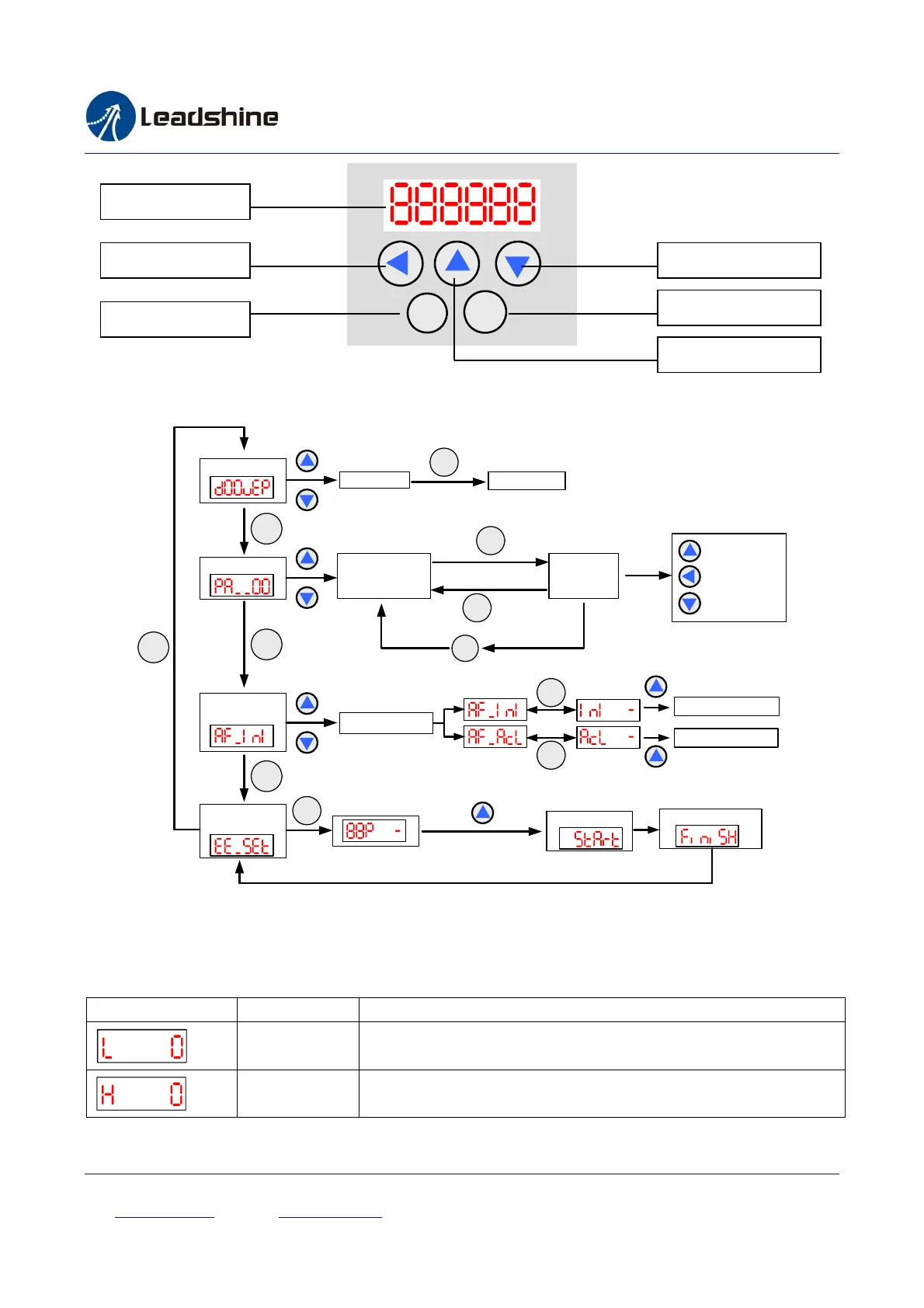
There are 4 operation modes in the on-board HMI. Users can switch between these modes by pressing the “Mode”
key. The following figure illustrates the operation procedure of this on-board HMI.
M
Display Data
Edit Parameter
Select Data
ENT
Display Data
Select Parameter
Display
parameter
Edit Parameter
Confirm
M
Cancel
ENT
ENT
Select Function
Hold on 3 seconds
Reset Parameter
Clear Error Record
ENT
ENT
Auxiliary
Function
Write to
EEPROM
Start Writing
Writing Completes
ENT
M
M
M
Operation Procedure of the on-board HMI
Display Data Mode
This mode is active initially at drive’s power-up. In this mode, users can check the monitoring data as shown in the
following table.
Display Code Name Description
“L “ Low order digits display.
“H “ High order digits display.
7‐segmentDisplay
LeftShiftDigits DecreaseorNext
Increaseorprevious
Enter,Confirm
ModeSwitching



 To Next Page