23
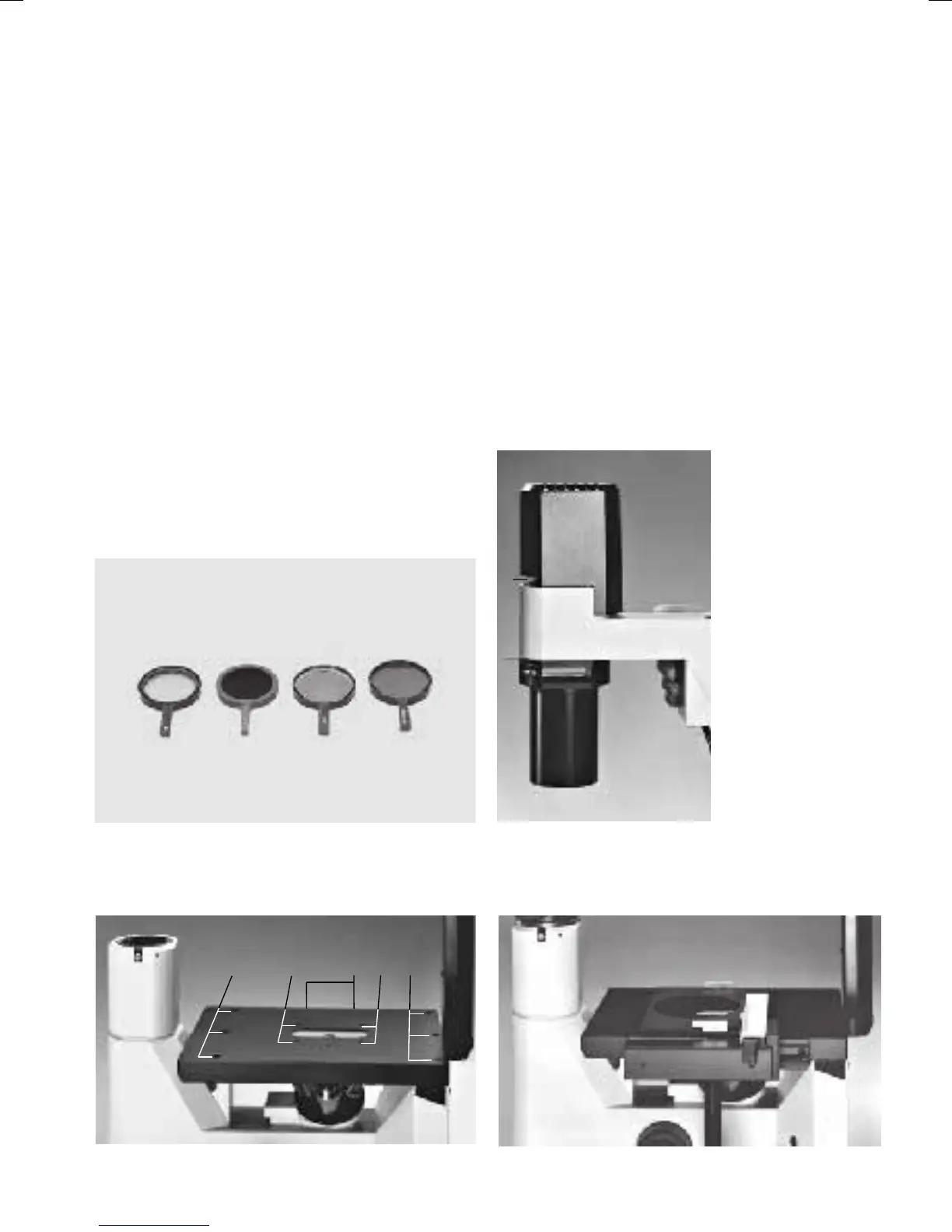
Fig. 22
1 Holes for attachable specimen controller, 2 Holes for
specimen brackets, 3 Holes for stage mounting
Fig. 23 Specimen controller with holder mounting
Attaching and removing the objectives
• Remove the screw cap on the objective
threads.
• Screw the objectives into the nosepiece
opening that an incremental change of
magnification is possible (e. g. in
the
sequence 4, 10, 20, 40).
• If objective threads are left unused, cover
these with screw caps to protect the
microscope optics against dust.
Positioning the filter
• Place the filter (Fig. 20) into the filter holder
(21.1) on the transmitted-light illumination car-
rier.
Attaching the specimen controller
• Attach the specimen controller to the right or
left side of the stage to accommodate brackets
for different culture vessels (22.1).
• Mount the specimen controller with a 3 mm
fixed spanner.
Fig. 20 Filter
Fig. 21
1 Filter holder
1
1
22
3
3


 To Next Page