37
The procedure for positioning the drawing
facility, the multi-discussion facility, the magnifi-
cation changer, and the ergo module is basically
the same. The drawing facility or the ergo
module can either be mounted directly on the
basic microscope stand (in conjunction with the
DM ILB or DM ILT tubes) or on the DM IL/L tube
adapter (in conjunction with L-tubes).
Positioning the drawing facility*
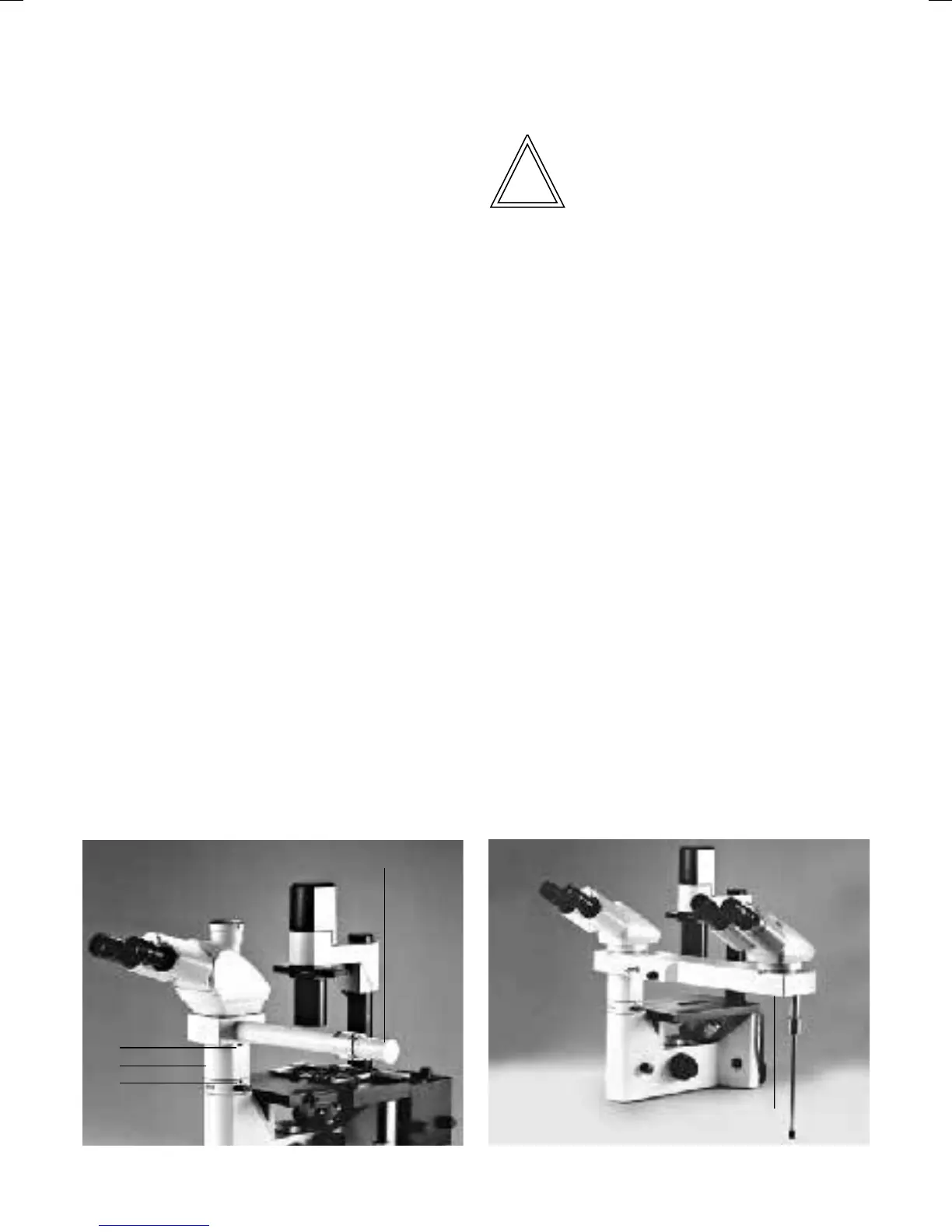
• Unscrew the lock screw (41.1) on the micro-
scope stand using a 3 mm fixed spanner.
• When using the DM IL/L tube adapter:
• Attach the IL/L tube adapter (41.2).
• Retighten the lock screw (41.1).
• Unscrew the lock screw (41.4) on the tube
adapter.
• Insert the drawing facility (41.3) into the tube
holder of the basic microscope or of the IL/L
tube adapter.
• Retighten the lock screw (41.4).
• Unscrew the lock screw on the drawing
facility.
• Position the tube.
• Retighten the lock screw on the drawing
facility.
Positioning the multi-discussion facility*
Note
When using the multi-discussion facility, the
stabiliser plate should also be mounted (→ p. 17).
• Unscrew the lock screw (41.1) on the micro-
scope stand using a 3 mm fixed spanner.
• Attach the IL/L tube adapter (41.2).
• Retighten the lock screw (41.1).
• Unscrew the lock screw (41.4) on the tube
adapter.
• Insert the multi-discussion facility (42.1) into
the tube holder of the adapter.
• Retighten the lock screw (41.4).
• Unscrew the lock screw on the multi-
discussion facility.
• Position the tube.
• Retighten the lock screw on the multi-
discussion facility.
Fig. 41 Microscope with drawing facility
1 Lock screw, 2 IL/L tube adapter, 3 Drawing facility, 4 Lock
screw
Fig. 42 Microscope with multi-discussion facility
1 Multi-discussion facility
4
1
3
2
1


 To Next Page