Operational Manual (Online Help)
340
Slot-in Devices
Devices fitting into the slot-in port (P3)
Digital cellular phones fitting into the slot-in port (P3)
CINTERION MC75i GSM/GPRS/UMTS
Radios fitting into the slot-in port (P3)
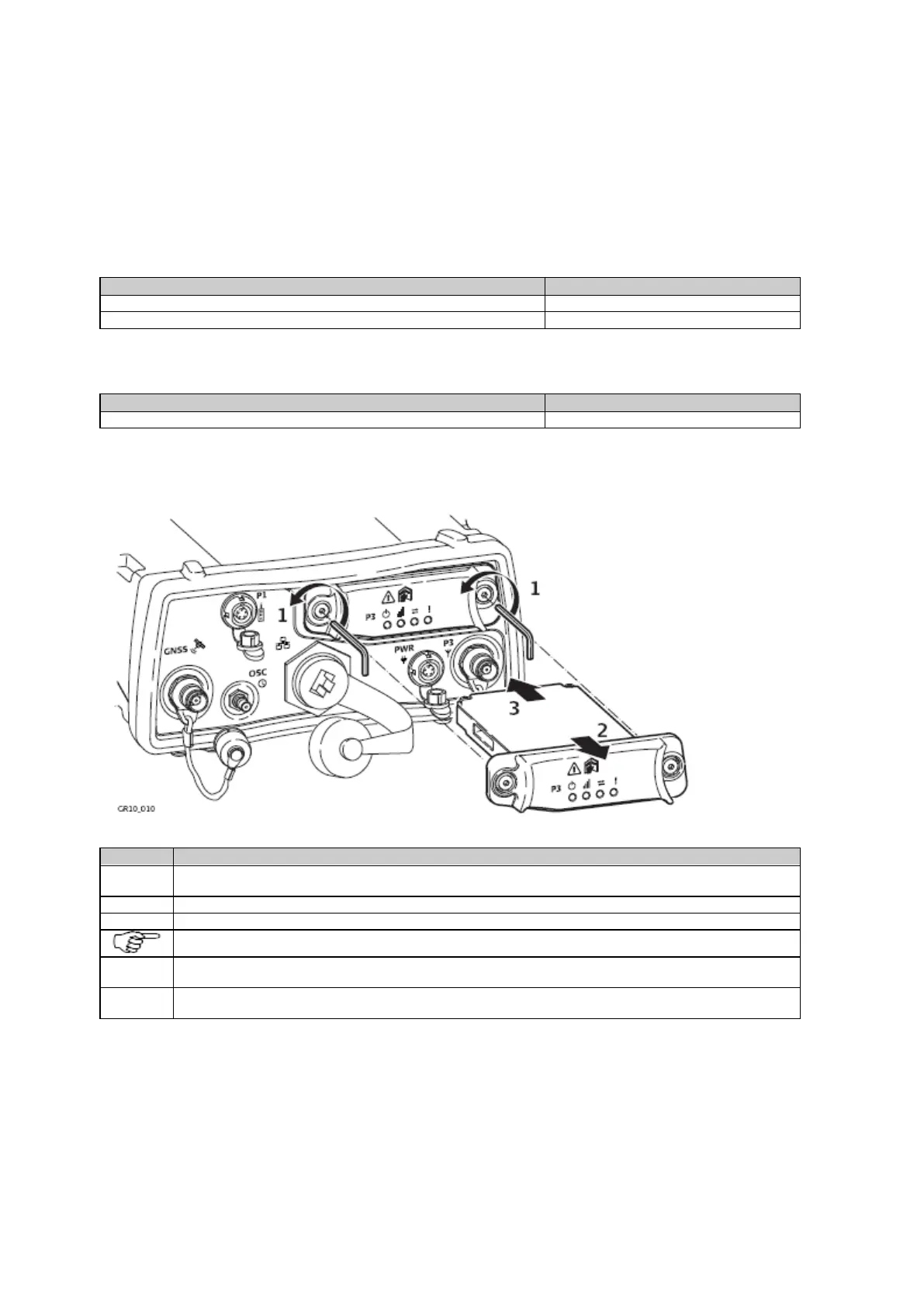
Insert and remove a slot-in-device step-by-step
Loosen the screws of the Communication Slot-in port (P3) with the Allen key that is supplied with the slot-in
device.
Remove the compartment cover.
Insert the slot-in device into the P3 Slot-in port.
The LED's on the device must face downwards.
Reattach the compartment cover and tighten the screws. All screws have to be tightened to ensure that the
instrument is waterproof.
Attach the antenna for the slot-in device to Communication Slot-in port Antenna (P3) which is located below
the Slot-in port next to the Power port (PWR).
Insert and remove a SIM card step-by-step



 To Next Page