Operational Manual (Online Help)
84
Charging the GR25 battery
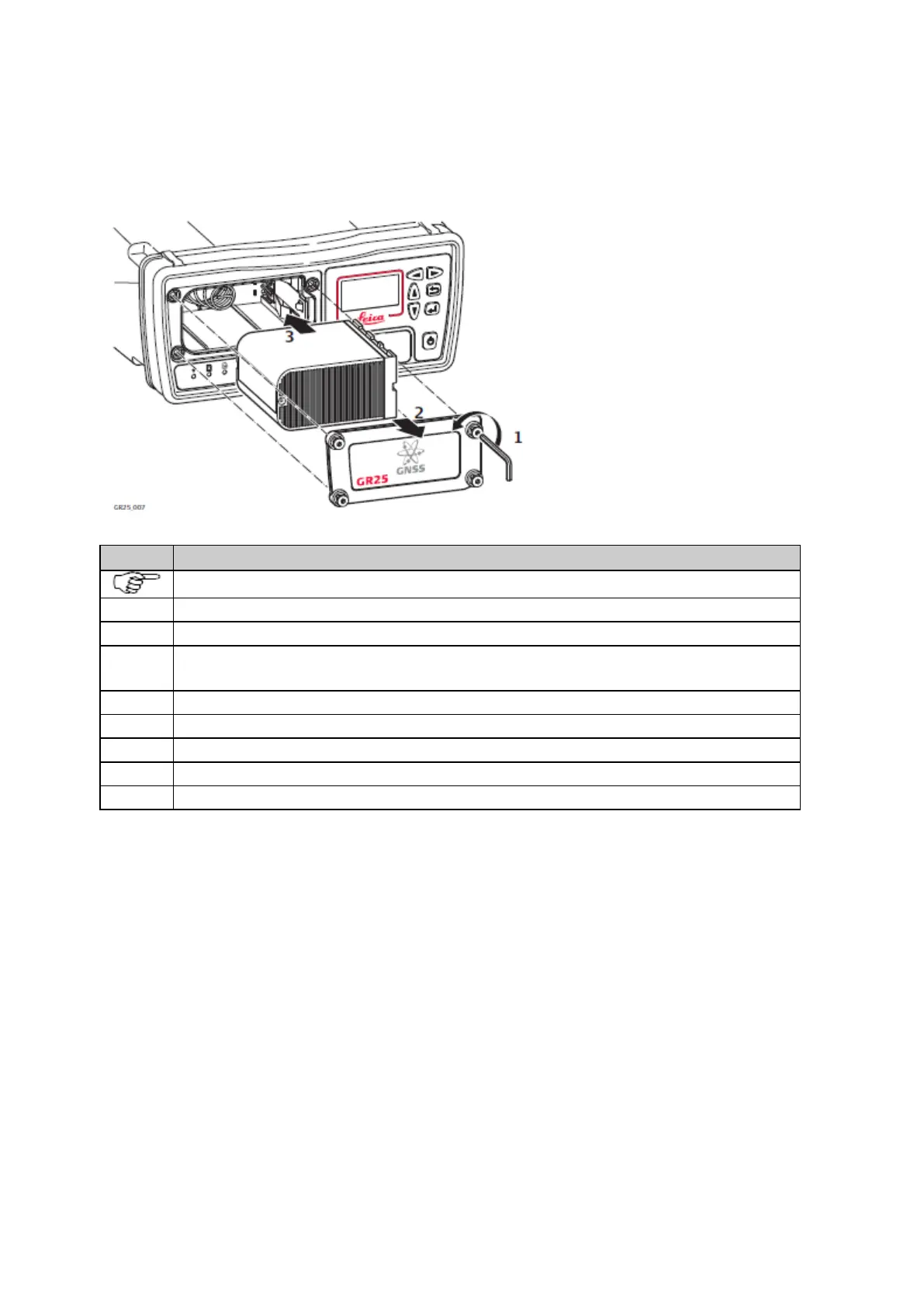
Insert and remove the battery on the GR25 step-by-step
The battery is inserted in the front of the instrument.
Loosen the screws on the battery compartment with the Allen key provided with the GR25.
Remove the battery cover.
With the arrow facing forward, slide the battery into the battery compartment and push so that it locks into
position.
Replace the cover of the battery compartment and tighten the screws.
To remove the battery, loosen the screws and remove the cover of the battery compartment.
Push the ledge on the right side of the battery compartment to the right until it releases the battery.
Replace the cover of the battery compartment and tighten the screws.



 To Next Page