5: Getting started
87
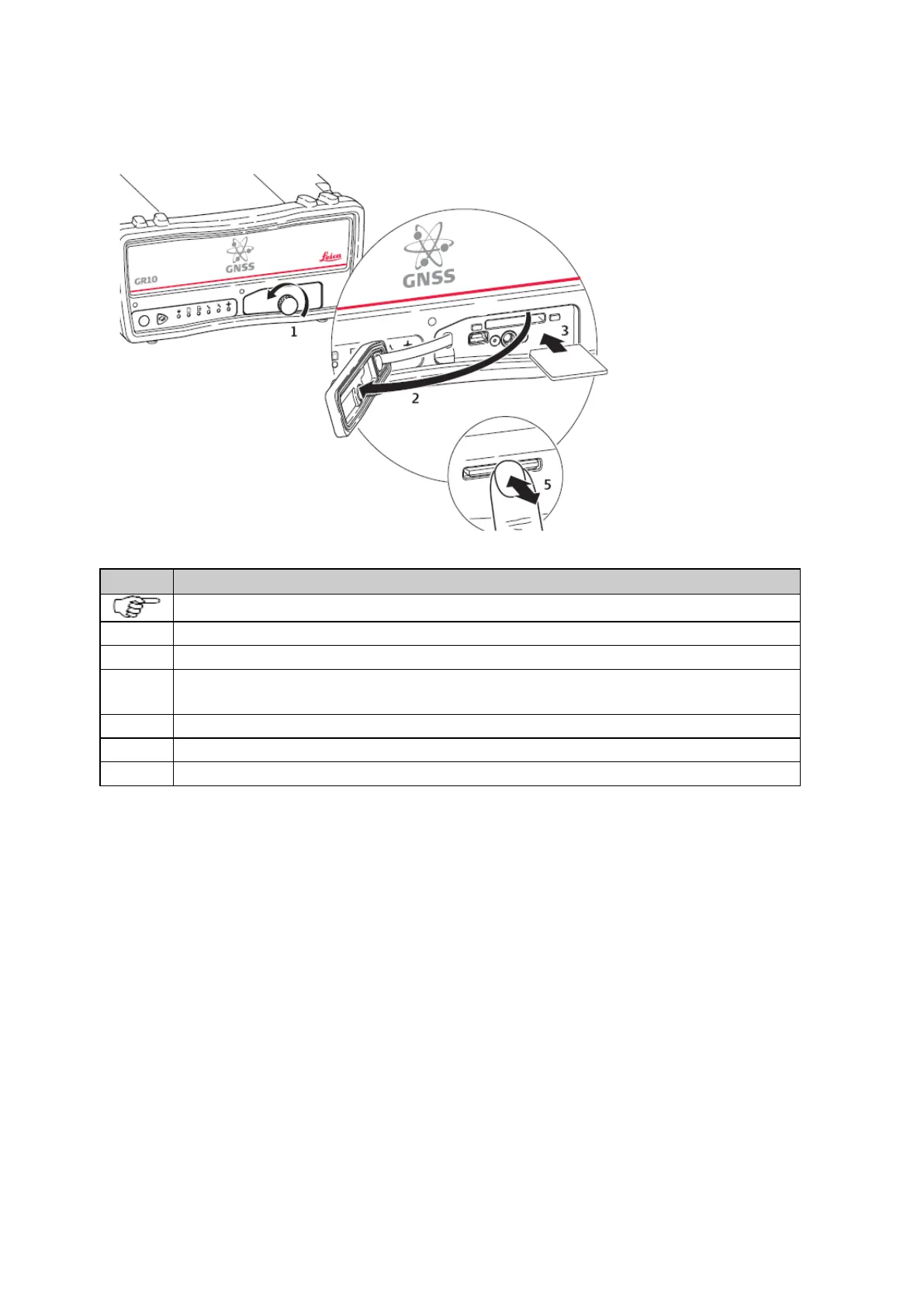
Insert and remove an SD card into the instrument step-by-step
The SD card is inserted into a slot inside the SD card/USB port cover on the front of the instrument.
Loosen the screw on the SD card/USB port cover.
Open the SD card/USB port cover.
Place the SD card into the slot. The card should be held with the contacts downwards and facing the slot.
Do not touch the contacts.
Slide the card firmly into the slot until it clicks into position.
To remove the SD card, gently press inwards on the card to release it from the slot.
Place the SD card/USB port cover back over the slot and tighten the cover screw.
Related topics
Directory structure of the memory device



 To Next Page