59
Leica RM2255
6. Optional Accessories
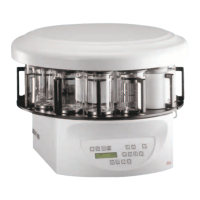
• Remove the two screws (1) using a slotted
screwdriver and then remove the cover plate
(2).
• Insert the backlighting (3) in the recess at the
rear of the knife holder base.
• Connect the plug (4) of the backlighting to the
socket (5) on the microtome.
The backlighting illuminates once the microtome
is turned on with the power switch.
2
1
3
4
1
5
6.6 Backlighting
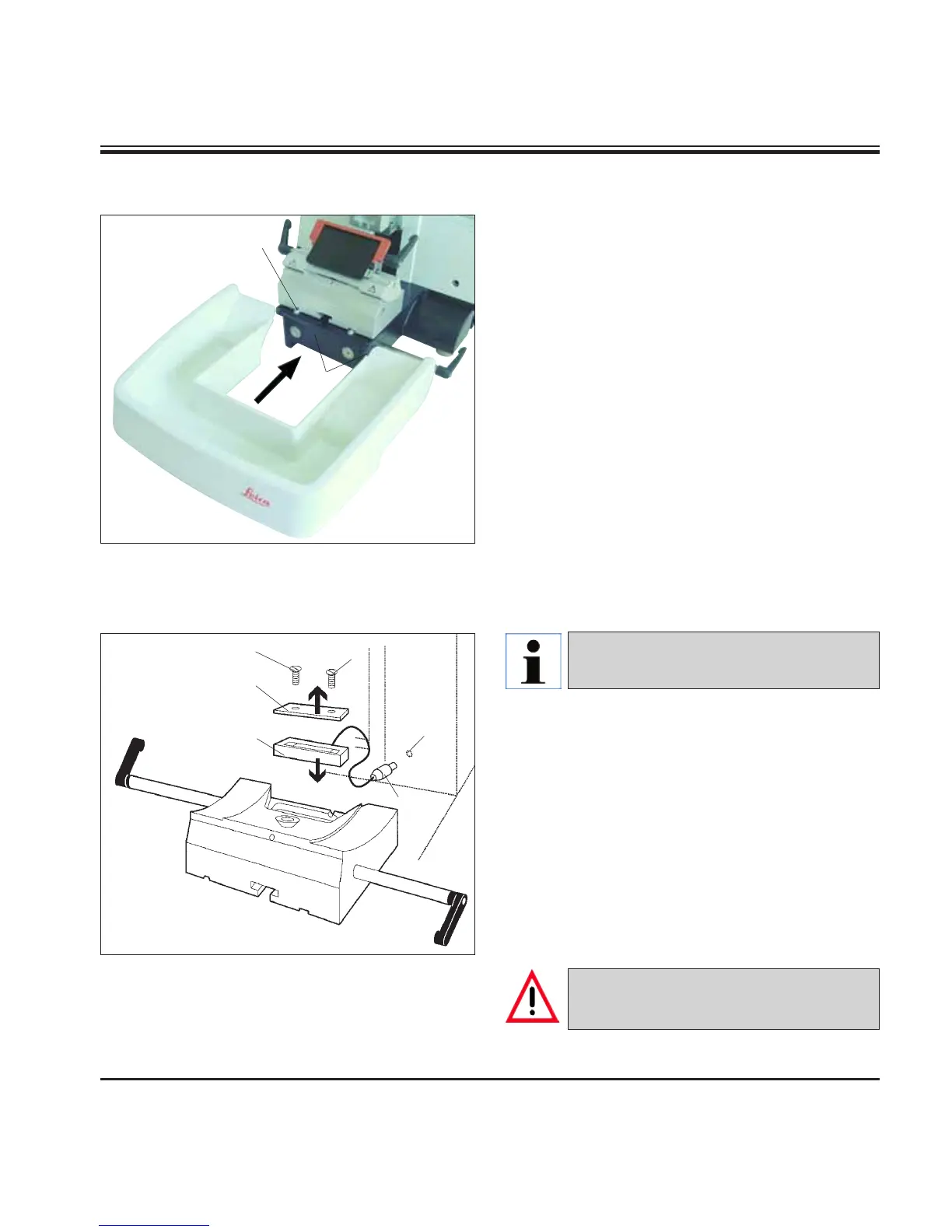
• Push the section waste tray (18) from the front
to the microtome base plate (53) until it is held
in place by the two magnets (39) (on the front
of the microtome base plate).
To remove the section waste tray, lift it slightly
and pull it off towards the back.
6.5 Section waste tray
53
18
39
Fig. 54
Fig. 55
The backlighting is inserted into the
front of the one-piece knife holder base.
NEVER use the backlighting illumination
with the super mega-cassette clamp!



 To Next Page