64
Instructions for Use, V 2.2 RevI – 09/2016
2
4
5
6
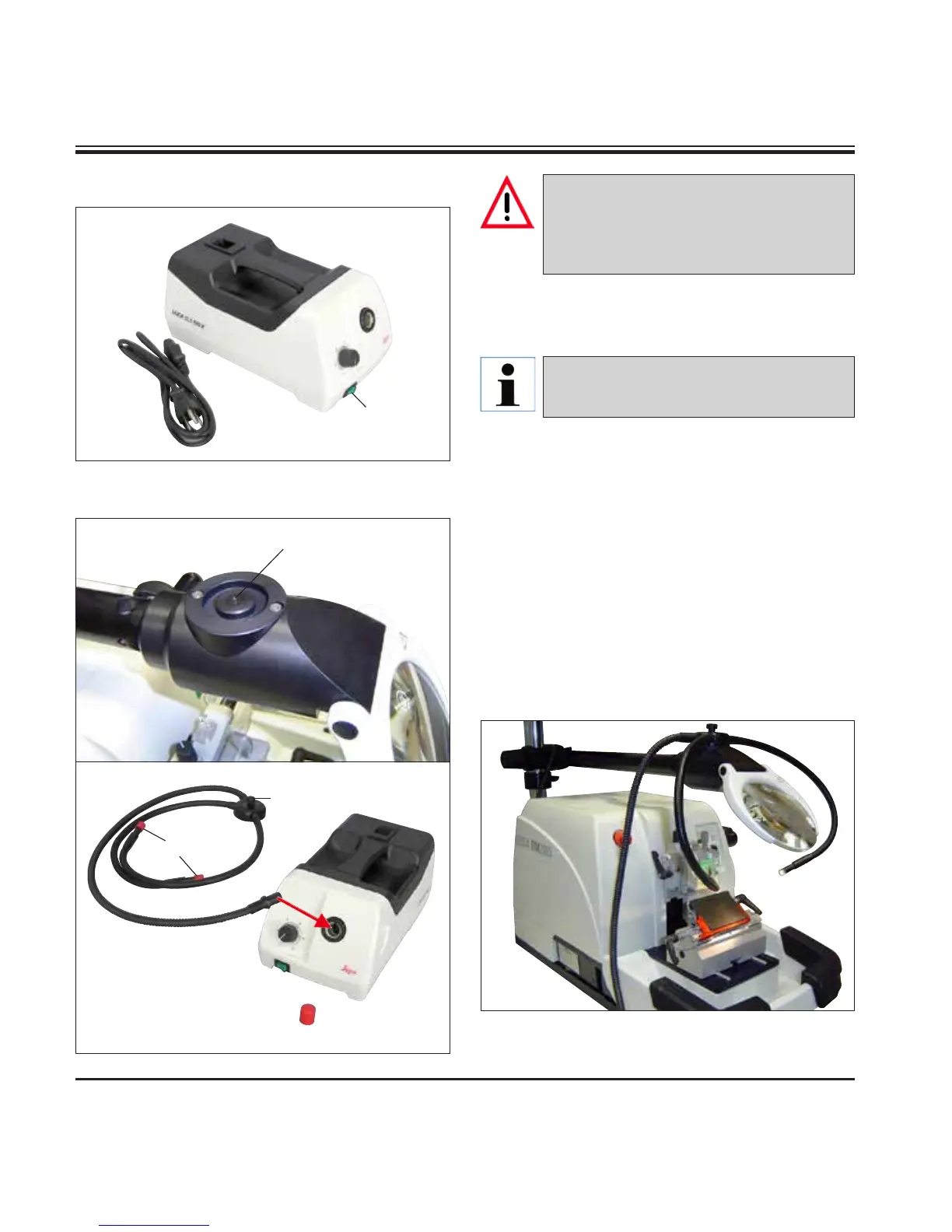
6.11 Cold light source
6.12 Fiber-optic light guide
Fig 70, Leica rotary microtome with installed optional
accessories: Magnifier and fiber-optic light guide
Fig. 67
Fig. 69
Fig. 68
• Connect the power cable (1) to the connecting
jack on the rear of the device.
• Plug the power plug into the power socket.
1
3
7
8
The cold light source may be operated
at the power supply voltage specified
on the identification label (on the under-
side of the instrument) only.
• Attach the fiber-optic light guide (2) to the
adapter of the magnifying lens and secure it
in place in the bore (6) using the screw (5).
• Pull off the protective cap (3) from the end of
the fiber-optic light guide and keep it in a safe
place.
• Insert this end into the opening provided (4)
until it engages with a slight click.
• Switch on the Cold light source using the
power switch (7).
• Remove the protective caps (8) and align the
light guide with the specimen.
Before use, carefully read the separate-
ly provided Instructions for Use!
6. Optional Accessories



 To Next Page