63
Leica RM2255
6. Optional Accessories
6.10 Magnifying lens
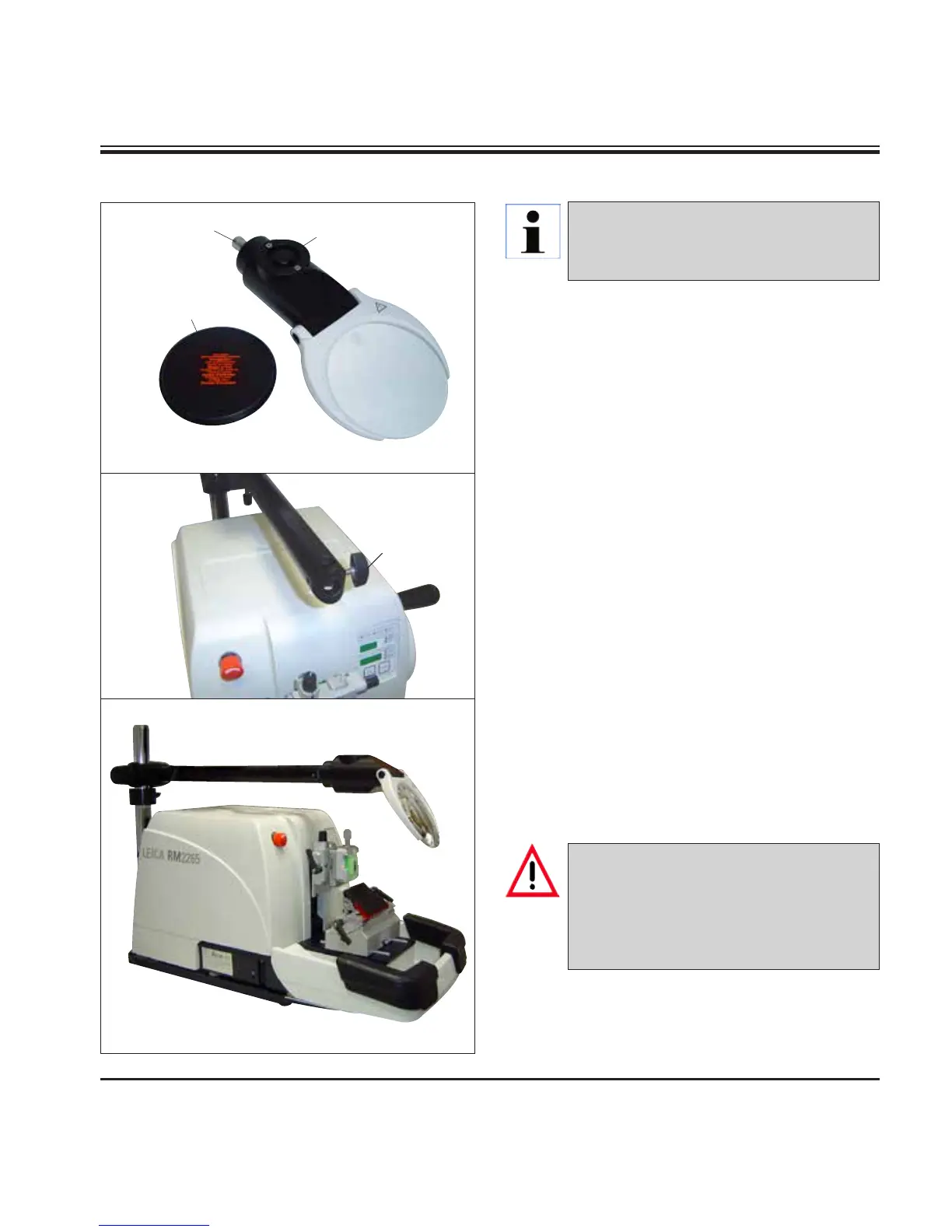
Fig. 64
Fig. 66
Fig. 65
• Open the screw (3) on the horizontal arm of
the microscope carrier in a counterclockwise
direction.
• Insert the silver connection piece (1) as far as
it will go. Tighten the screw (3).
• The adapter (2) allows a fiber-optic light guide
to be installed.
• The instrument illustrations in Fig. 67 and
Fig. 68 are an example only.
• Adjust the position of the magnifying lens to
the specimen being processed.
The magnifying lens can be swiveled com-
pletely to the side if necessary.
1
3
2
4
• Use the provided protective cap (4) to cover
the magnifying lens.
The magnifying lens provides a 2x mag-
nification and can be used with all
Leica 2200 series rotary microtomes.
Always protect the magnifier glass from
exposure to direct sunlight! Exposure to
sunlight may cause
a burning glass ef-
fect.
Danger of fire!



 To Next Page