EN
135
Camera operation
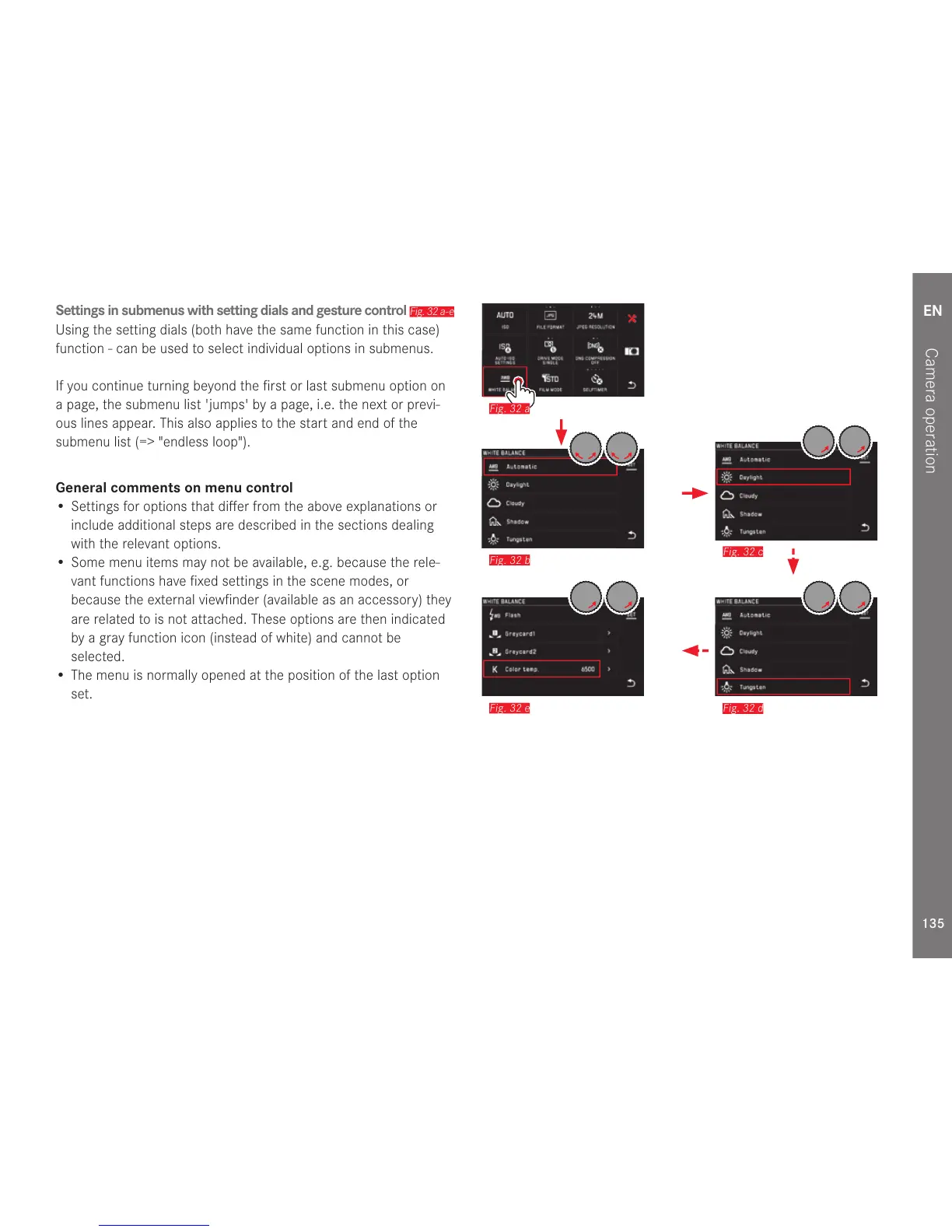
Settings in submenus with setting dials and gesture control
Fig. 32 a-e
Using the setting dials (both have the same function in this case)
function - can be used to select individual options in submenus.
If you continue turning beyond the first or last submenu option on
a page, the submenu list 'jumps' by a page, i.e. the next or previ-
ous lines appear. This also applies to the start and end of the
submenu list (=> "endless loop").
General comments on menu control
• Settings for options that differ from the above explanations or
include additional steps are described in the sections dealing
with the relevant options.
• Some menu items may not be available, e.g. because the rele-
vant functions have fixed settings in the scene modes, or
because the external viewfinder (available as an accessory) they
are related to is not attached. These options are then indicated
by a gray function icon (instead of white) and cannot be
selected.
• The menu is normally opened at the position of the last option
set.
Fig. 32 a
Fig. 32 b
Fig. 32 c
Fig. 32 e
Fig. 32 d



 To Next Page