EN
192
Miscellaneous
SETTING UP AND USING THE WIFI FUNCTION
Activating the WiFi function on the camera
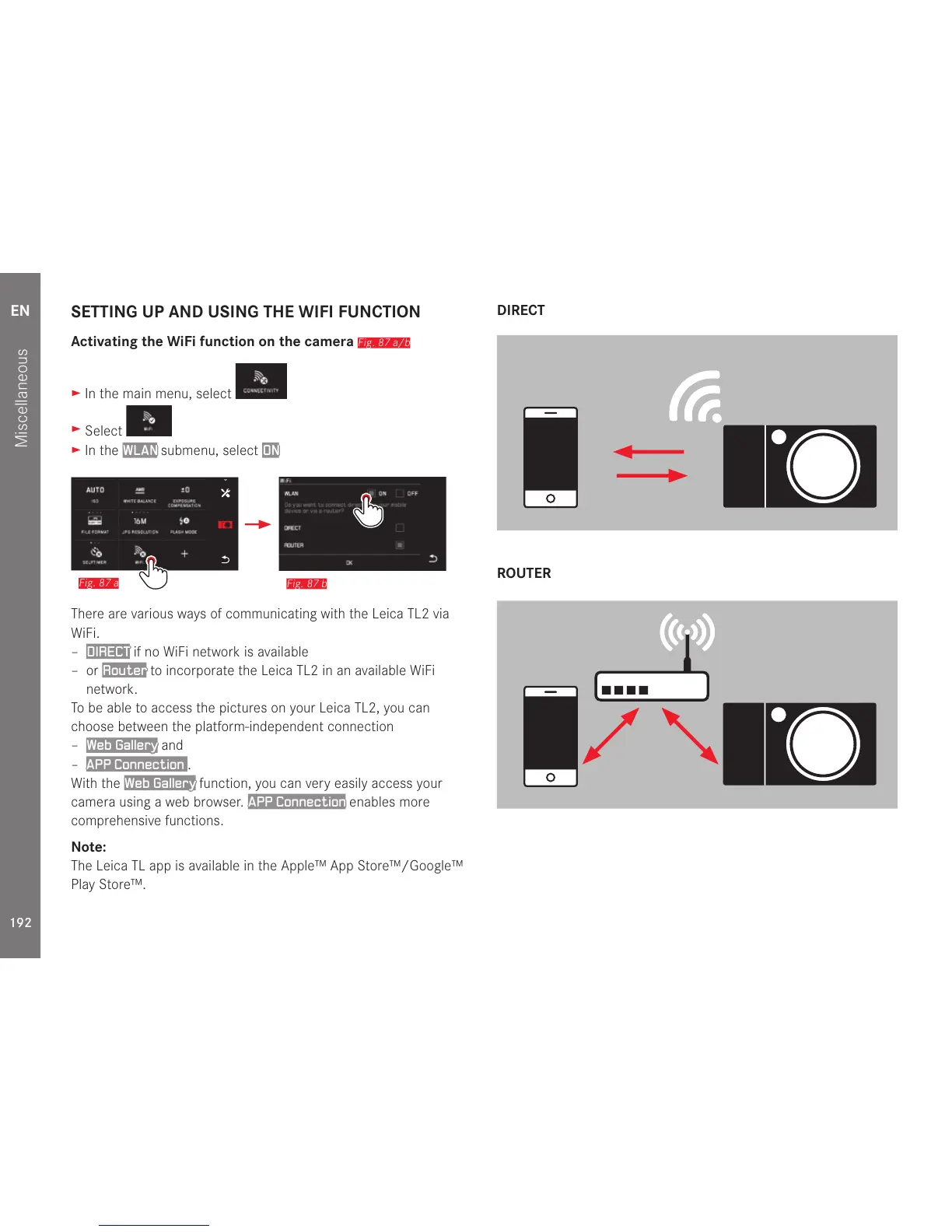
Fig. 87 a/b
► In the main menu, select
►
Select
► In the WLAN submenu, select ON
Fig. 87 b
Fig. 87 a
There are various ways of communicating with the Leica TL2 via
WiFi.
–
DIRECT if no WiFi network is available
– or
Router to incorporate the Leica TL2 in an available WiFi
network.
To be able to access the pictures on your Leica TL2, you can
choose between the platform-independent connection
–
Web Gallery and
–
APP Connection .
With the
Web Gallery function, you can very easily access your
camera using a web browser.
APP Connection enables more
comprehensive functions.
Note:
The Leica TL app is available in the Apple™ App Store™/Google™
Play Store™.
DIRECT
ROUTER



 To Next Page