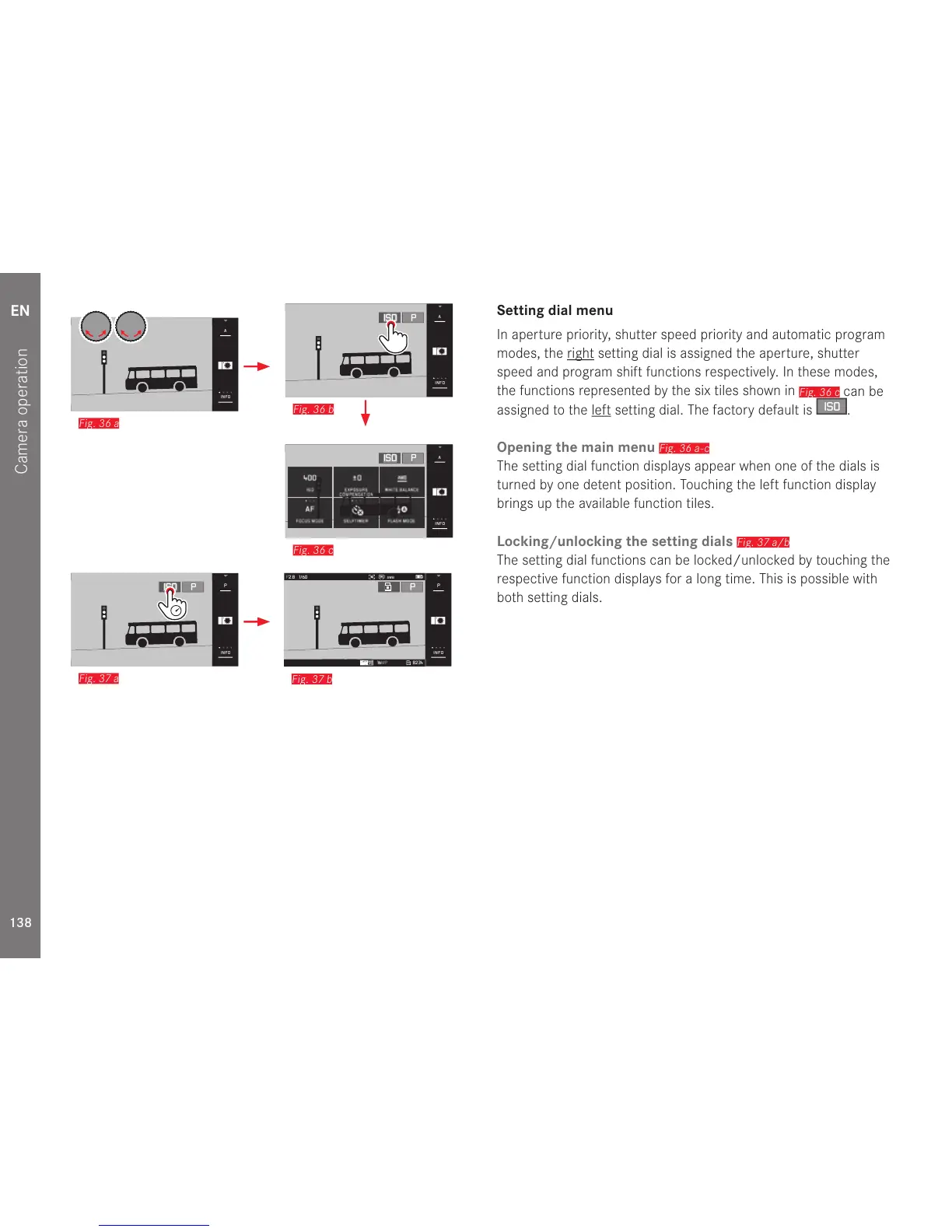
Setting dial menu
In aperture priority, shutter speed priority and automatic program
modes, the right setting dial is assigned the aperture, shutter
speed and program shift functions respectively. In these modes,
the functions represented by the six tiles shown in
Fig. 36 c
can be
assigned to the left setting dial. The factory default is
ISO
.
Opening the main menu
Fig. 36 a-c
The setting dial function displays appear when one of the dials is
turned by one detent position. Touching the left function display
brings up the available function tiles.
Locking/unlocking the setting dials
Fig. 37 a/b
The setting dial functions can be locked/unlocked by touching the
respective function displays for a long time. This is possible with
both setting dials.



 To Next Page