EN
179
Review mode
Marking recordings as favorites/canceling markings
You can mark any recording as favorite, e.g. so you can find it more
quickly.
Protecting recordings/clearing delete protection
Recordings that you want to protect from accidentally being
deleted can be marked.
The operations used to mark and protect are the same, the only
difference is the way you enter the relevant submenus:
for
favorites,
for protection. The operations are described here
for favorites as an example.
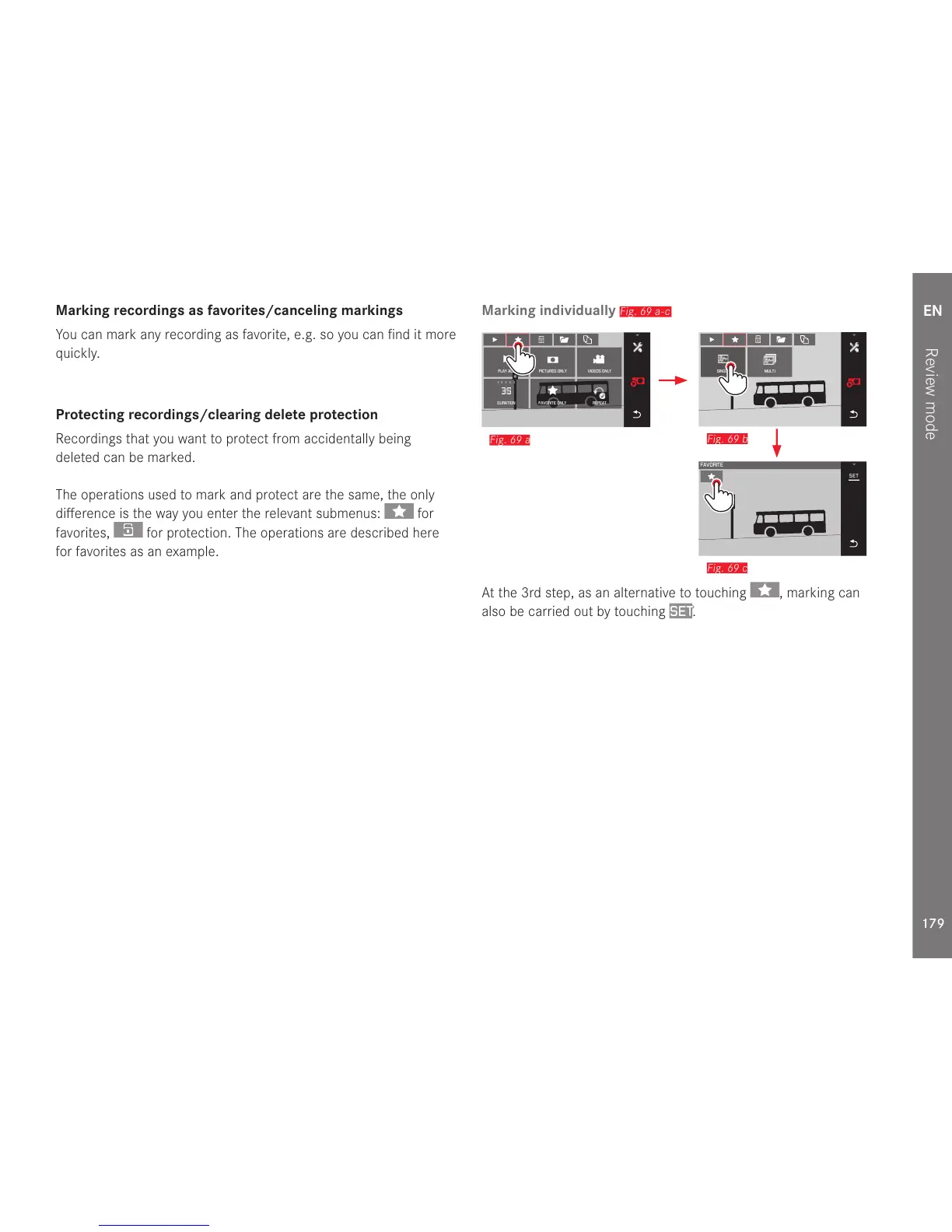
Marking individually
Fig. 69 a-c
Fig. 69 a
At the 3rd step, as an alternative to touching , marking can
also be carried out by touching
SET.



 To Next Page