Fig. 77 c
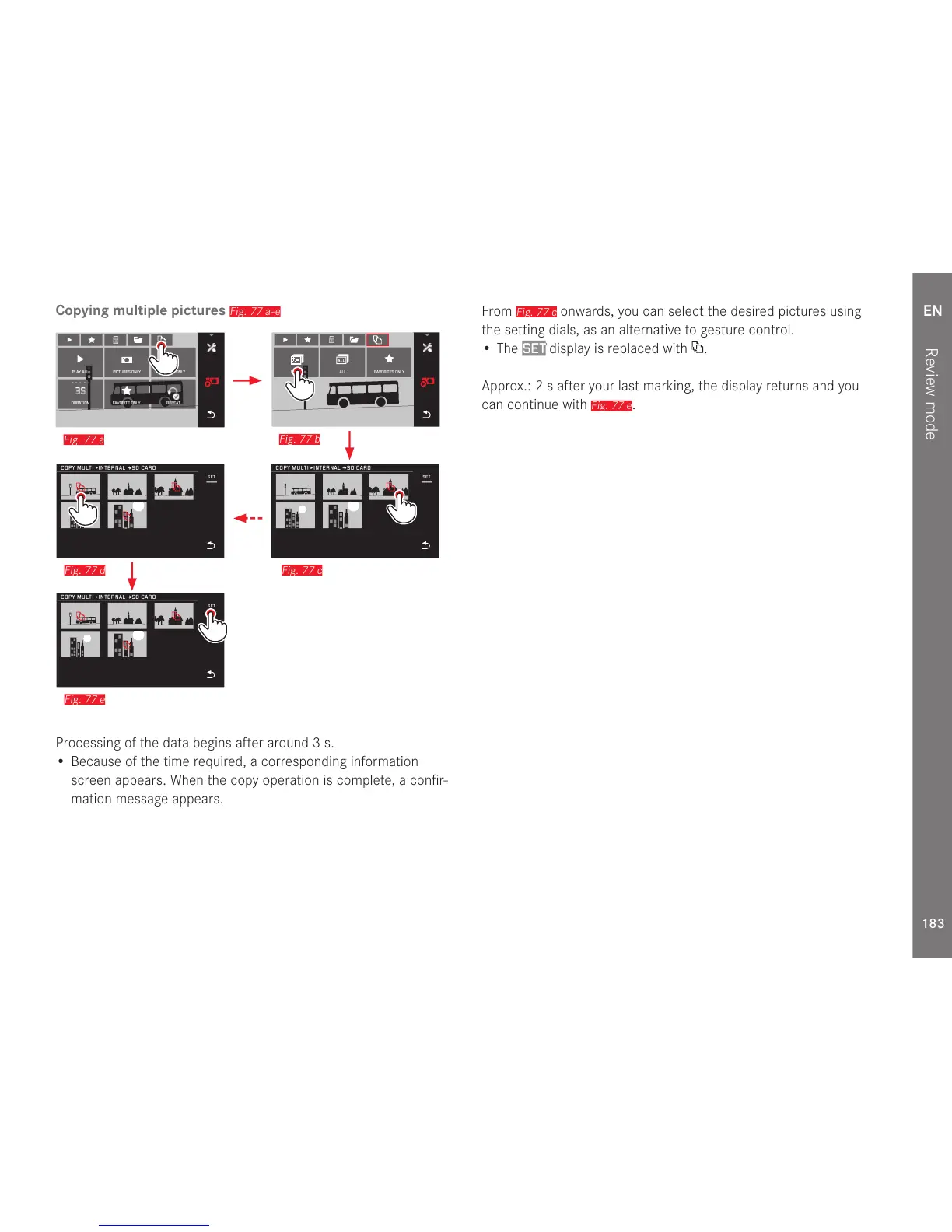
Processing of the data begins after around 3s.
• Because of the time required, a corresponding information
screen appears. When the copy operation is complete, a confir-
mation message appears.
From
Fig. 77 c
onwards, you can select the desired pictures using
the setting dials, as an alternative to gesture control.
• The
SET display is replaced with .
Approx.: 2 s after your last marking, the display returns and you
can continue with
Fig. 77 e
.


 To Next Page
 Loading...










