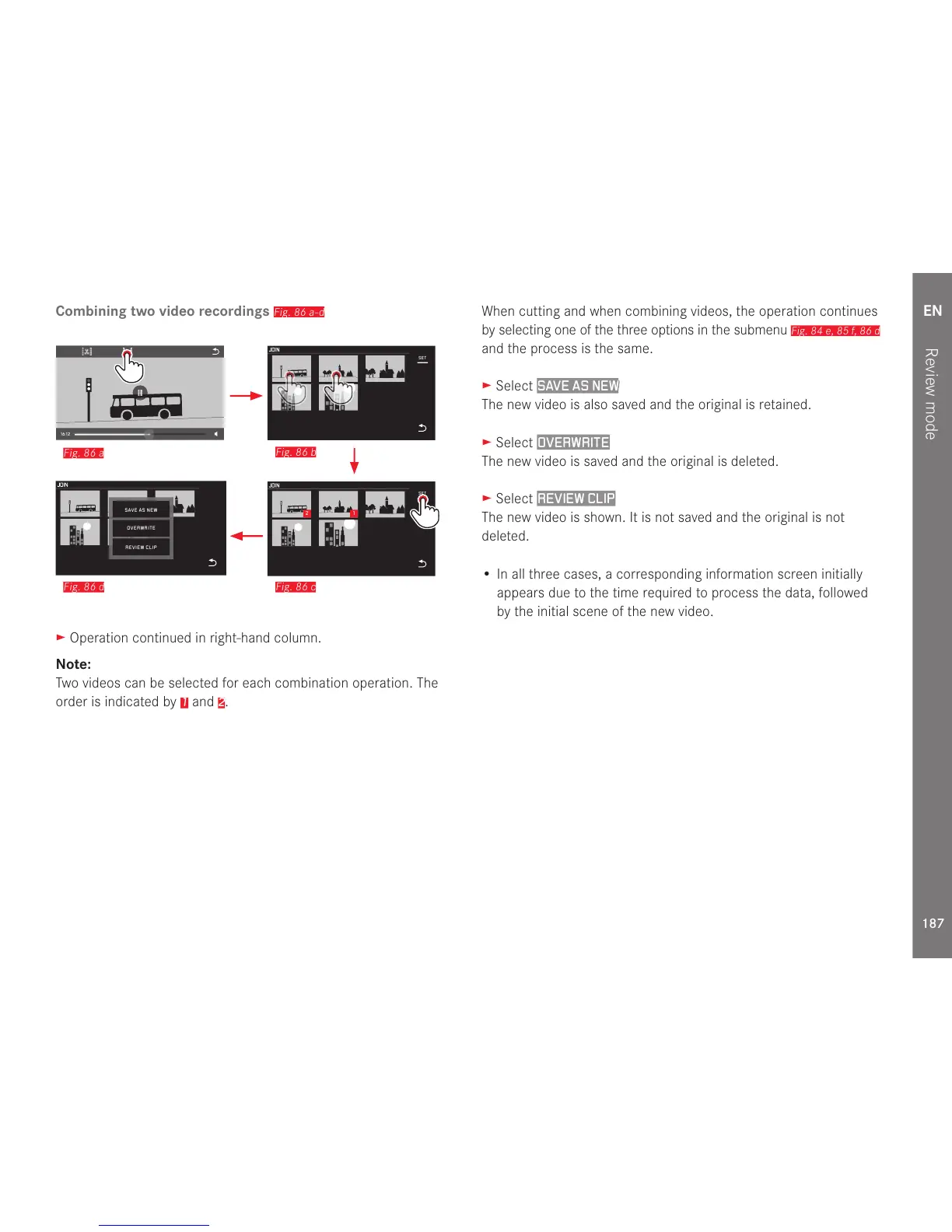
► Operation continued in right-hand column.
Note:
Two videos can be selected for each combination operation. The
order is indicated by
1
and
2
.
When cutting and when combining videos, the operation continues
by selecting one of the three options in the submenu
Fig. 84 e, 85 f, 86 d
and the process is the same.
► Select
SAVE AS NEW
The new video is also saved and the original is retained.
► Select
OVERWRITE
The new video is saved and the original is deleted.
► Select
REVIEW CLIP
The new video is shown. It is not saved and the original is not
deleted.
• In all three cases, a corresponding information screen initially
appears due to the time required to process the data, followed
by the initial scene of the new video.



 To Next Page