• Do not connect the power cord until all other connections have been made.
• Ensure that you observe the colour cord when connecting audio and video cables.
• Before connecting, open the cover on the right side of the unit’s rear panel.
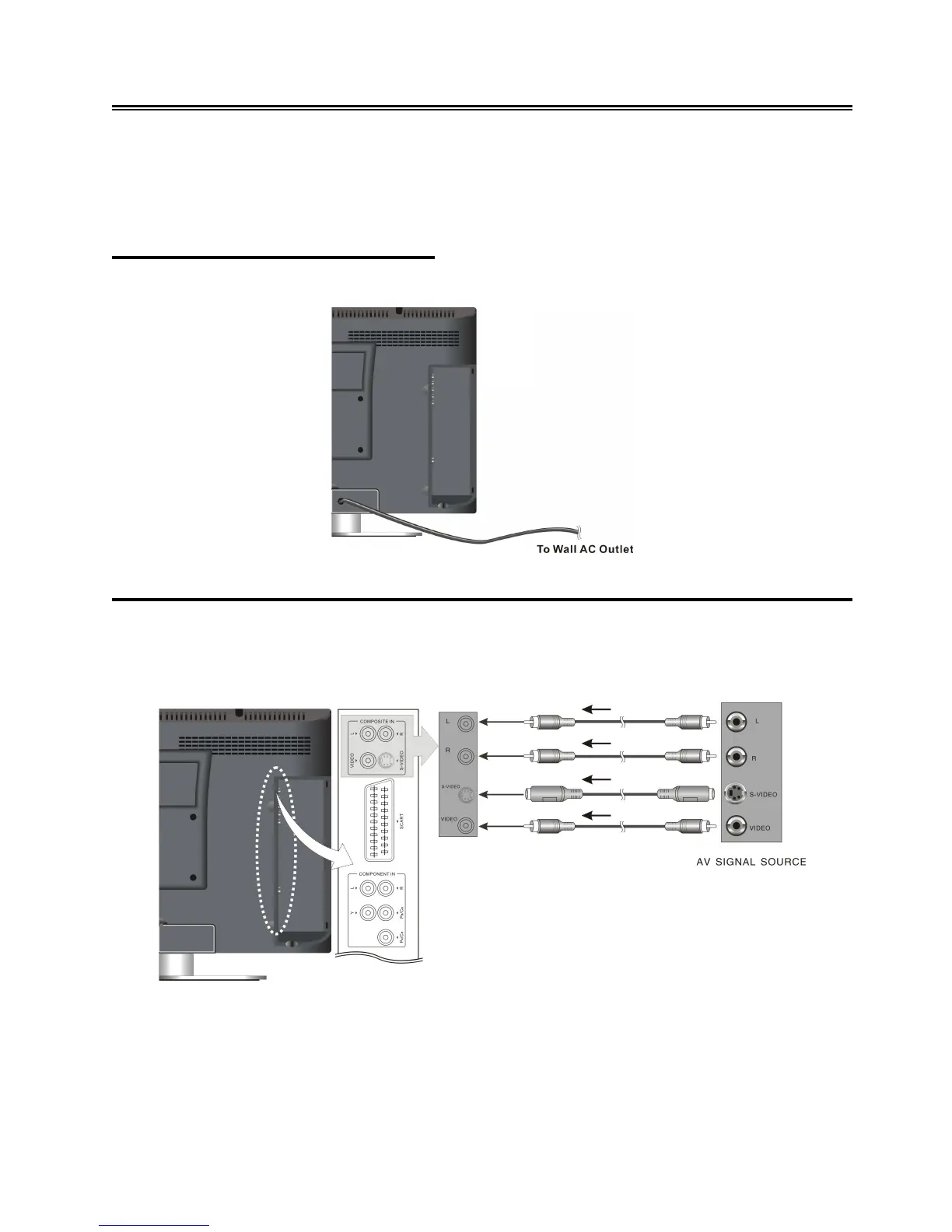
Connecting to Power Supply
Plug the power supply cord to the wall AC outlet.
Connecting to an External AV Signal Source (Composite/S-Video)
Use audio cables to connect an external signal source to the audio input jacks on the jack panel of
the unit. Use either composite video or S-Video cables for the video connection to the input jack on
the jack panel of the unit.
After connection, turn on the power of the unit and the external AV signal source. Press the INPUT
button on the remote control or the SOURCE button on the TV set to select the Composite or
S-video mode.
Note:
S-Video signals typically provide better image quality than composite video signals.



 To Next Page