Connecting to a PC
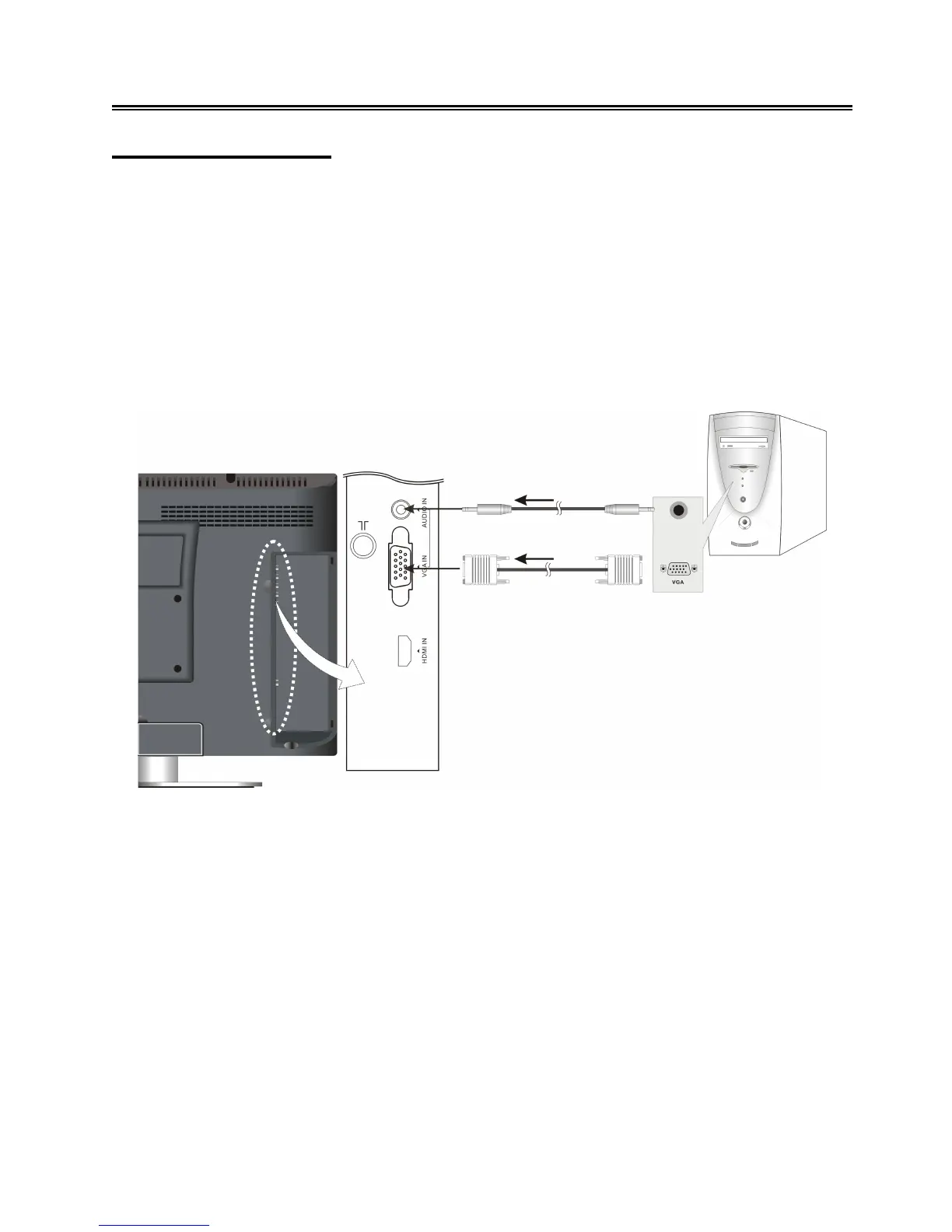
The unit can be connected to a PC (personal computer) via the VGA cable. Follow the steps and the
figure below to connect.
1. Connect one end of the VGA cable to the VGA input jack on the right side of the unit’s rear panel
and the other end to the PC.
2. Connect one end of the audio cables to the PC audio input jack on the right side of the unit’s
rear panel and the other end to the PC audio output jack.
3. Set the PC’s resolution at 1440×900@60Hz for best results.
After connection, turn on the unit and the PC. Press the INPUT button on the remote control or the
SOURCE button on the TV set to select VGA mode.



 To Next Page