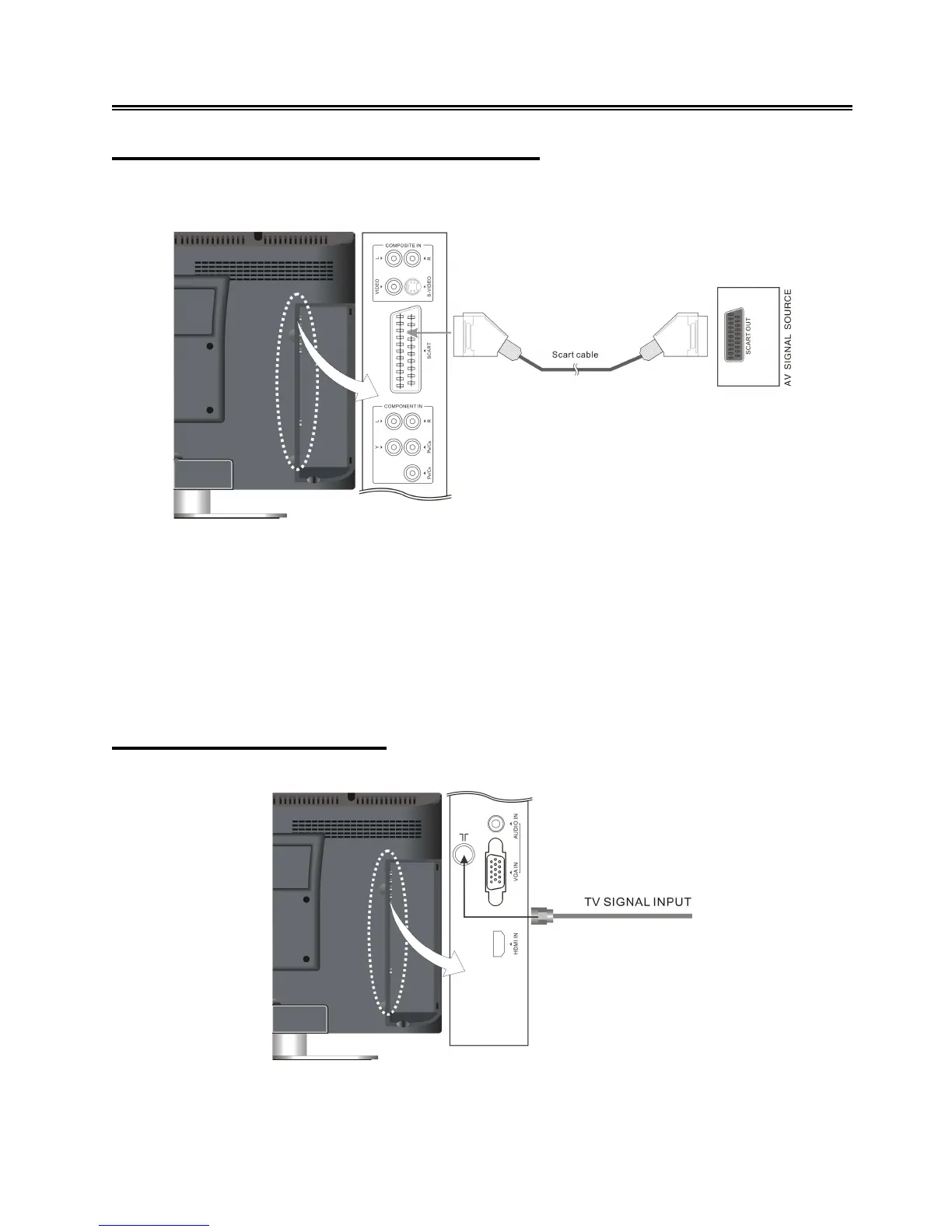
Connecting to a SCART signal source
Follow the figure below to connect a SCART signal source to the SCART jack on the rear panel of
the unit.
After connection, turn on the power to the television and the external AV signal source. Use the
INPUT button on the remote control or the SOURCE button on the TV set to select SCART mode.
Note:
When there is a SCART signal provided, the TV will enter SCART mode automatically; when the
SCART cable is pulled out or the external AV signal source is turned off, the TV will return to the
previous mode.
Connecting to TV Signal
This unit can be connected to the TV signal input source via the 75Ω antenna jack on the rear panel.
After connection, turn on the power of the unit. Then press the INPUT button on the remote control
or the SOURCE button on the TV set to select TV mode
and conduct program selection.



 To Next Page