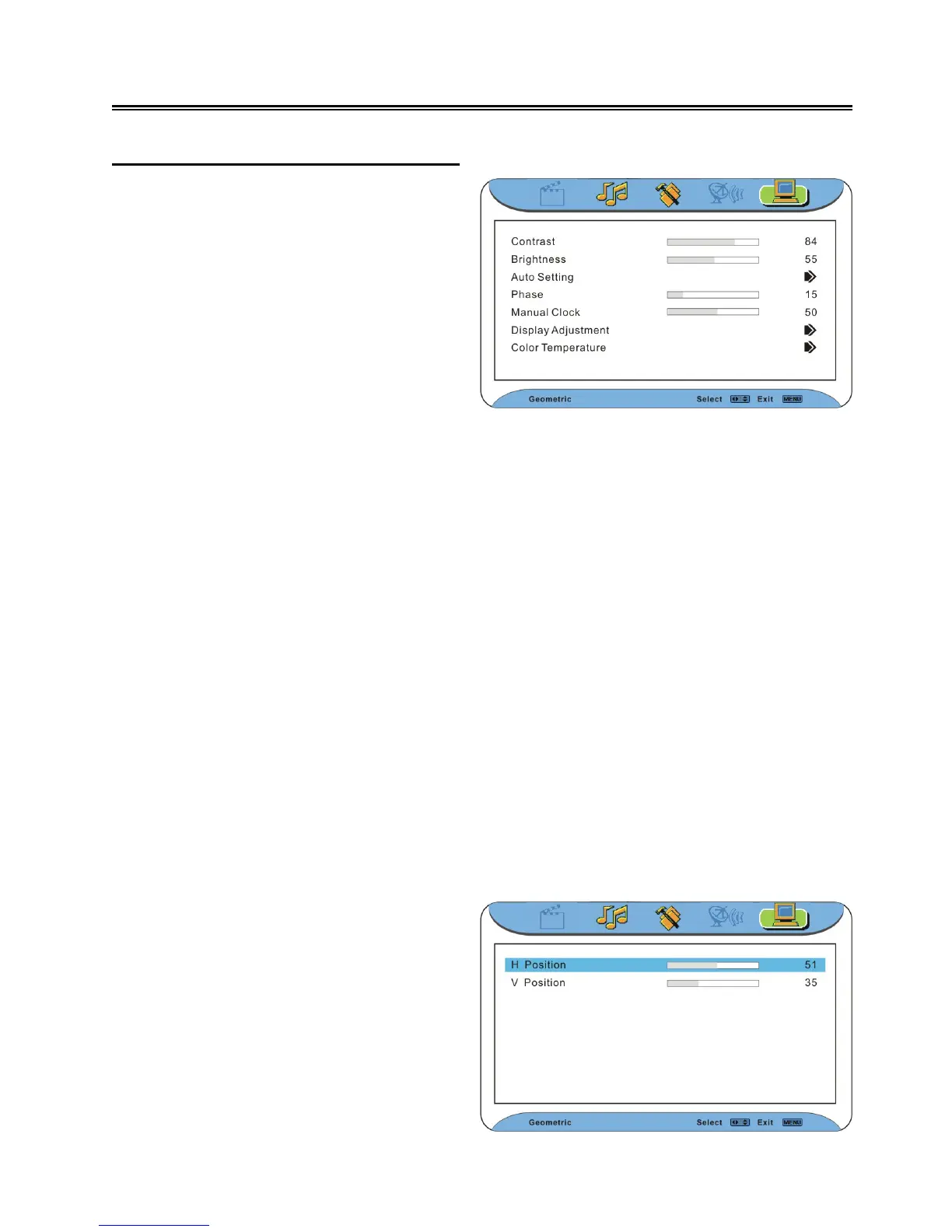
Geometric Setting (VGA mode)
Note: the items in the Geometric Setting menu can be set when there is a VGA signal
provided.
Contrast
Press the ▲▼ button to select Contrast and press the ◄► button to adjust the value.
Brightness
Press the ▲▼ button to select Brightness and press the ◄► button to adjust the value.
Auto Setting
Press the ▲▼ button to select Auto Setting and press the ◄► button to activate auto setting.
Phase
Press the ▲▼ button to select Phase and press the ◄► button to adjust the value.
Manual Clock
Press the ▲▼ button to select Manual Clock and press the ◄► button to adjust the value.
Press the MENU button once to enter the
main setup menu. Press the ◄ ► button to
select Geometric, and the screen will display
as the figure on the right.
In the menu, press the OK or ▼ button to
enter the menu. Press the ▲▼ button to
select an item. Press the MENU button to
return to the previous menu.
Press the EXIT button to exit the menu.
Display Adjustment
Press the ▲▼ button to select Display
Adjustment. Press the ◄ ► button to enter
the menu as shown on the right:
In the menu, press the ▲▼ button to select
items.
Press the MENU button to return to the
previous menu. Press the EXIT button to
exit.



 To Next Page