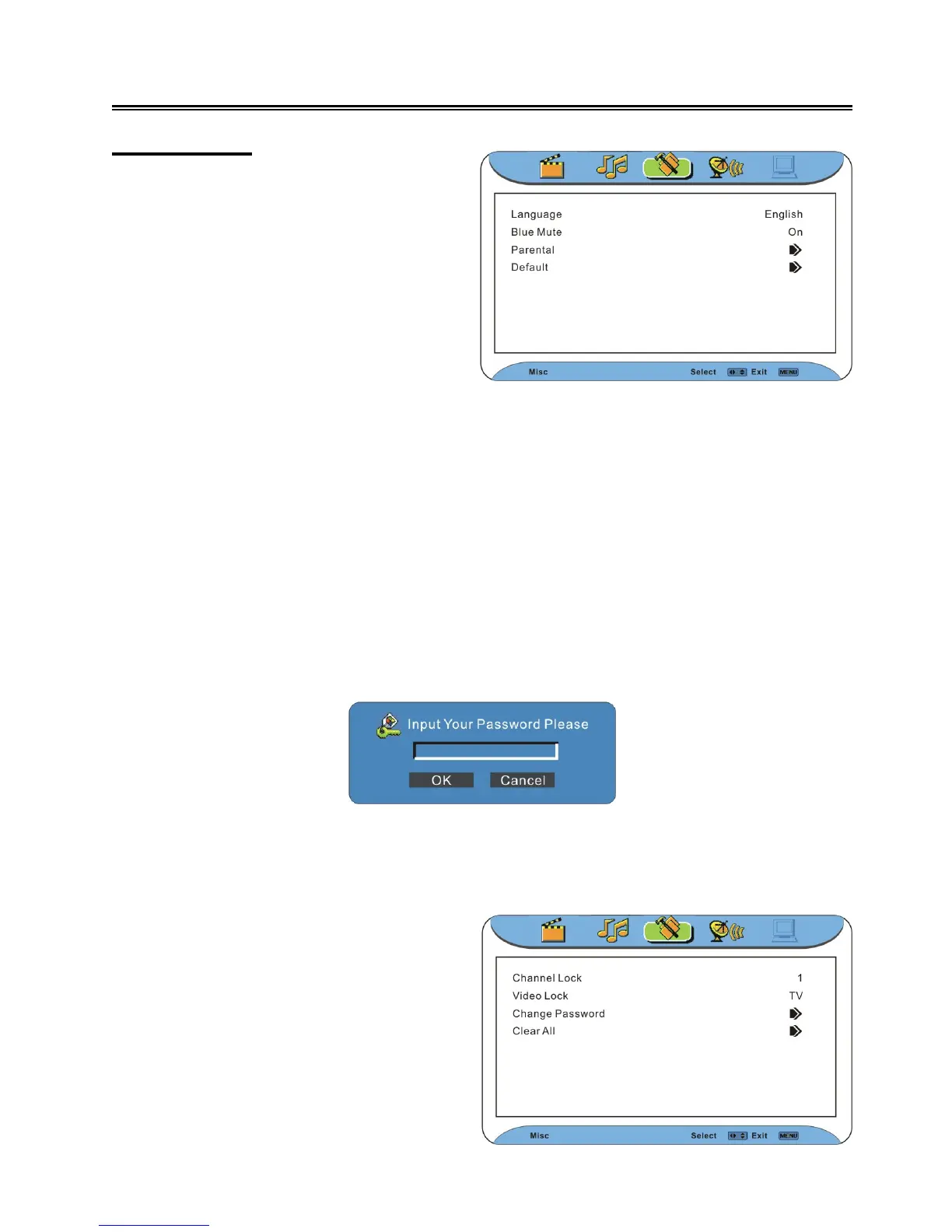
Misc Setting
Language
Press the ▲▼ button to select Language. Press the ◄ ► button to select the desired language.
Press the MENU button to return to the previous menu.
Blue Mute
Press the ▲▼ button to select Blue Mute. Press the ◄ ► button to select On or Off. Press the
MENU button to return to the previous menu.
Parental
Press the ▲▼ button to select Parental. Press the OK or ► button to enter the menu and the
screen will display the following:
Use the number buttons to enter the password. Press the direction buttons (▲▼◄►) to highlight
OK and press the OK button to enter the menu as shown below; highlight Cancel and press the OK
button to cancel the operation. The default pin is 0000.
Press the MENU button once to enter the
main setup menu. Press the ◄► button to
select Misc, and the screen will display as
the figure on the right.
In the menu, press the OK or ▼ button to
enter the menu. Press the ▲▼ button to
select item.
Press the EXIT button to exit the menu.
In the menu, press the ▲▼ button to select
items. Press the MENU button to return to the
previous menu.
Press the EXIT button to exit the menu.



 To Next Page