- 7 -
Installing the DVD Module
This TV set comes equipped with a removable DVD module. Please follow the procedures below to
remove or install the DVD module, this is for service purpose only.
Note:
Before removing or installing the DVD module, ensure that the television is turned off and that the
main plug is removed from the wall socket.
DVD module removal:
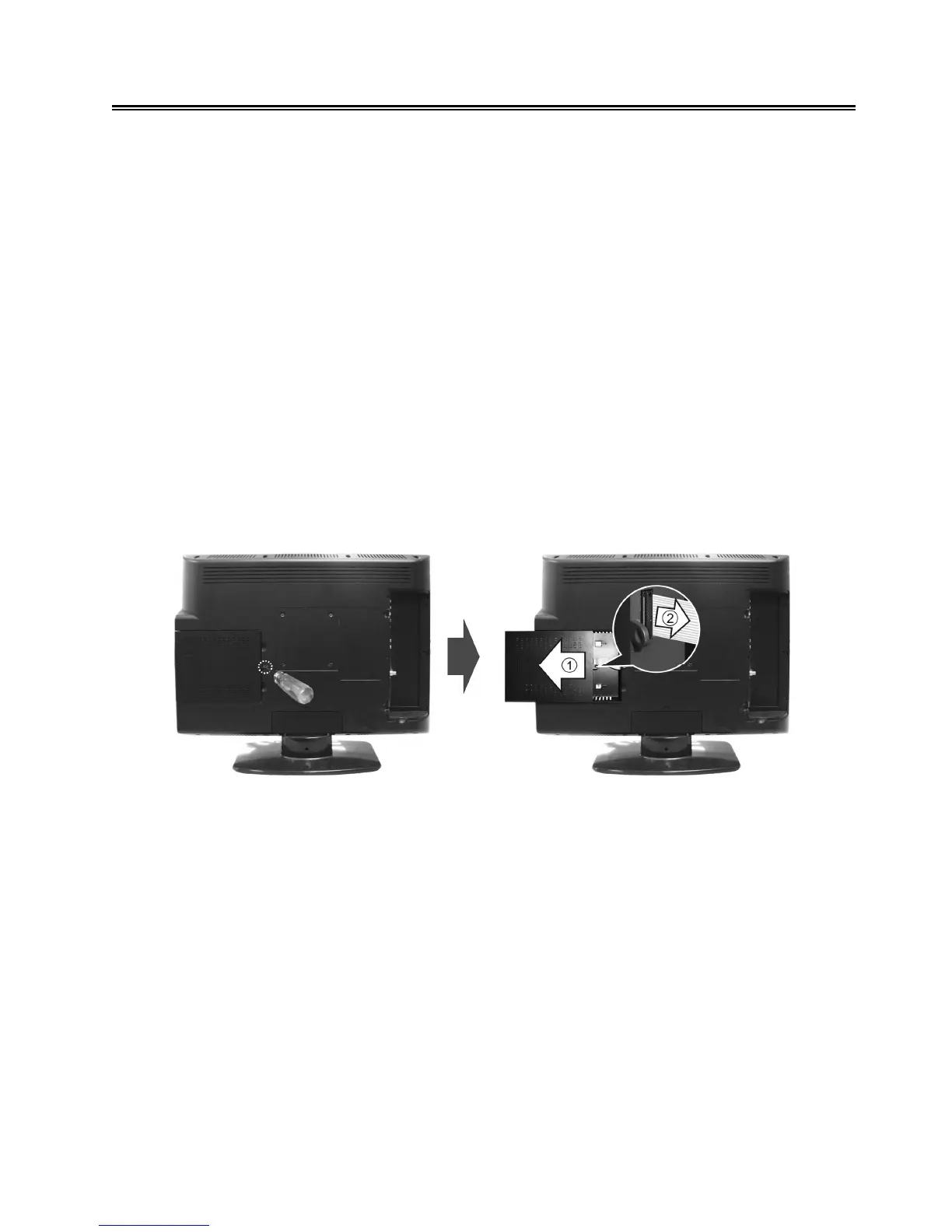
Refer to the illustration below and follow the procedures below to remove the DVD module from the
unit:
1. Loosen the screw on the DVD module.
2. Carefully slide the DVD module along the rails and unplug the connecting cord from the LCD TV.
3. Slide the DVD module along the rails to fully remove the DVD module.
DVD module installation:
1. Plug the connecting cord into the DVD module.
2. Carefully slide the module into the desired position and lock the module with one screw.



 To Next Page