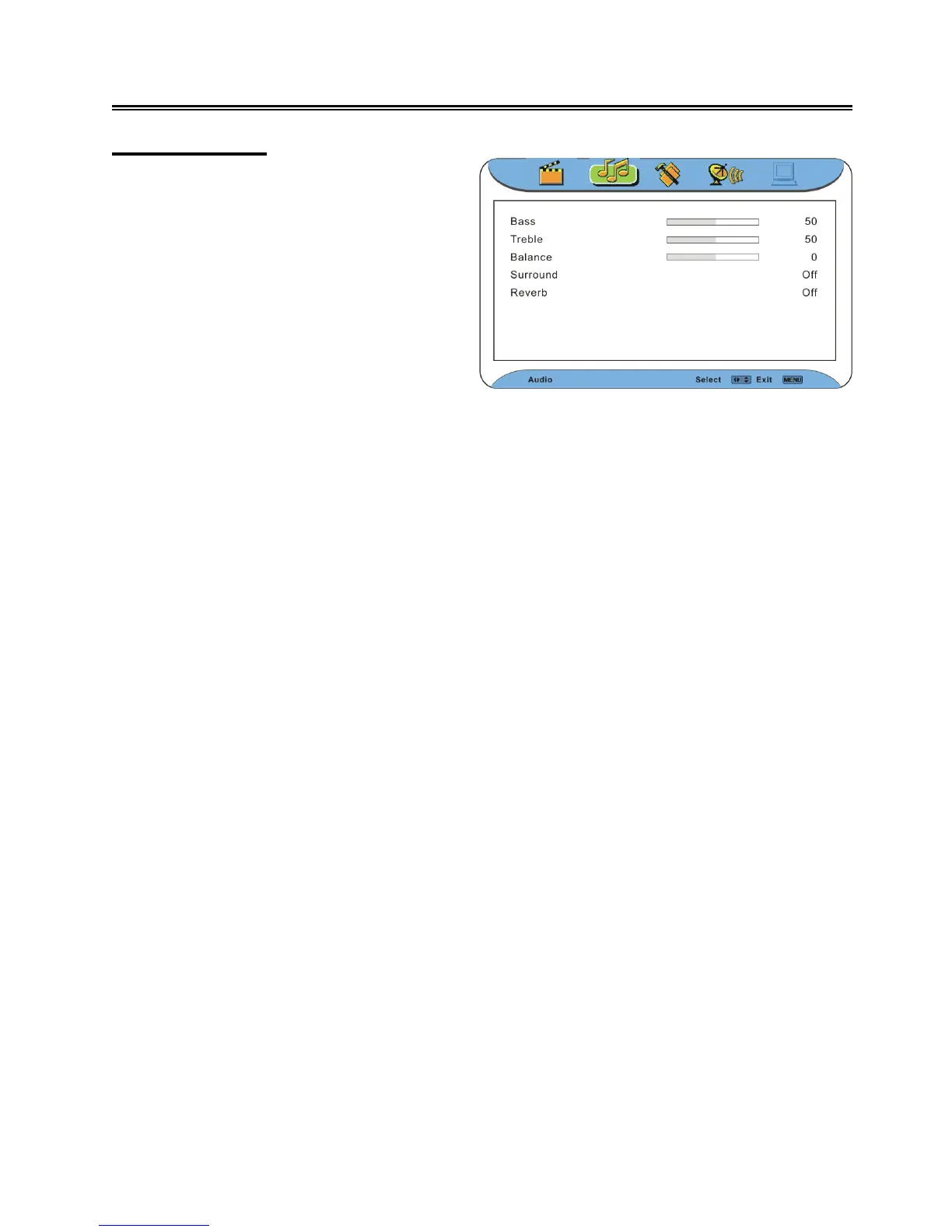
Audio Setting
Note: the items in the Audio Setting menu can be set when there is signal provided.
Bass
Press the ▲▼ button to select Bass and press the ◄► button to adjust the level. Press the MENU
button to return to the previous menu.
Treble
Press the ▲▼ button to select Treble and press the ◄► button to adjust the level. Press the MENU
button to return to the previous menu.
Balance
Press the ▲▼ button to select Balance and press the ◄► button to adjust the level. Press the
MENU button to return to the previous menu.
Surround
Press the ▲▼ button to select Surround and press the ◄► button to select On or Off.. Press the
MENU button to return to the previous menu.
Reverb
Press the ▲▼ button to select Reverb and press the ◄► button to select Low, Middle, Strong or Off.
Press the MENU button to return to the previous menu.
Press the MENU button once to enter the
main setup menu. Press the ◄ ► button to
select Audio and the screen will display as
the figure on the right.
In the menu, press the OK or ▼ button to
enter the menu. Press the ▲▼ button to
select an item.
Press the EXIT button to exit the menu.



 To Next Page