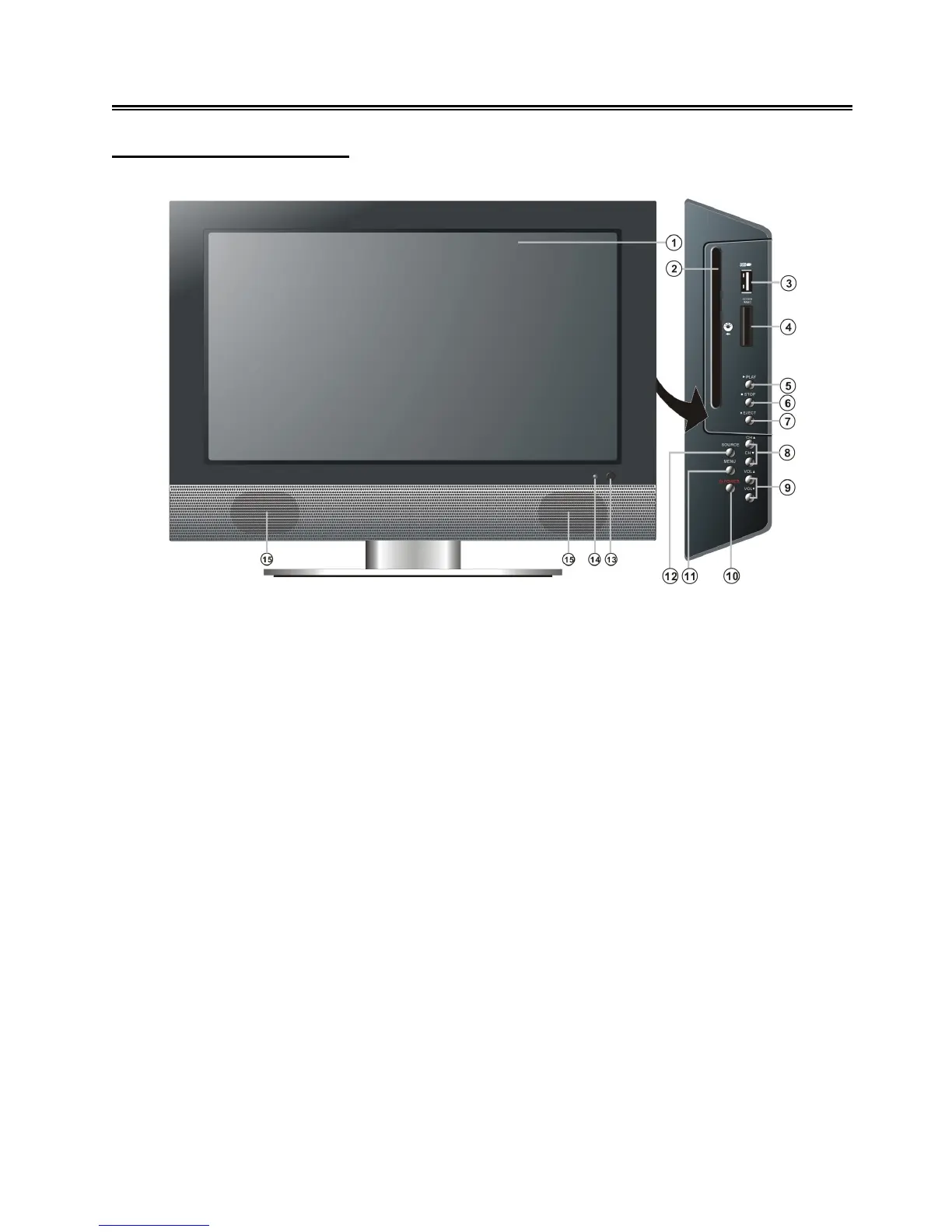
Front and Right View
1. Color TFT screen
Color TFT screen to clearly show the data.
2. Disc Tray Slot
Insert a disc into this slot.
3. USB Port
To connect an external USB device.
4. SD/MS/MMC card port
Insert an SD/MS/MMC card into this slot.
5. ► PLAY button
In DVD mode, press this button to play the disc.
6.
STOP button
In DVD mode, press this button once to stop playback, and then press the ► PLAY button to
resume normal playback. Press this button twice repeatedly to stop completely.
7. EJECT button
In DVD mode, press this button to eject the disc.
8. CH ▲/▼ button
In TV mode, press this button to select channels.
In setup menu, the same function as
the ▲▼ direction buttons.



 To Next Page